
Skip to Content
MailDesk Business - Monthly subscription
  • No SaaS · runs inside your own Odoo
  • Your mail & data stay in your database
  • Works with Odoo 17 · 18 · 19 · 20 - your choice
  • Continuously updated — 16 modules, 12 workflow bridges
Subscriptions

MailDesk Business - Monthly subscription

50+ countries
MD-BUSINESS-MON

MailDesk Business includes everything in Pro, plus 12 integrations with Odoo apps such as CRM, Helpdesk, Sales and Documents, and the Automation Engine.

Link conversations to your Odoo records and automate routine email tasks. The Operational Cockpit and dedicated managed support are part of Ultimate.

Monthly: 89.00 €
  • Version
Prices excl. VAT · choose your Odoo version below
Invalid email
MAILDESK BUSINESS · ODOO 17 · 18 · 19 · 20

Email plus your entire Odoo workflow

Everything in MailDesk Pro, plus all twelve Odoo integrations and the Automation Engine: your mail connected to CRM, Helpdesk, Sales, Calendar, Documents, Chatter, Partner 360, Invoicing, Time Off, Project, Purchase and Inventory.

Includes MailDesk Pro12 Odoo integrationsAutomation EnginePhone support
▶  Watch MailDesk in action
MailDesk AI summarising a customer conversation next to the inbox
BOP AllianceBuilt by Metzler IT, Solution Partner in the Integrations category of the BOP Alliance (Best Odoo Partners).

What Business adds to MailDesk Pro

One licence for the complete email workflow: Pro, every integration and the Automation Engine.
Twelve Odoo integrations icon

Twelve Odoo integrations

Link any mail to a lead, ticket, quotation, meeting, document, invoice, time-off request, task, purchase order or transfer. The conversation and the record stay together.

Automation Engine icon

Automation Engine

Rules per mailbox route, tag and file incoming mail and trigger the next step. Every action is recorded in an audit log you can review at any time.

Everything in Pro icon

Everything in Pro

Two-way sync, push, MailDesk AI with your own provider, signatures and templates, the phone layout and dark mode.

Support by phone icon

Support by phone

Email support with an answer within one day, phone support in German and English, and a quarterly meeting with your customer success manager.

01INCLUDED

Every Odoo app your team works in

Each integration connects MailDesk with one Odoo app. In Business they are all included; Helpdesk and Documents are Odoo Enterprise apps.

MailDesk CRM
MailDesk CRM

Link mail to leads and opportunities; with Pro, the AI qualifies a lead from a mail.

Included in Business
MailDesk Sales
MailDesk Sales

Link quotations and orders; with Pro, the AI drafts a quotation from a sales mail.

Included in Business
MailDesk Helpdesk
MailDesk Helpdesk

Link mail to tickets and open a ticket from a mail (Helpdesk is an Odoo Enterprise app).

Included in Business
MailDesk Project
MailDesk Project

Link mail to projects and tasks.

Included in Business
MailDesk Calendar
MailDesk Calendar

Link meetings and invitations to the mail they came with.

Included in Business
MailDesk Documents
MailDesk Documents

Attach files from Documents and file attachments into it (an Odoo Enterprise app).

Included in Business
MailDesk Invoicing
MailDesk Invoicing

Link mail to customer invoices and vendor bills.

Included in Business
MailDesk Purchase
MailDesk Purchase

Link requests for quotation and purchase orders.

Included in Business
MailDesk Inventory
MailDesk Inventory

Link mail to transfers and deliveries.

Included in Business
MailDesk Time Off
MailDesk Time Off

Create and link time-off requests from a mail.

Included in Business
MailDesk Chatter
MailDesk Chatter

Discuss a mail with colleagues; with Pro, an AI brief turns it into a note or an activity.

Included in Business
MailDesk Partner 360

A customer panel with everything about the contact, next to the mail.

Included in Business
MailDesk Automation
MailDesk Automation

Rules per mailbox with an audit log; with Pro, describe a rule and the AI builds it.

Included in Business
02AUTOMATION ENGINE

Rules that handle the routine mail

Set up rules per mailbox once, and incoming mail is routed, tagged and filed by itself.

✓  Assign mail to the right team, file it, or trigger a follow-up action

✓  Rules with AI steps, and rules described in plain words

✓  Every action is recorded in an audit log you can review at any time

03AI BRIEFS

Know what a mail wants before you open it

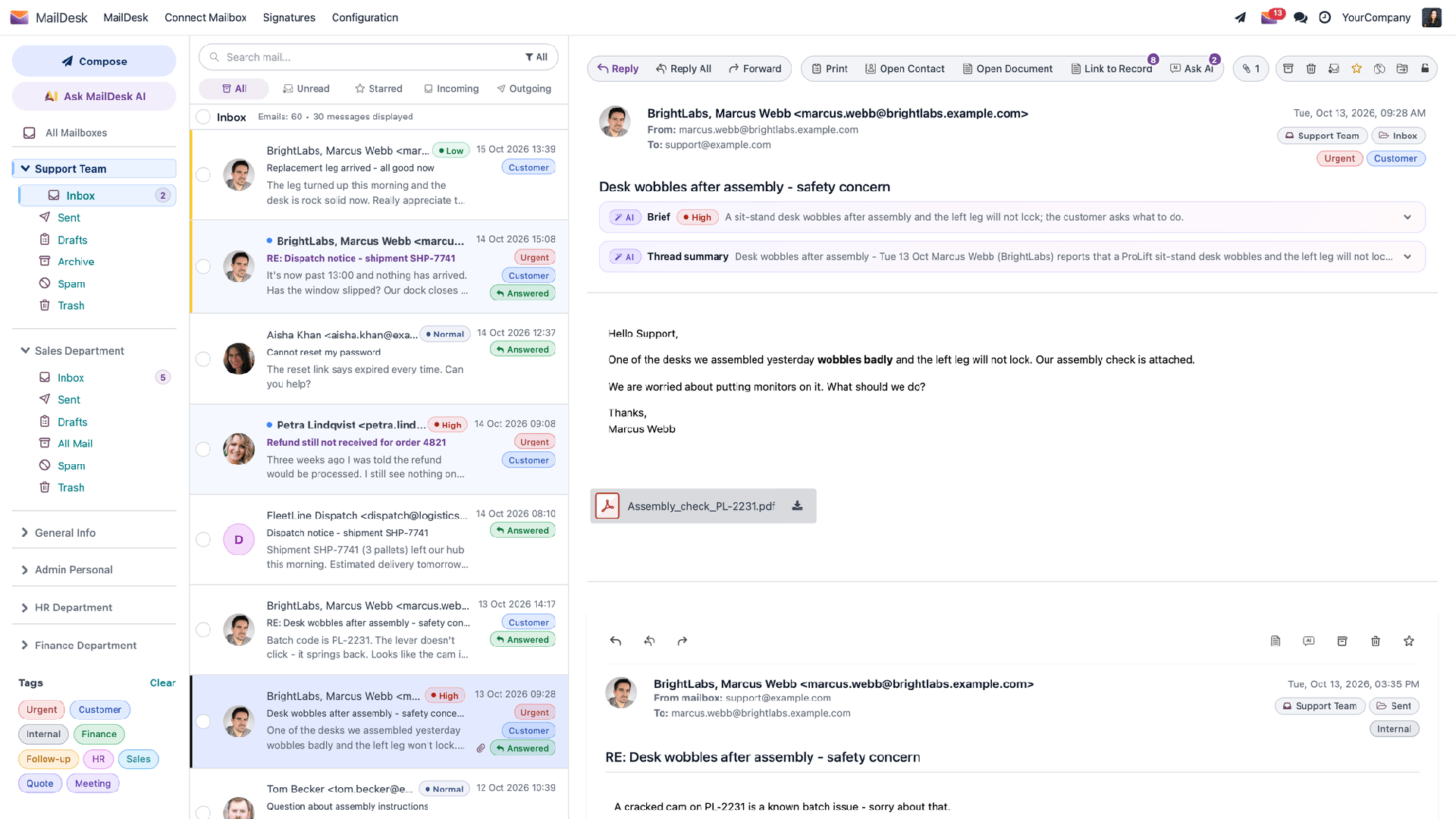
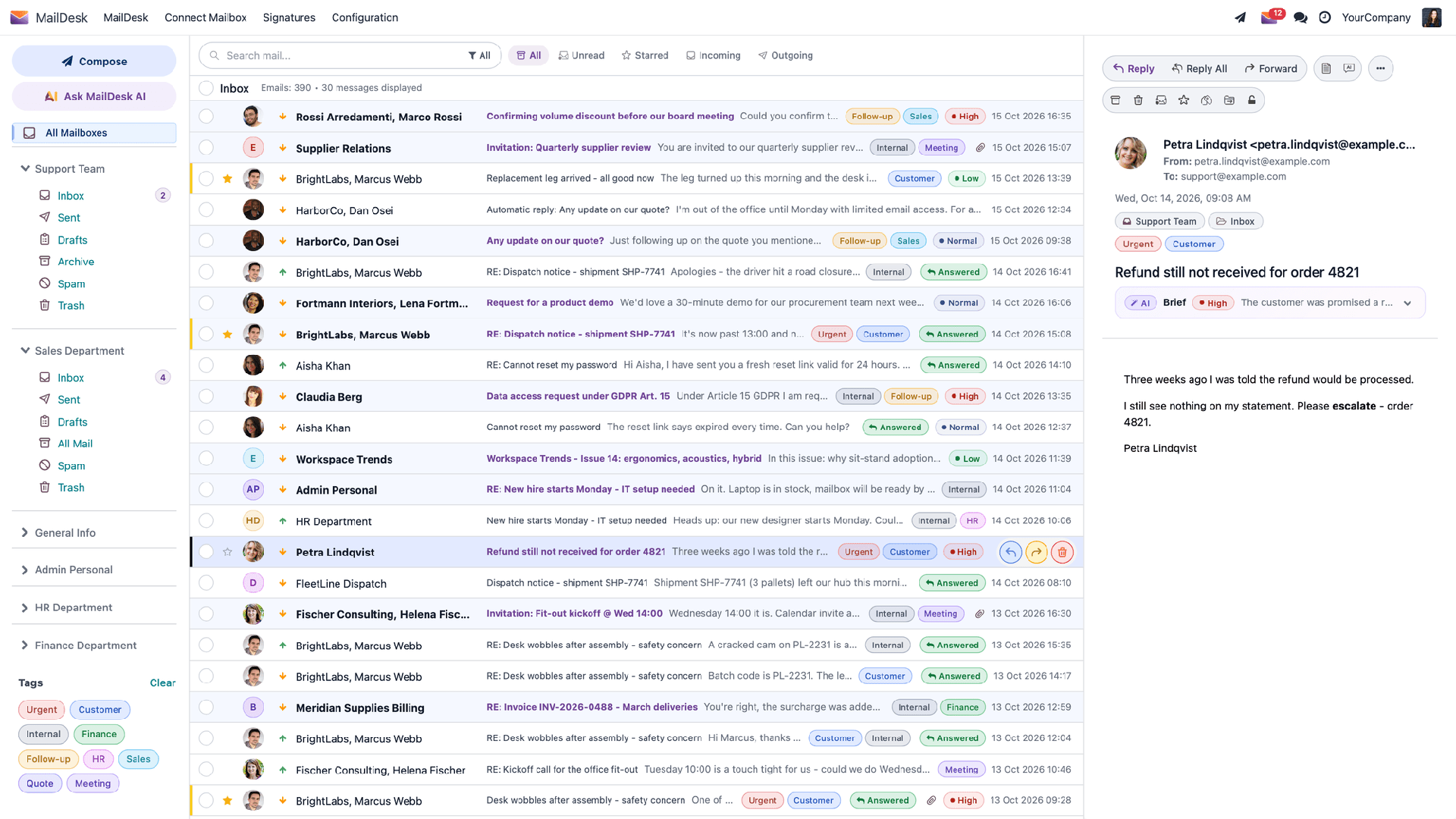
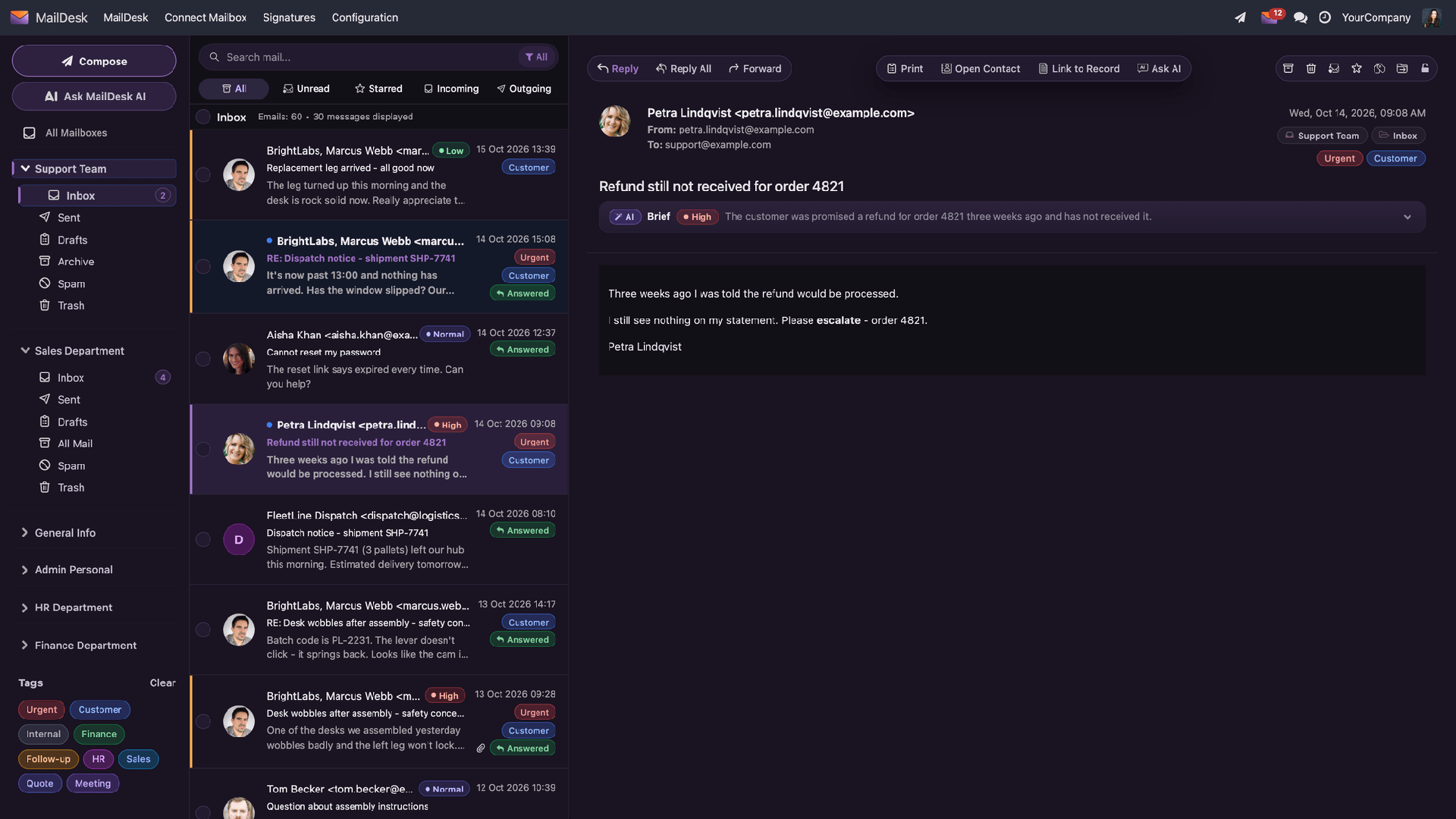
New mail in the Inbox gets a short brief: the priority with its reason, what the sender wants and the next steps. The list shows the priority at a glance; the brief sits on top of the open mail.

✓  High, Normal and Low at a glance✓  A digest of the whole conversation✓  Switch off per mailbox
AI priority in the list and an AI brief on the open mail
04REPLY DRAFTS

Say what to answer, get a ready reply

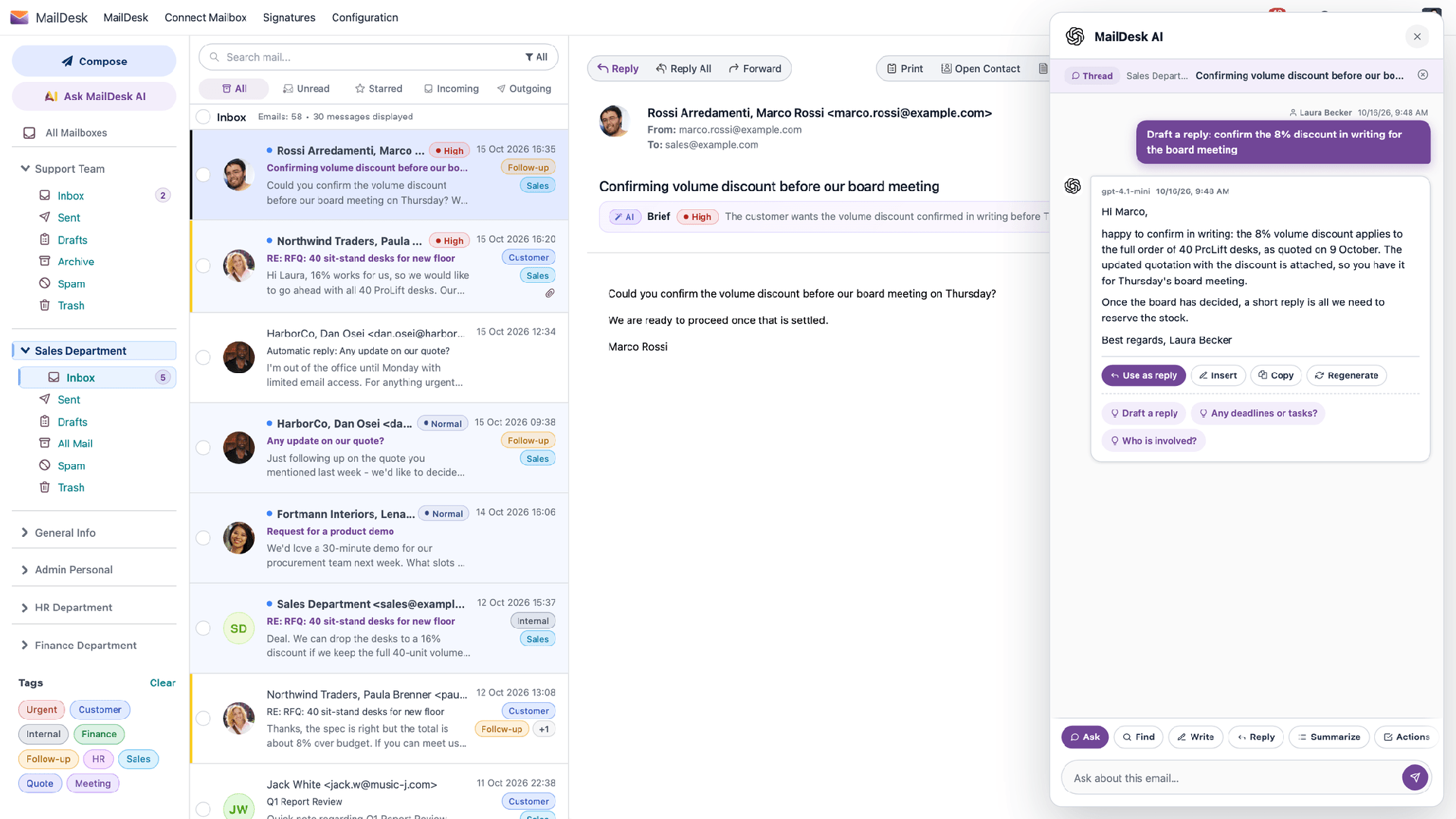
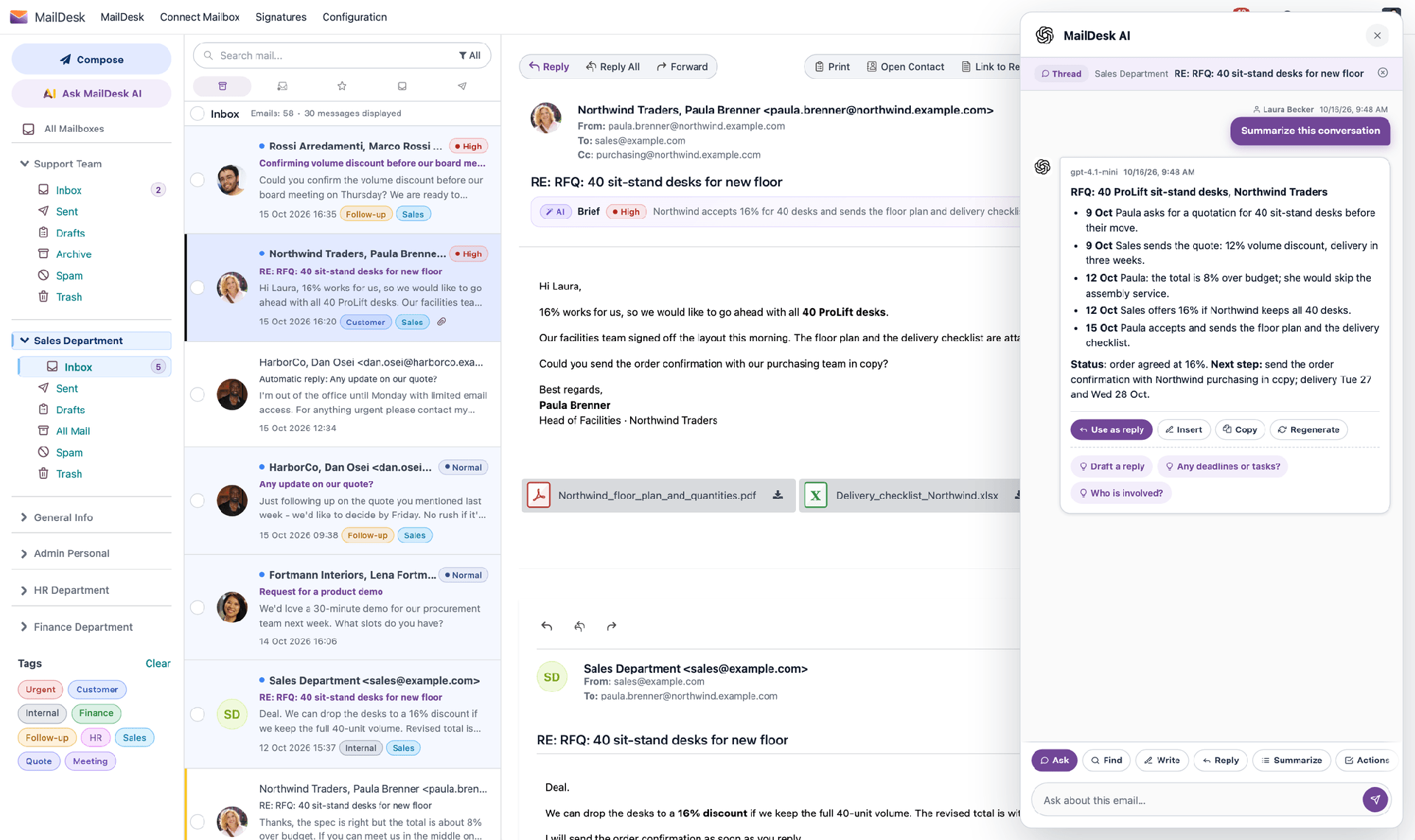
Tell MailDesk AI the key points. It writes the reply from the conversation, in the tone you set for the mailbox.

✓  Use as reply, insert, copy or regenerate

✓  Follow-up questions about the same conversation

✓  Nothing is sent until you press Send

MailDesk AI drafting a reply to a quotation request
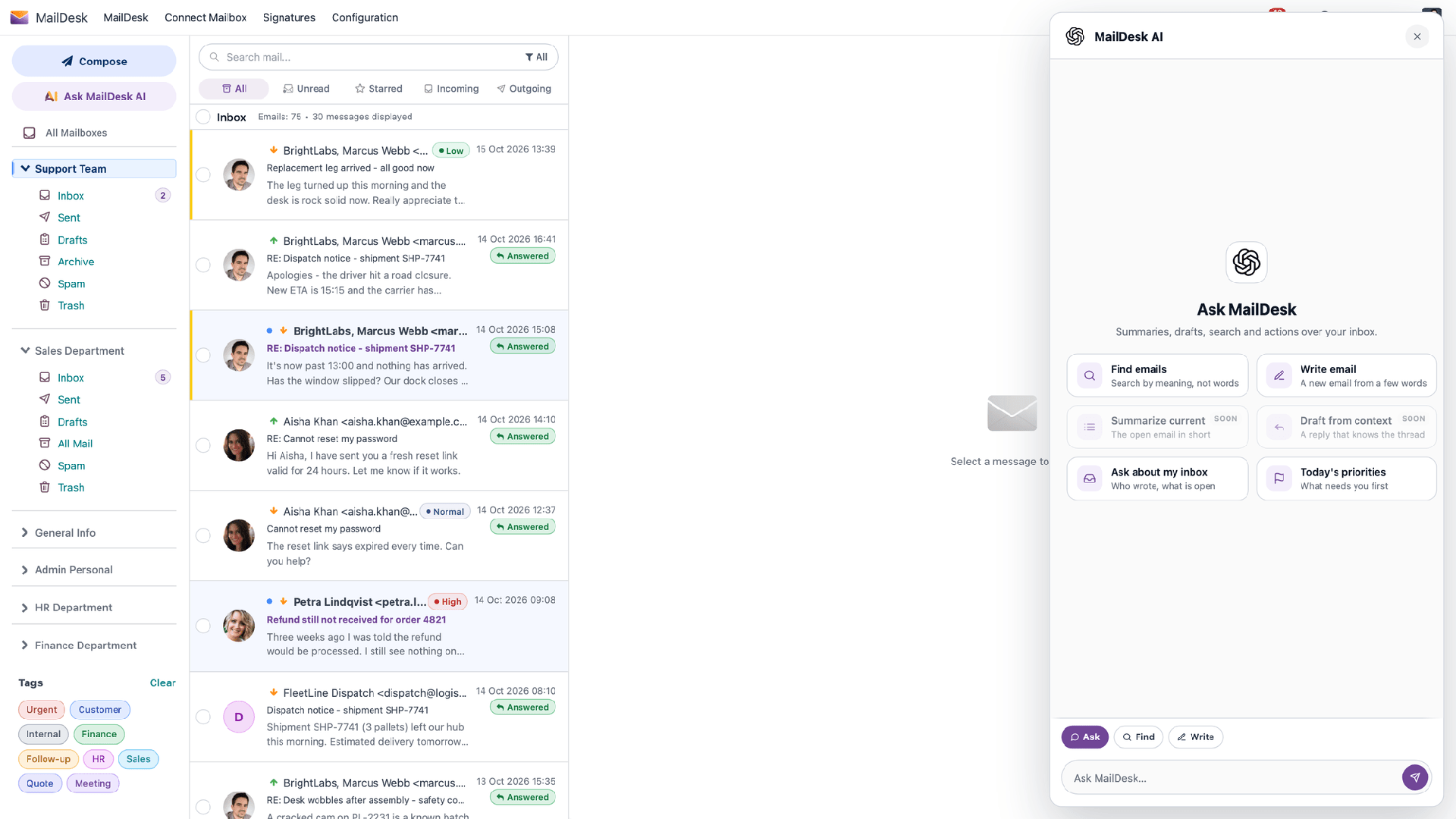
05ASK MAILDESK

Ask your inbox

The AI panel works on the open mail or on the whole inbox.

✓  Find emails by meaning, not by exact words

✓  Write a new email from a few words
✓  Summarise the open mail

✓  Who wrote, what is open, what needs you first today

✓  In Safe Mode, check a suspicious mail with AI

The Ask MailDesk panel with its actions
06YOUR AI, YOUR RULES

You choose the provider, each mailbox chooses how much AI

MailDesk AI runs with your own API key. Your Odoo sends the text of the mail you work on straight to the provider you picked; usage is billed by that provider.

OpenAIGoogle GeminiAnthropic ClaudeMistralxAI GrokDeepSeekYour own server: Ollama, LM Studio, vLLM
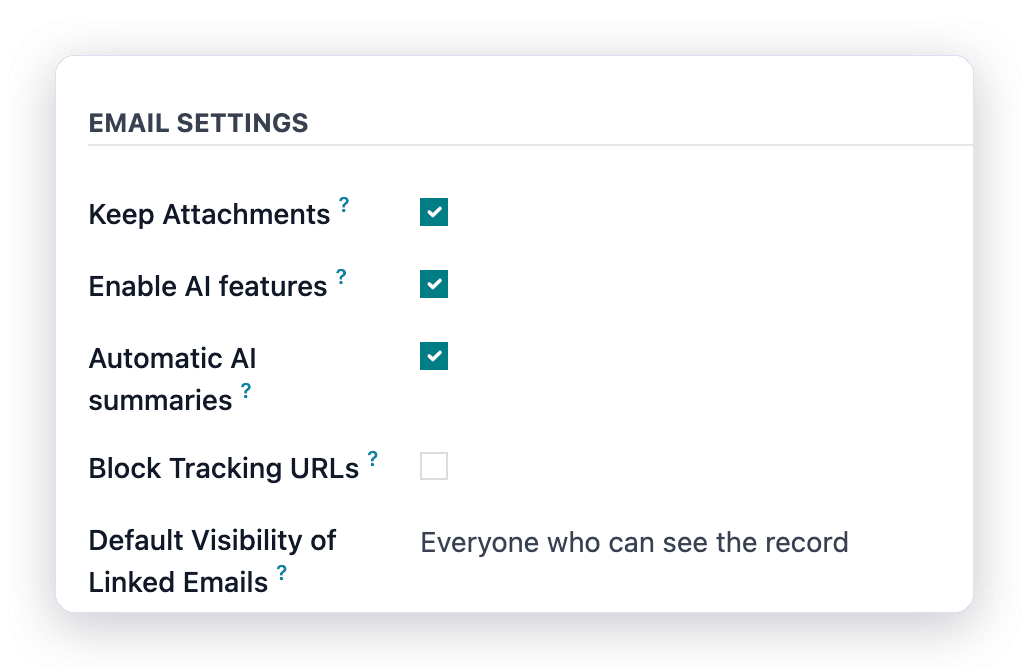
AI switches of a mailbox

On, off or on demand

Turn AI on per mailbox and decide whether new mail is briefed in the background or only when someone asks.

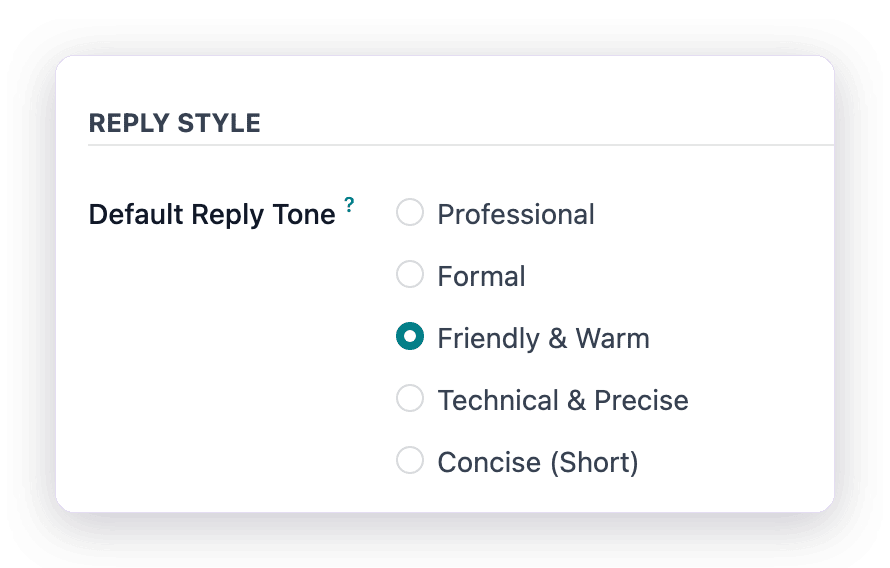
Default reply tone of a mailbox

The tone of every reply

Professional, formal, friendly, technical or short: each mailbox answers in its own voice.

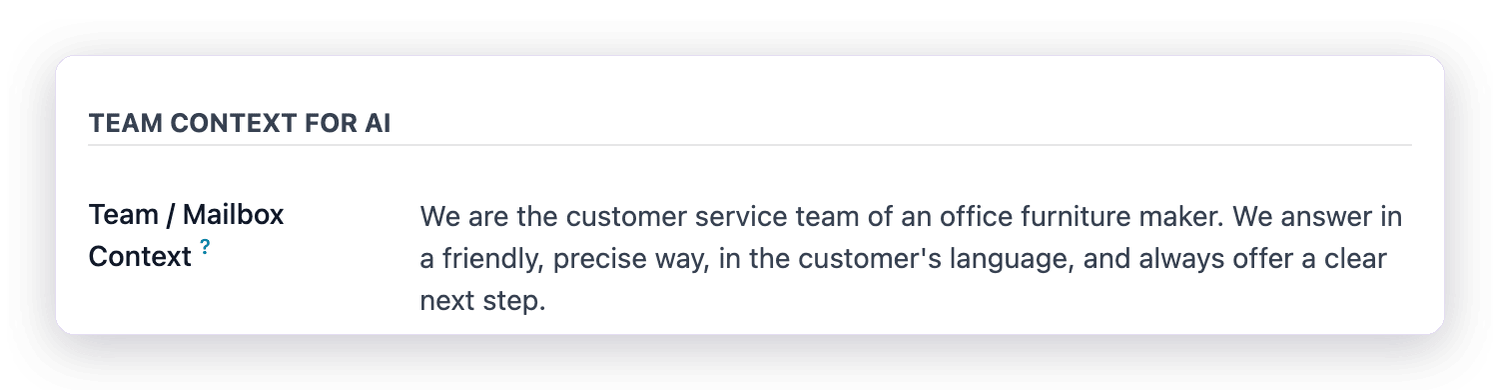
Team context for the AI

Context about your team

A few lines about who you are and how you answer; every summary and draft takes them into account.

Different tasks can use different providers, for example one for summaries and another for reply drafts.

07LINK TO RECORDS

One mail, every record it concerns

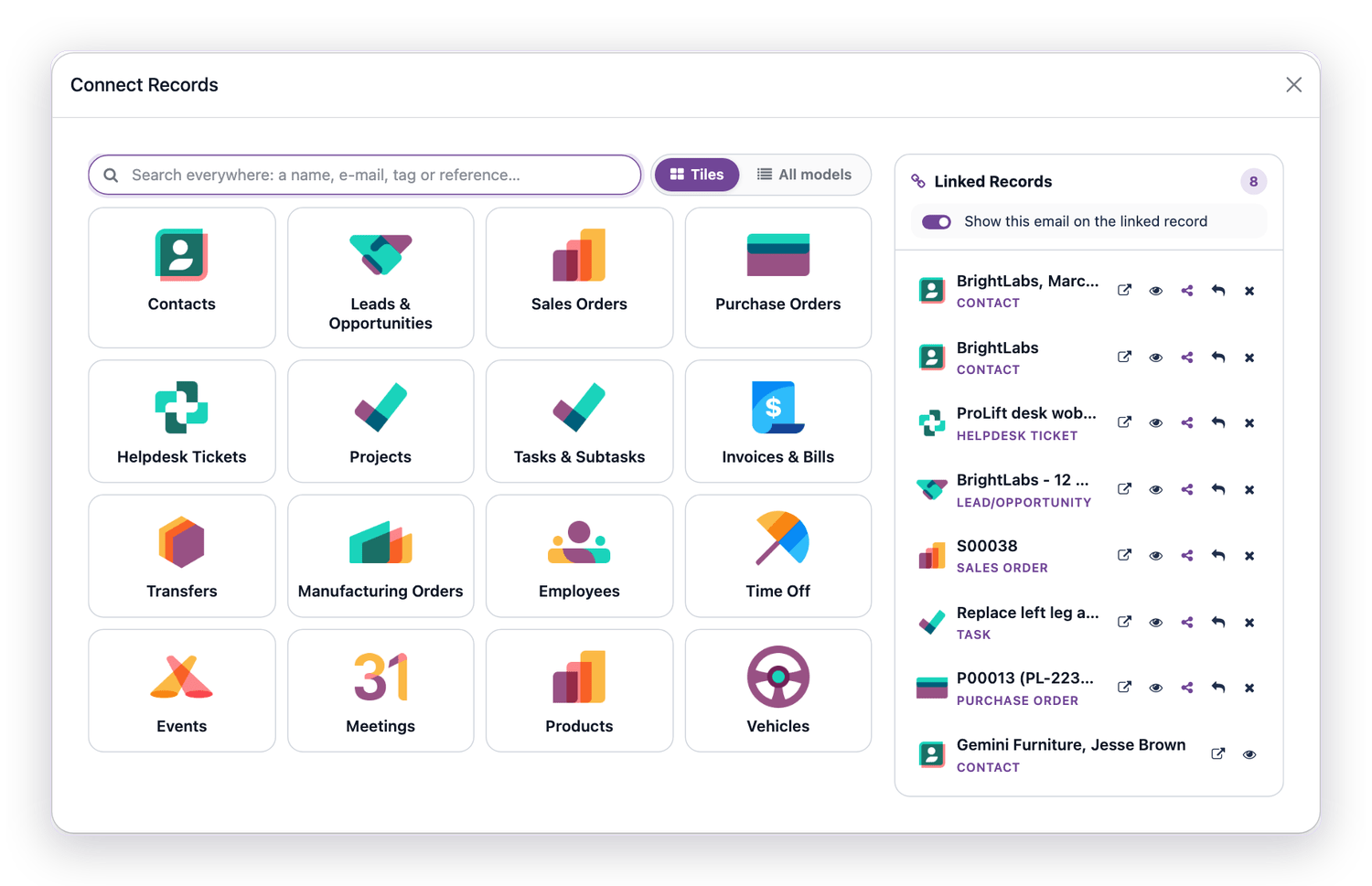
A customer’s complaint touches the contact, the ticket, the order and the task to fix it. Link the mail to all of them at once: pick a tile for any installed Odoo app, or search every record by name, email, tag or reference.

✓  A tile for each installed Odoo app; administrators add tiles for any record with a chatter

✓  The badge on the button counts the records a mail is linked to

✓  Per link: open the record, show the mail there or keep it private

✓  Add-on modules add ready actions for CRM, Sales, Helpdesk, Project and more

One mail linked to eight records, with a tile for every Odoo app
08EVERYTHING IN BASIC, INCLUDED

Your inbox, the way you like it

Pro comes with every feature of MailDesk Basic. Drag the list wider and it becomes a table with resizable columns, AI priority and tags at a glance.

The mail list as a wide table with AI priority
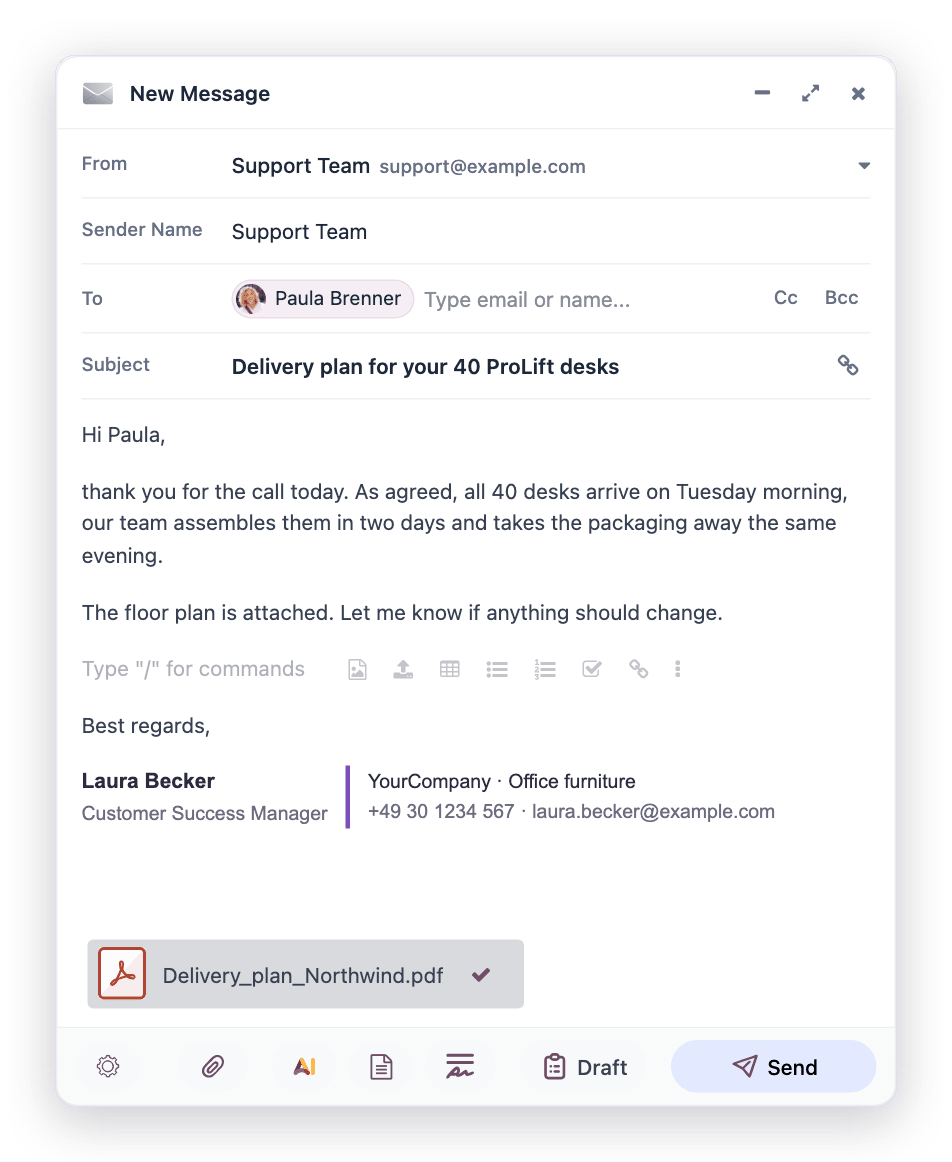
Writing a new email with a recipient from Odoo and an attachment

Write next to your inbox

Recipients from Odoo contacts, the right mailbox and signature, attachments, drafts saved as you type; in Pro with MailDesk AI and your email templates one click away.

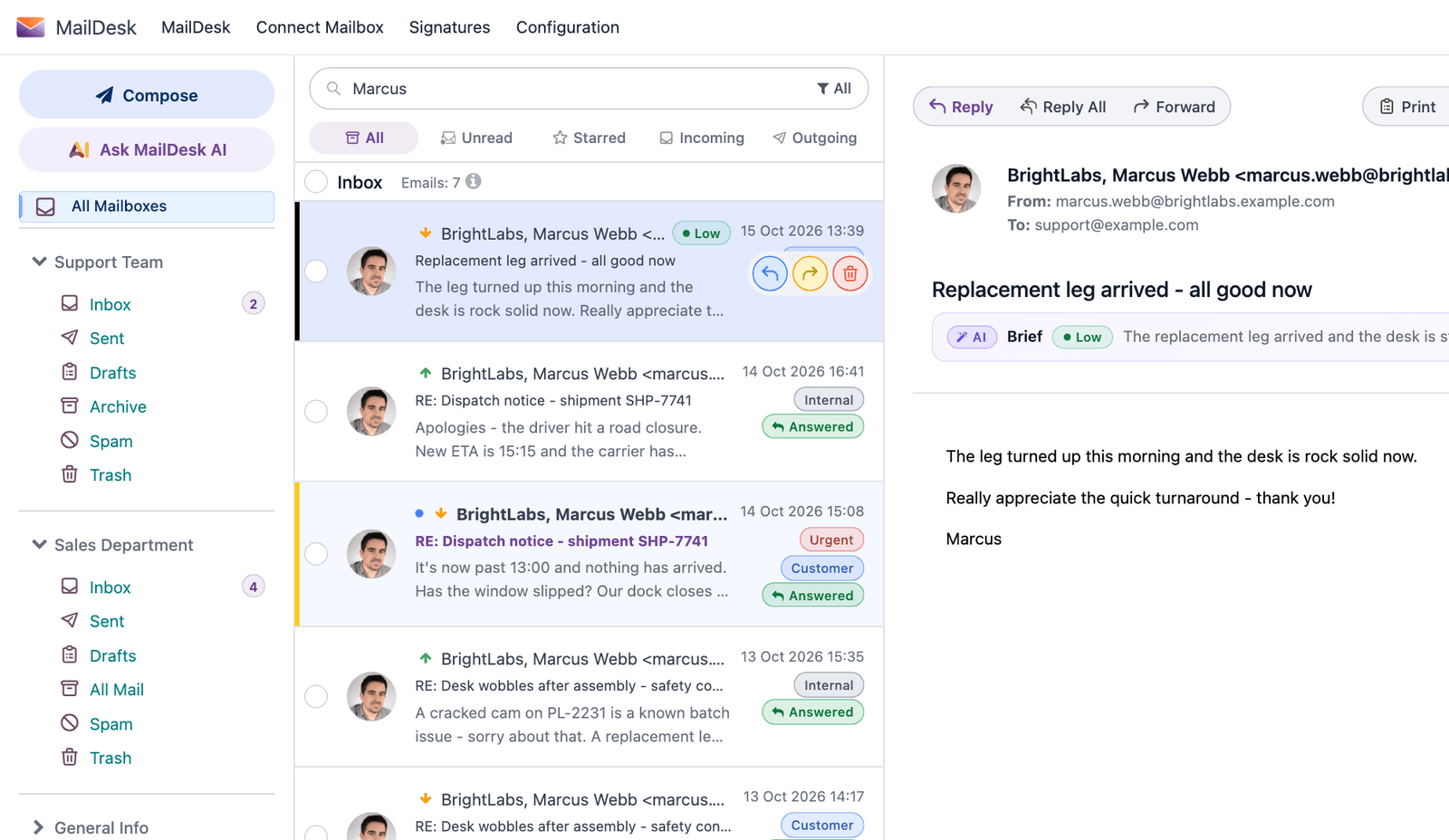
Searching for a sender by name

Find any mail in seconds

Search by the sender’s name, filter by contact, company, tag, Unread or Starred, and read the whole conversation.

09WRITE LIKE A TEAM

Signatures, templates and receipts

The composer knows who is writing, for which mailbox, and what your company usually says.

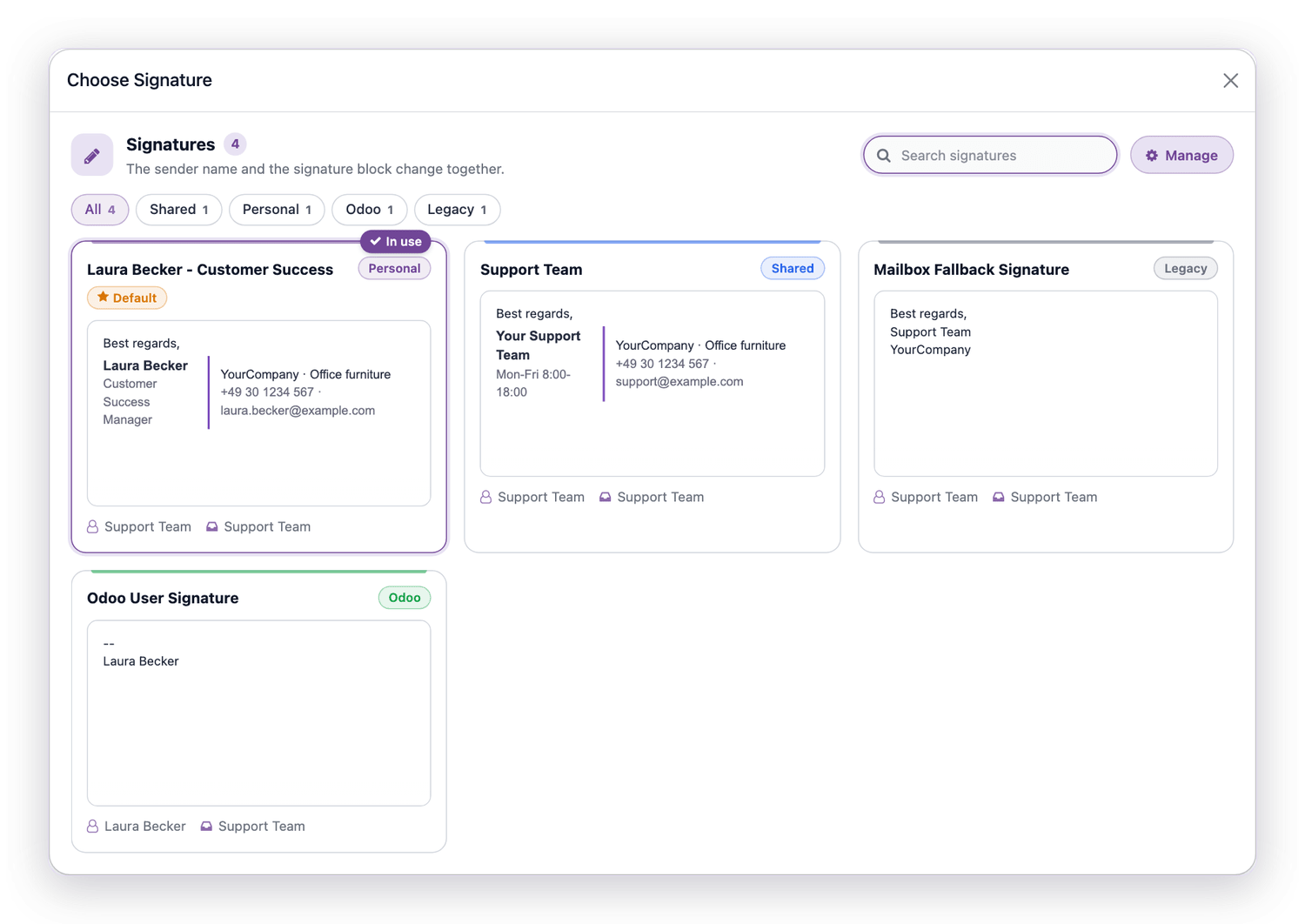
Choosing a signature

Signatures for every person and mailbox

Personal and shared signatures, each shown as the recipient will read it. The sender name changes together with the signature.

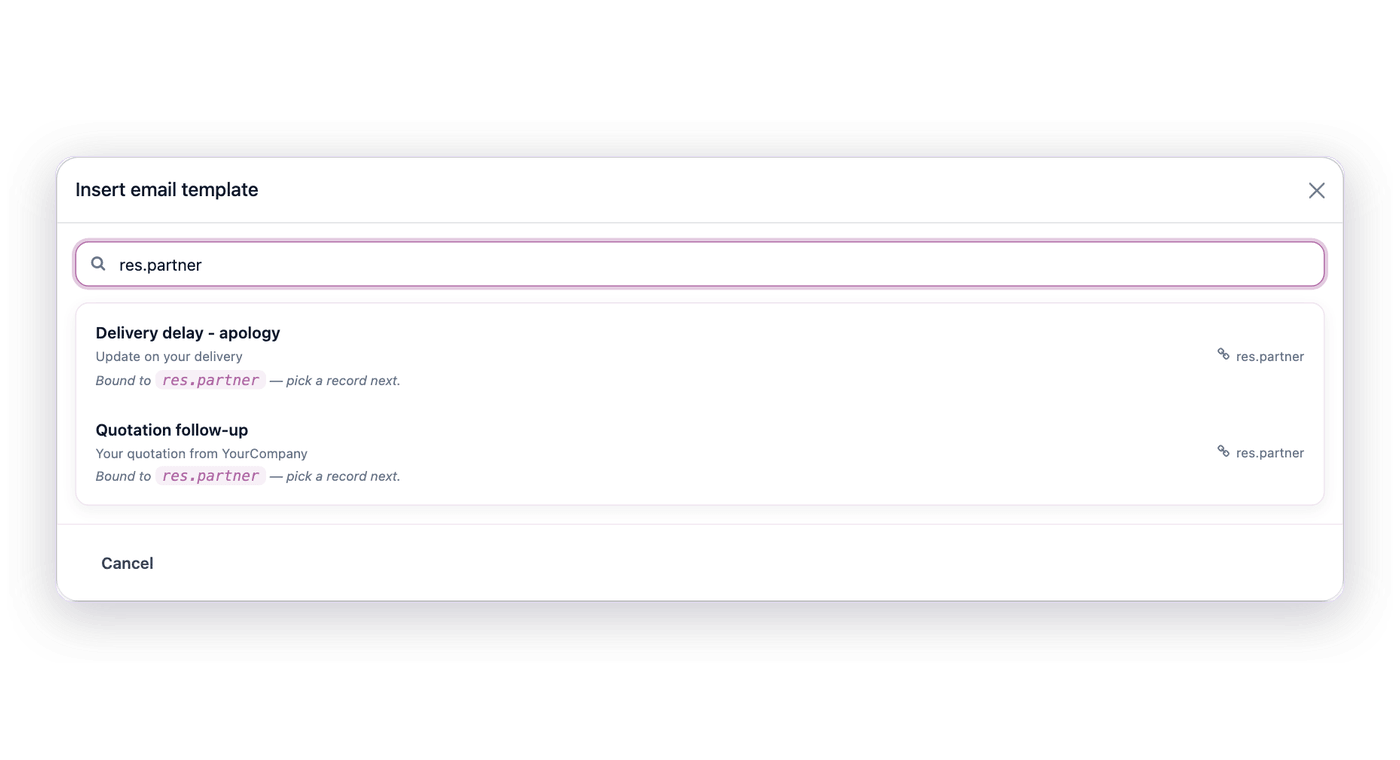
Inserting an email template

Odoo email templates

Search your templates by name, subject or model and insert one; templates written for a record ask which record to fill in.

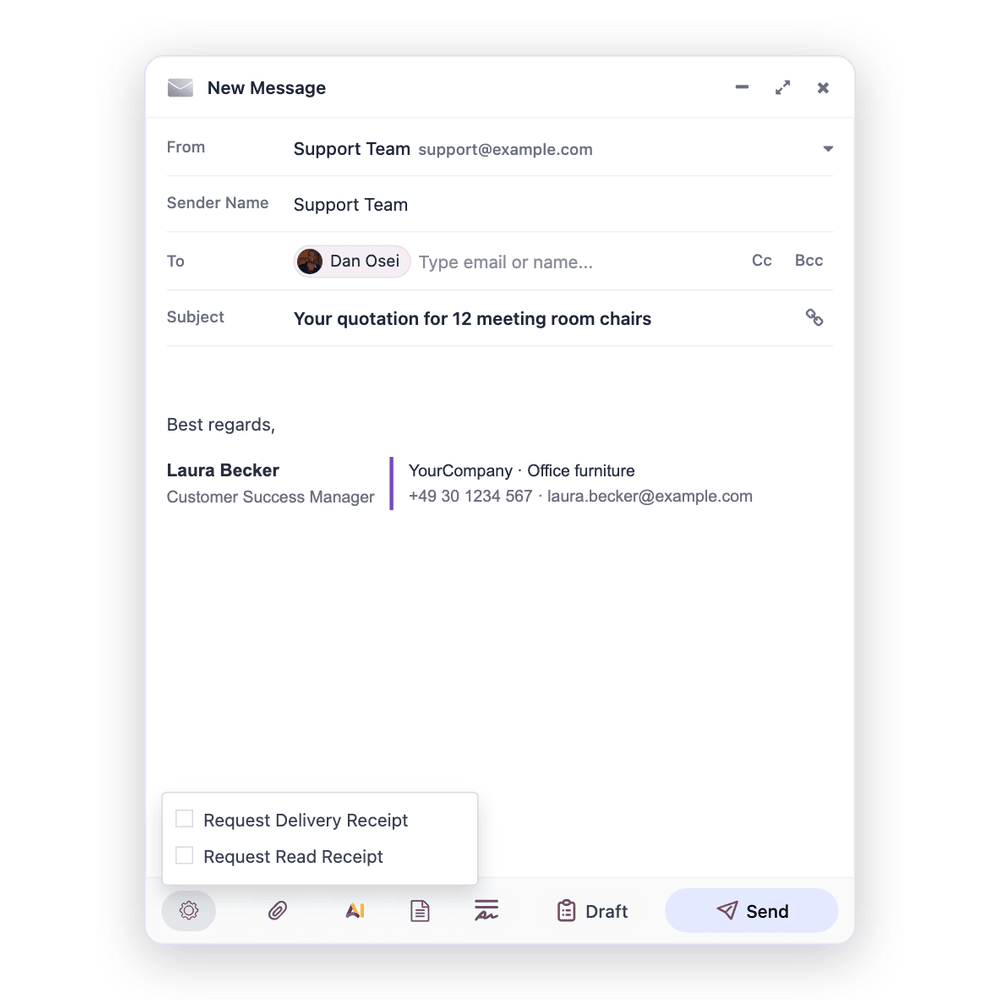
Asking for a delivery or read receipt

Delivery and read receipts

Ask for a receipt when it matters. Whether one comes back depends on the recipient’s mail system.

10PHONE & DARK MODE

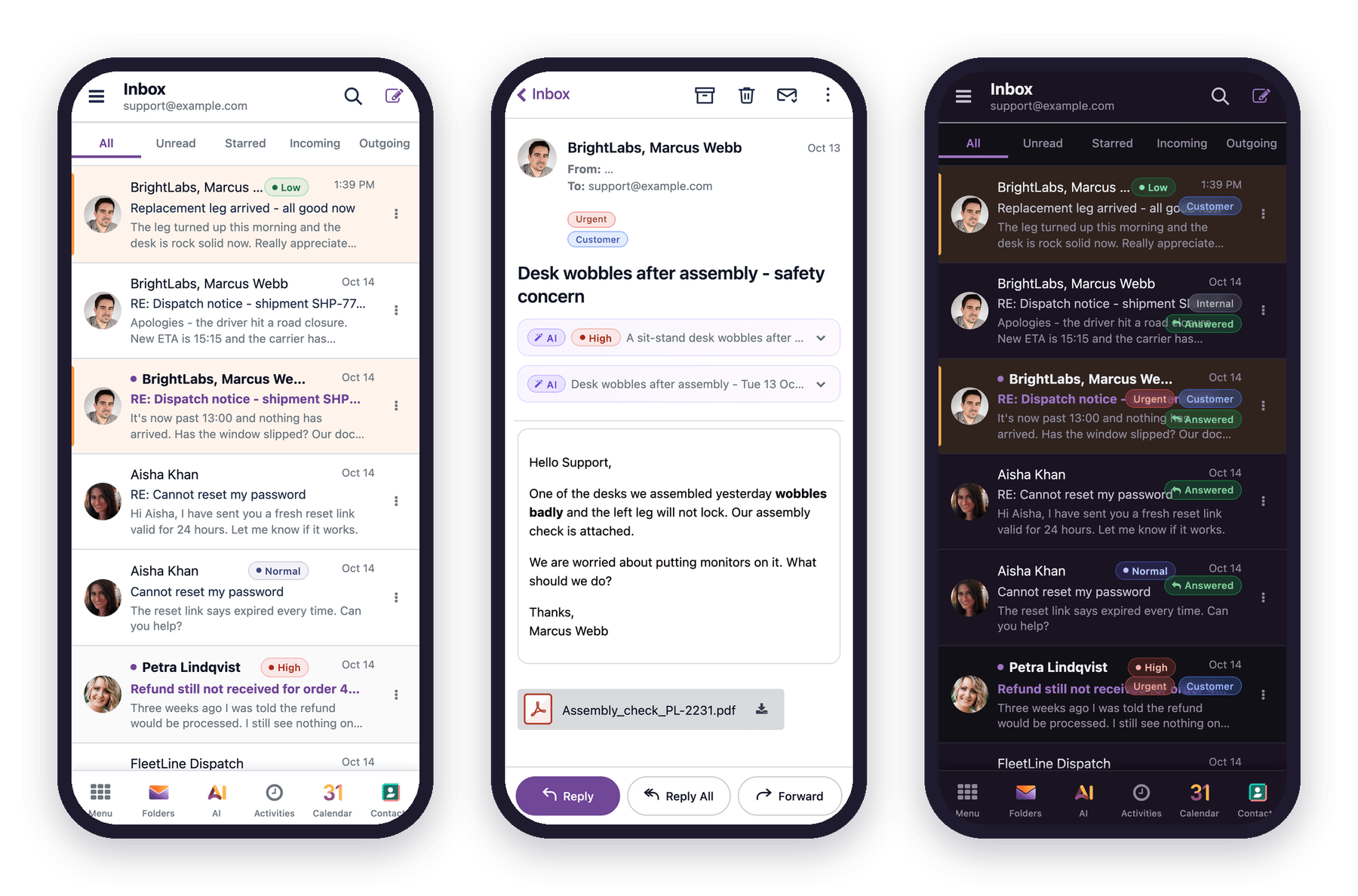
Your inbox in your pocket

On a phone MailDesk looks and works like a mail app: a clear header, rows made for thumbs, a reading view with big buttons, and a bottom bar for folders, AI, activities and contacts. Light or dark, as Odoo is set.

MailDesk Pro on a phone in light and dark mode
MailDesk in Odoo dark mode

Easy on the eyes

When Odoo runs in dark mode (Odoo Enterprise), MailDesk follows, mail bodies included.

11SYNC & PUSH

One truth in Odoo and on the mail server

Pro carries your work to the mail server and brings new mail in as soon as the provider reports it.

✓  Read, unread, stars, moves and deletes go to the server through a queue that retries failed steps by itself

✓  Gmail push through Google Pub/Sub in your own Google Cloud project; Microsoft 365 push through Microsoft Graph. A wizard guides the setup, subscriptions renew automatically

✓  IMAP mailboxes that are in use get new mail through IMAP IDLE

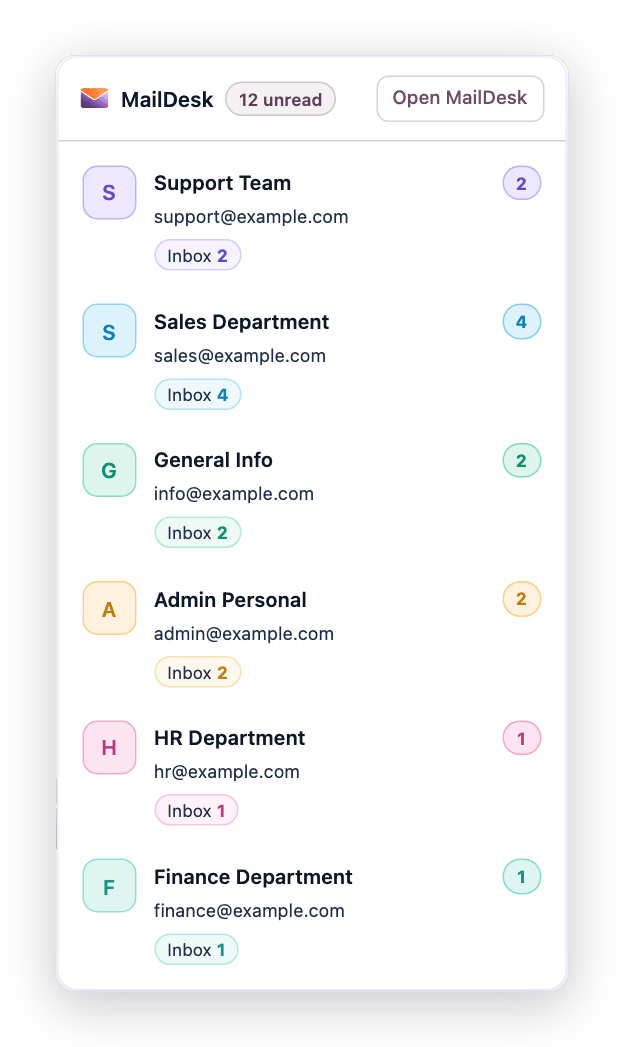
✓  Unread mail per mailbox in Odoo’s top bar, one click from any app

Unread mail per mailbox in Odoo's top bar
12EVERYTHING IN PRO

All features at a glance

What MailDesk Pro adds to Basic, in one place.

Two-way sync & push icon

Two-way sync & push

Read & star syncMove & delete on serverSelf-healing queueGmail pushMicrosoft 365 pushIMAP IDLELive inbox check
MailDesk AI icon

MailDesk AI

Mail briefsThread digestSummariesReply draftsSearch by meaningWrite from a promptDaily prioritiesPhishing check
Your AI, your rules icon

Your AI, your rules

6 cloud providersYour own serverYour own API keyProvider per taskAI per mailboxBriefs on or offTone & team contextNever sends alone
Records icon

Records

One mail, many recordsA tile per Odoo appSearch all recordsLinked-count badgeShared or privateChatter replies count
Write icon

Write

Many signaturesSignature previewSender name per signatureOdoo templatesRead receiptsAI in the composer
Everywhere icon

Everywhere

Phone layoutDark modeTop-bar unreadAll of Basic

Basic, Pro or Business?

Each edition contains everything in the one before. The difference at a glance:

 BasicProBusiness
Mailboxes and usersunlimitedunlimitedunlimited
Receive and write email, conversations, filters, tags✓✓✓
Changes in both directions: read, moved, deleted—✓✓
AI: phishing check, summaries, reply drafts—✓✓
AI providers: OpenAI, Gemini, Claude, Mistral, Grok, DeepSeek or your own server—✓✓
Signatures, personal and shared—✓✓
Phone layout and dark mode—✓✓
Twelve Odoo integrations: Calendar, Chatter, CRM, Documents, Helpdesk, Inventory, Invoicing, Partner 360, Project, Purchase, Sales, Time Off——✓
Automation: rules, AI steps, rules in plain words——✓
Email support, Monday to Friday (CET)—answer within 2 daysanswer within 1 day
Phone support in German and English——✓
13YOUR LICENCE

A monthly subscription

Every current and future Odoo version is covered: 17, 18, 19, 20 and the ones that follow.

✓  Minimum term twelve months, then cancellable monthly

✓  One licence per productive Odoo instance, for your whole team: no fees per user

✓  Metzler IT Software Licence (MOPL-1.0): you receive a right of use, the software remains the property of Metzler IT

✓  Email support Monday to Friday (CET) with an answer within 1 day, phone support in German and English, and a quarterly meeting with your customer success manager

✓  Not included: Odoo itself, your email provider and external AI services

All editions and terms side by side: mit-odoo.de/pricing

Questions, answered

What is included in Business?

Everything in MailDesk Pro, all twelve Odoo integrations and the Automation Engine, in one licence for your Odoo instance.

Do I need Odoo Enterprise?

No. MailDesk runs on Odoo Community and Enterprise. Two of the integrations connect Odoo Enterprise apps: Helpdesk and Documents.

Which Odoo versions?

Odoo 17, 18, 19 and 20, on your own server or Odoo.sh.

Is an AI subscription included?

No. You connect your own AI provider with your own API key, or your own server. Without a provider, MailDesk works as usual, just without the AI features.

Does the AI send mail on its own?

No. The AI drafts and suggests. A mail leaves only when a person presses Send.

What support do we get?

Email support Monday to Friday (CET) with an answer within one day, phone support in German and English, and a quarterly meeting with your customer success manager.

Is my mail sent through Metzler IT?

No. Your Odoo connects to Gmail, Microsoft 365 or your IMAP server itself. Mail and attachments are stored in your Odoo.

Can I see it before I buy?

Yes. Ask us for a demo, or watch MailDesk in action on our YouTube channel.

Let your mail run your Odoo workflow

Questions before you buy? Write to us, we answer personally.

Metzler IT GmbH · Solution Partner in the BOP Alliance

Specifications

Version 17.0, 18.0, 19.0, 20.0