- 100% GDPR · no SaaS — runs inside your own Odoo
- Your mail & data stay in your database
- Works with Odoo 17 · 18 · 19 — your choice
- Continuously updated — now version 4
?unique=6d4a4ec)
MailDesk CRM Integration
 MailDesk CRM Integration
Convert emails into **CRM leads and opportunities** in one click. Manage your Odoo sales pipeline directly from your inbox — without ever switching contexts.
Every Sales Email Deserves a Lead
Inbound inquiries are potential deals. Without CRM links, emails disappear into the inbox with no pipeline visibility. MailDesk CRM Integration makes follow-up systematic, auditable, and lightning-fast.
Create Leads
Turn any email into a new CRM lead from the panel. Links anchor to the SSOT for stability.
Link Existing
Already tracking the deal? Attach the email to existing opportunities without duplicates.
Edit from Panel
Update stages, notes, or contact details directly from MailDesk without navigating away.
Full Traceability
View linked emails from the CRM chatter. Always know which email triggered the deal.
Step 1 — Enable CRM per Mailbox
Activate CRM integration on each mailbox account. Enable on your sales@ inbox, disable on billing@ — granular control keeps your pipeline clean.
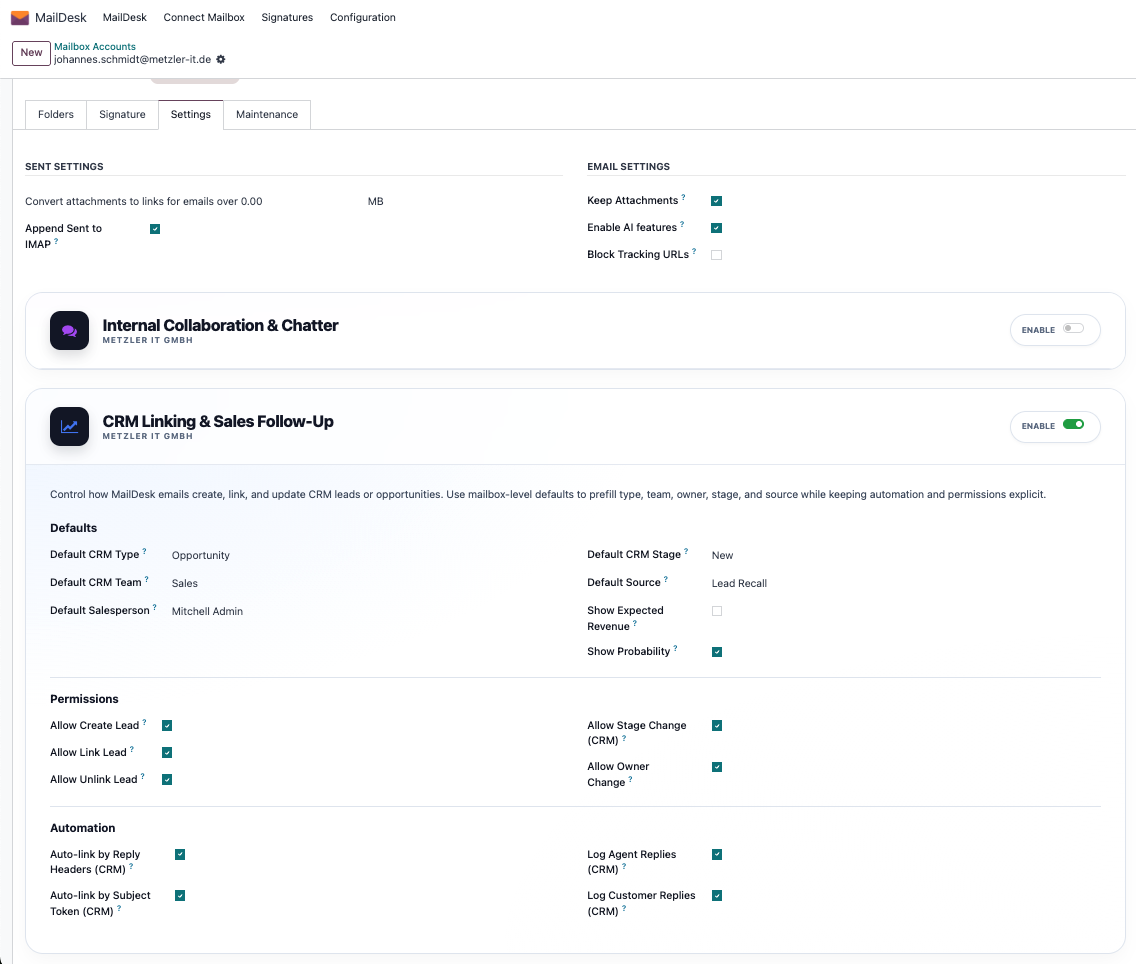
Per Mailbox Control
Selective integration ensures that only relevant emails are converted into leads, maintaining a professional workflow.
Step 2 — Use the CRM Side Panel
Dynamic Lead Widget
Click the CRM toggle to see how many leads are linked to a thread. Zero clicks to know your sales status.
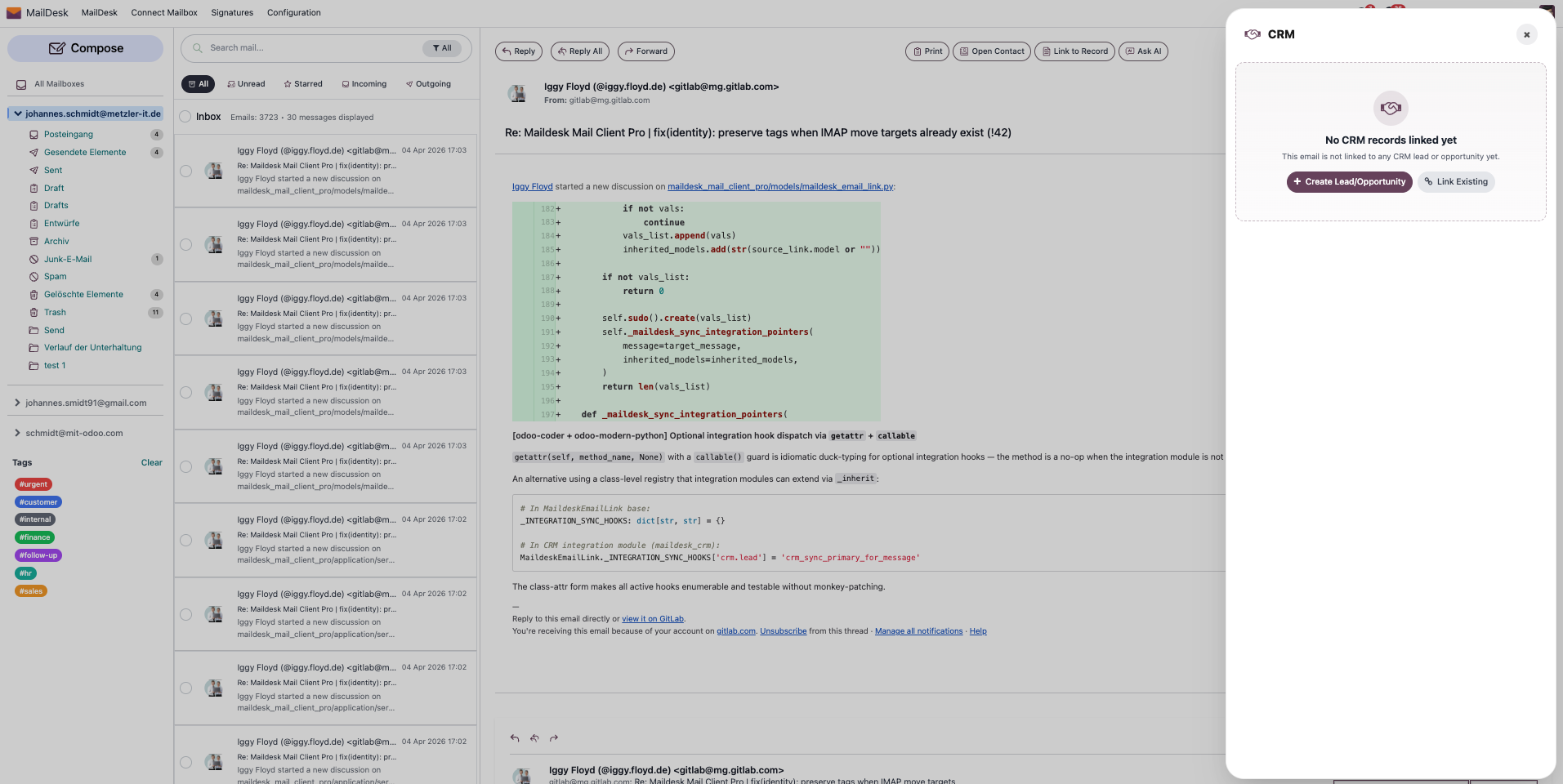
Step 3 — Create Leads Automatically
Fill the quick form and the lead is created in Odoo CRM, immediately linked to the email with a stable SSOT reference.
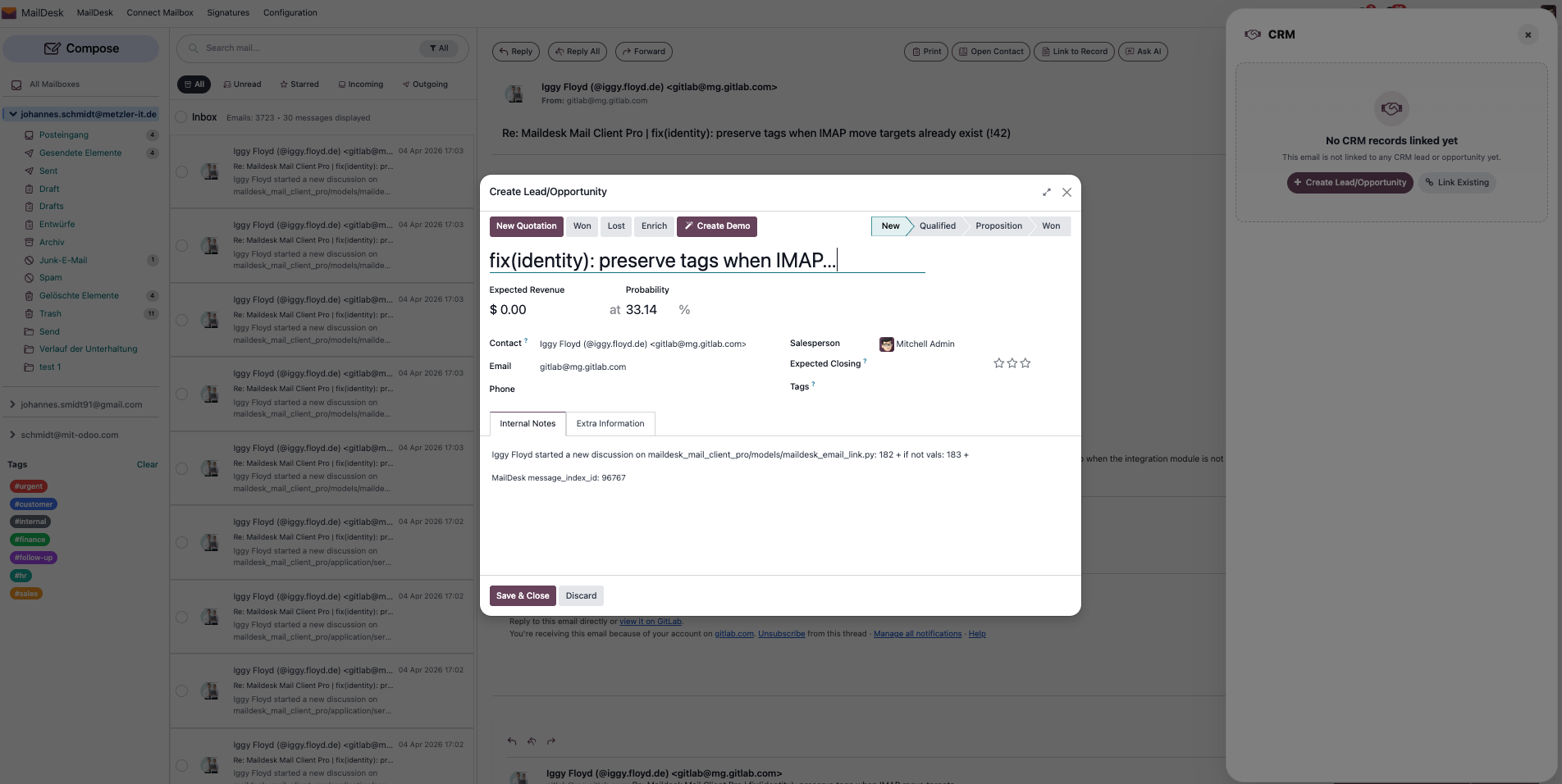
1. Quick Lead Form
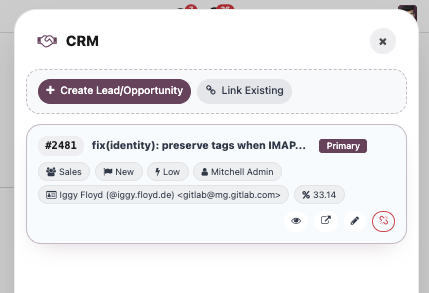
2. Linked Opportunity View
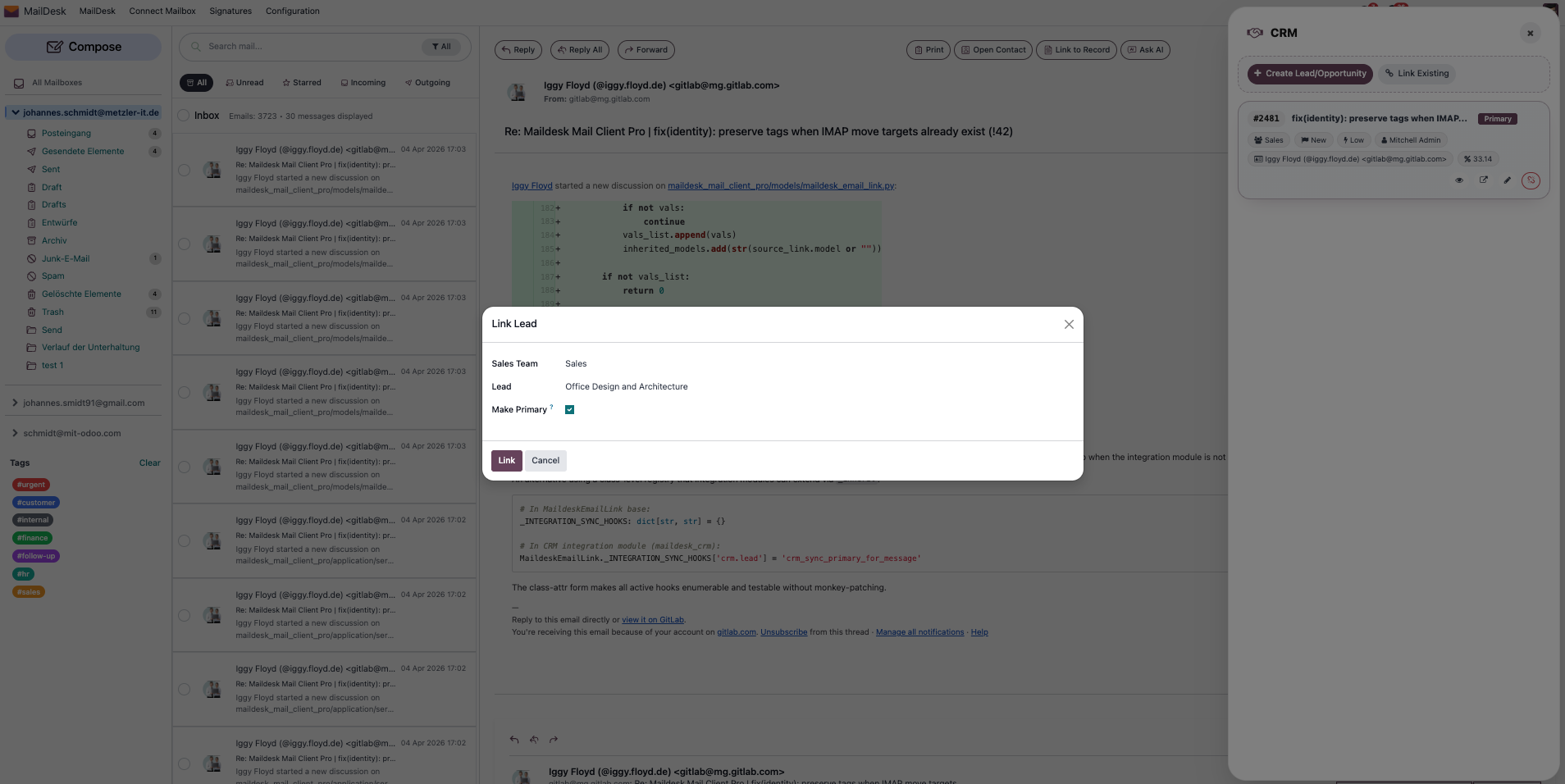
Step 4 & 5 — Link & Trace
Link to existing records using a smart wizard. Every linked email appears in the CRM chatter for full bidirectional navigation.
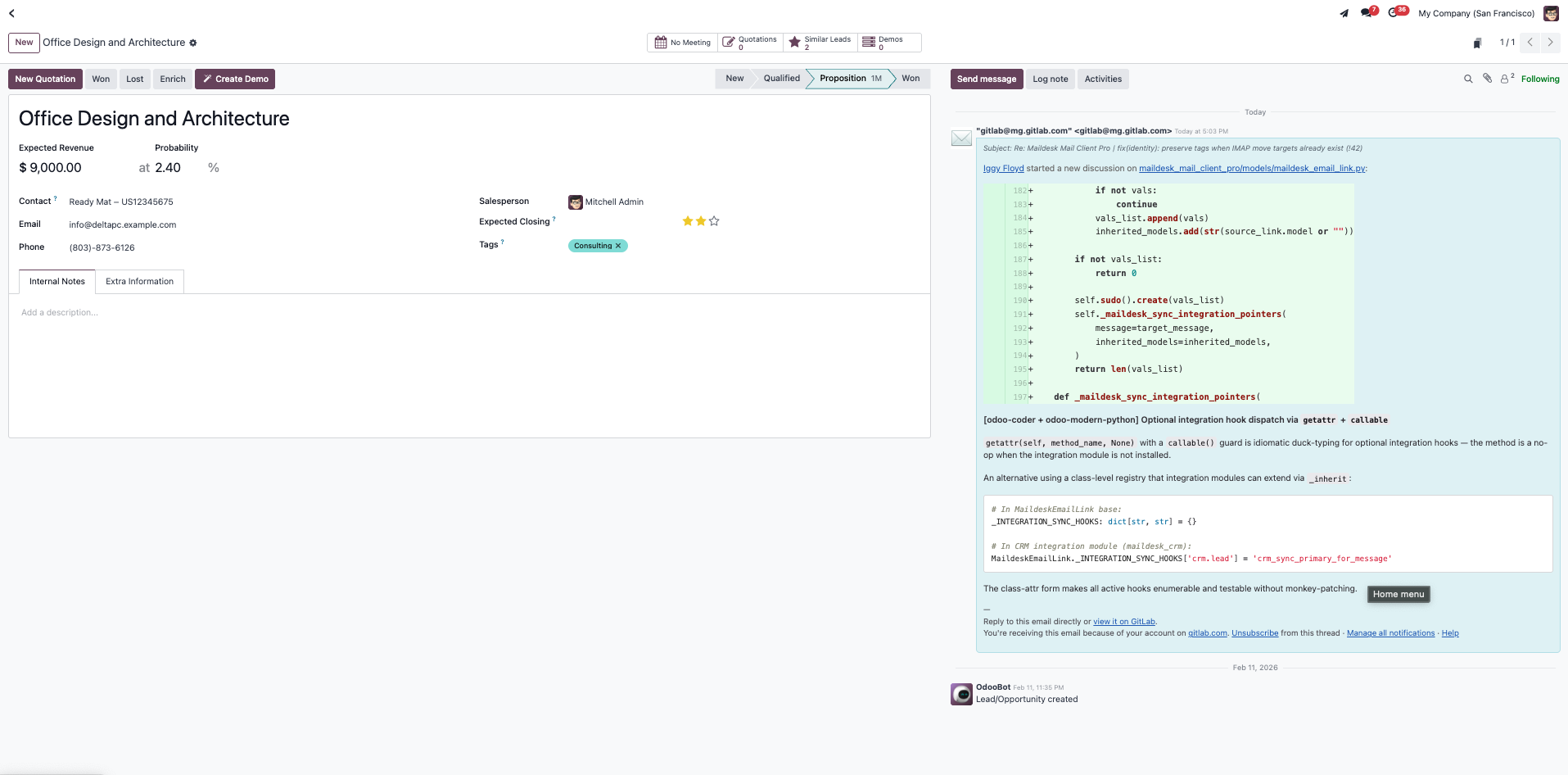
Bidirectional Power
Open the CRM lead from MailDesk or open the source email from the CRM record. Folder moves never break these links.
Requirements
- MailDesk Basic — Core sync engine
- MailDesk Pro — SSOT layer
- Odoo CRM — Native Odoo application
- Odoo 17.0+ (Enterprise or Community)
Global Reach: Multi-Language Support
MailDesk CRM Integration is available in multiple languages to empower your international sales team.
 German (de)
 Spanish (es)
 French (fr)
 Dutch (nl)
 Portuguese (pt)
 English (en)
 Turkish (tr)
 Polish (pl)
Close More Deals, Faster.
Your best sales emails deserve to be in your CRM pipeline. Integrate your Odoo CRM today.
Upgrade Your CRM Workflow