MailDesk Automation Engine
-
Version
Bring deterministic email automation to MailDesk in Odoo. Classify, route, notify, auto-reply, create CRM or Helpdesk records, and keep a complete execution audit trail on your SSOT mail flow.
Mailboxes usually need the same repetitive work every day: identify important mail, route it correctly, create the right business record, notify the right person, and keep a trace of what happened. This module turns those inbox patterns into mailbox-scoped, auditable automation rules — wired directly into the MailDesk email pipeline.
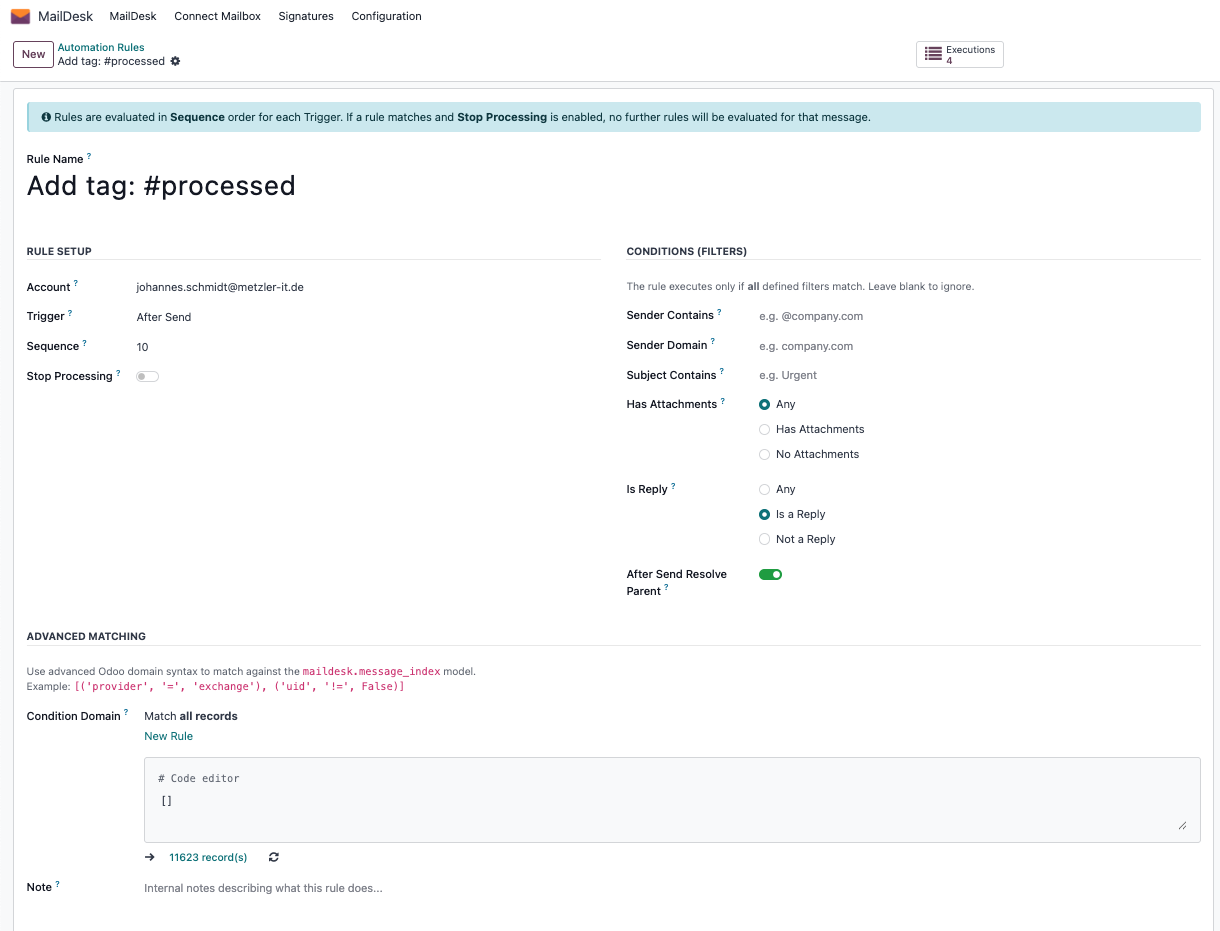
Match on sender, sender domain, subject, attachments, reply state, and custom Odoo domains.
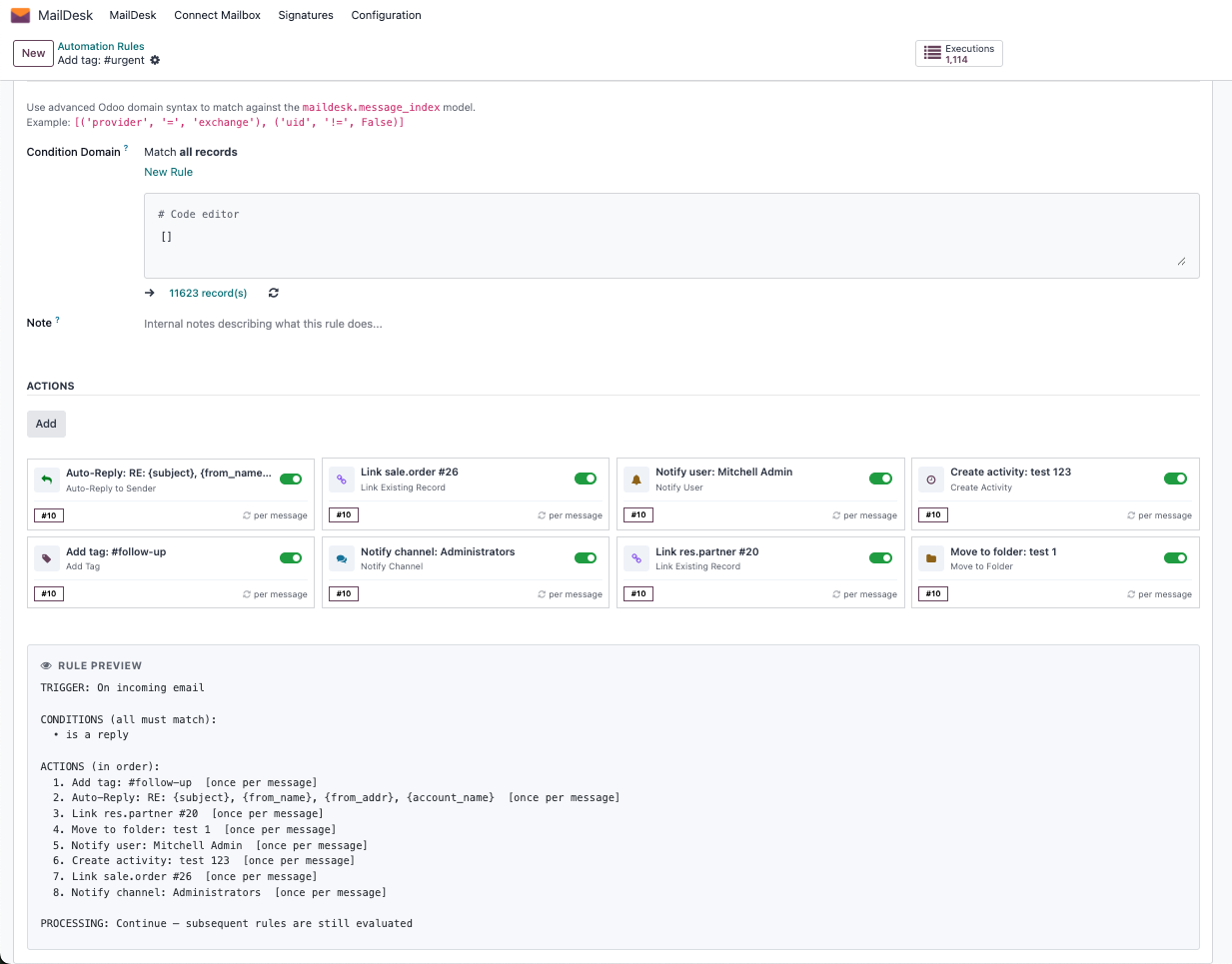
Add tags, move folders, create CRM or Helpdesk records, notify users, notify channels, and auto-reply.
Every execution is written with state, trigger, timing, dry-run status, and errors when relevant.
The module becomes stronger with CRM, Helpdesk, and Chatter companion modules installed.
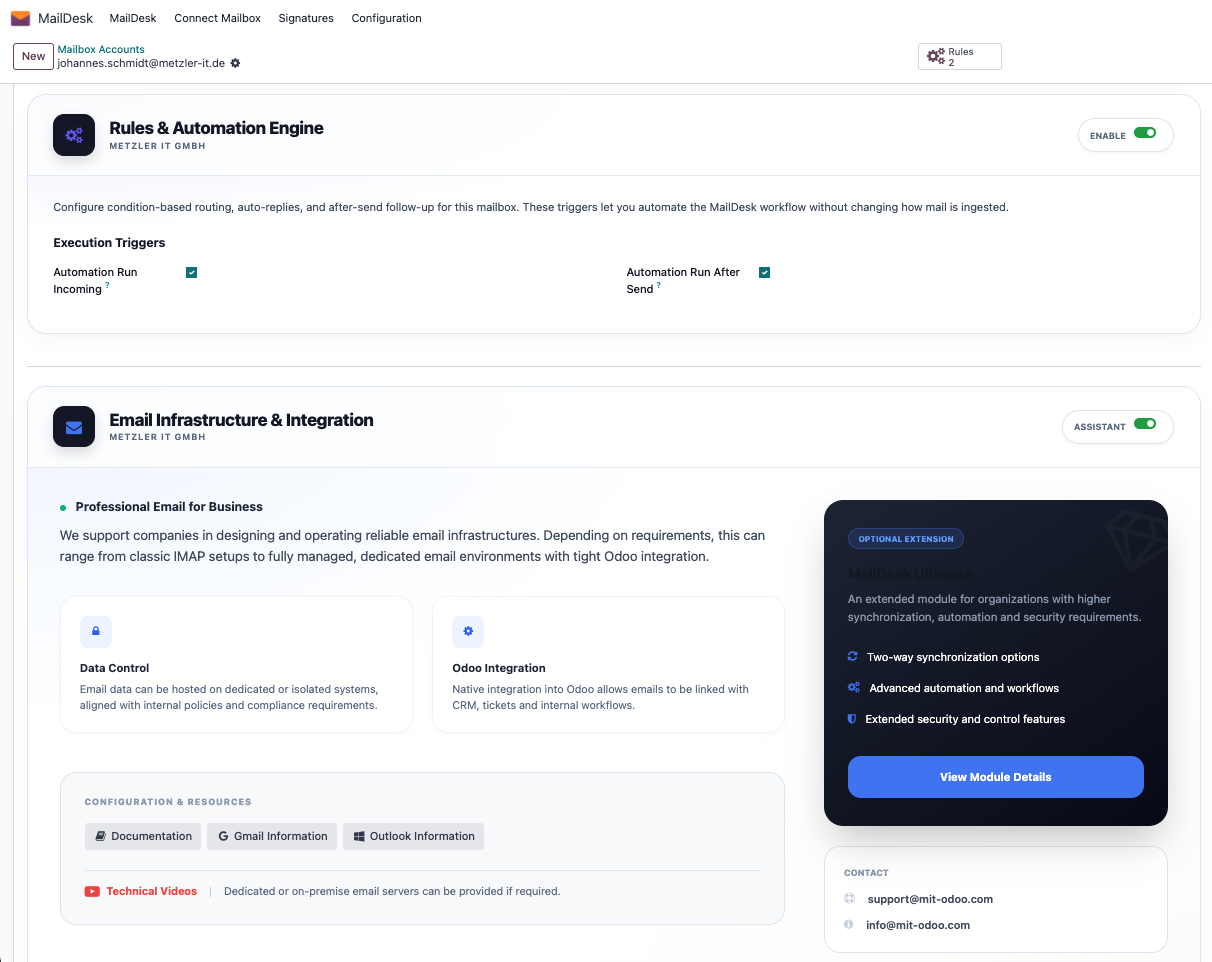
Automation is mailbox-scoped. Start by enabling it on the mailbox account that should own the rules. The account also controls whether incoming and after-send automation should run, which keeps behavior predictable and avoids accidental cross-account side effects.
The module is not a global scheduler. It is a controlled mailbox-level system, so each account can have its own logic, logs, and operational boundaries.
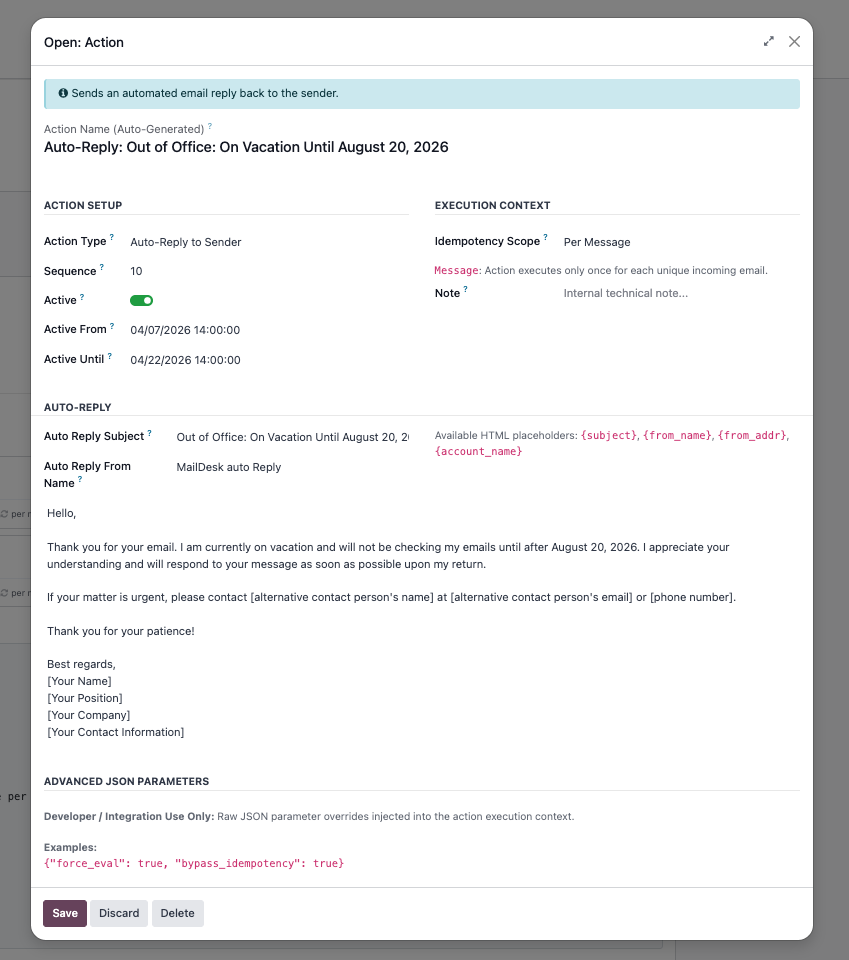
The strongest patterns are specific: VIP routing, support intake, sales lead creation, acknowledgement replies, team notifications, or cleanup after a reply was sent. Time windows are supported too — each action can be restricted to a specific date range, which makes temporary automations like vacation replies easy to manage.
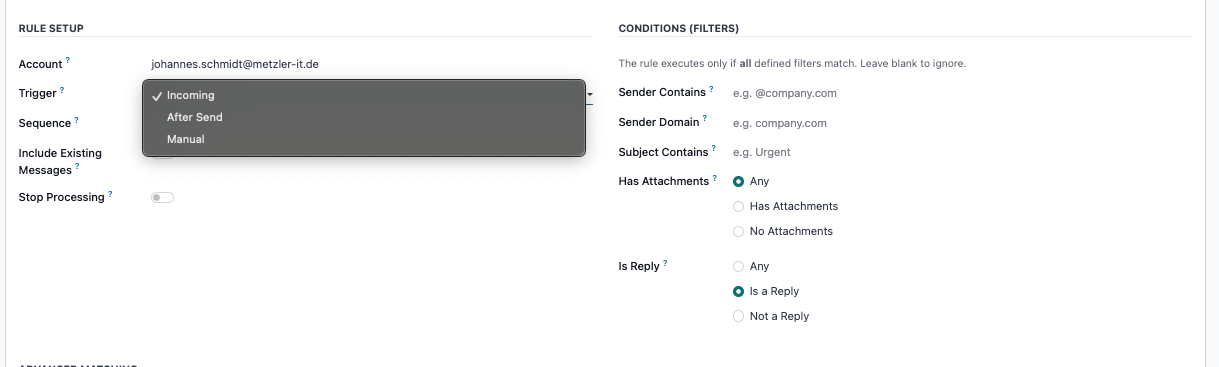
The module supports three triggers: on new email arrival, after an email is sent, and on demand for manual testing. Conditions can filter by sender, sender domain, subject, attachment presence, and reply status. For advanced cases, any Odoo field on the email record can be used as a filter condition. Incoming rules can optionally apply to your existing mail backlog, and after-send rules can target the original incoming message being replied to.
Use incoming rules for inbox triage, after-send rules for reply cleanup or post-send actions, and manual execution for admin testing or controlled reprocessing.
Use separate visual callouts for classification, business record creation, notification, and auto-response. That makes the product easy to explain in a sales demo. The engine also reuses existing CRM and Helpdesk threads to avoid duplicates, and folder moves are validated against the same mailbox account.
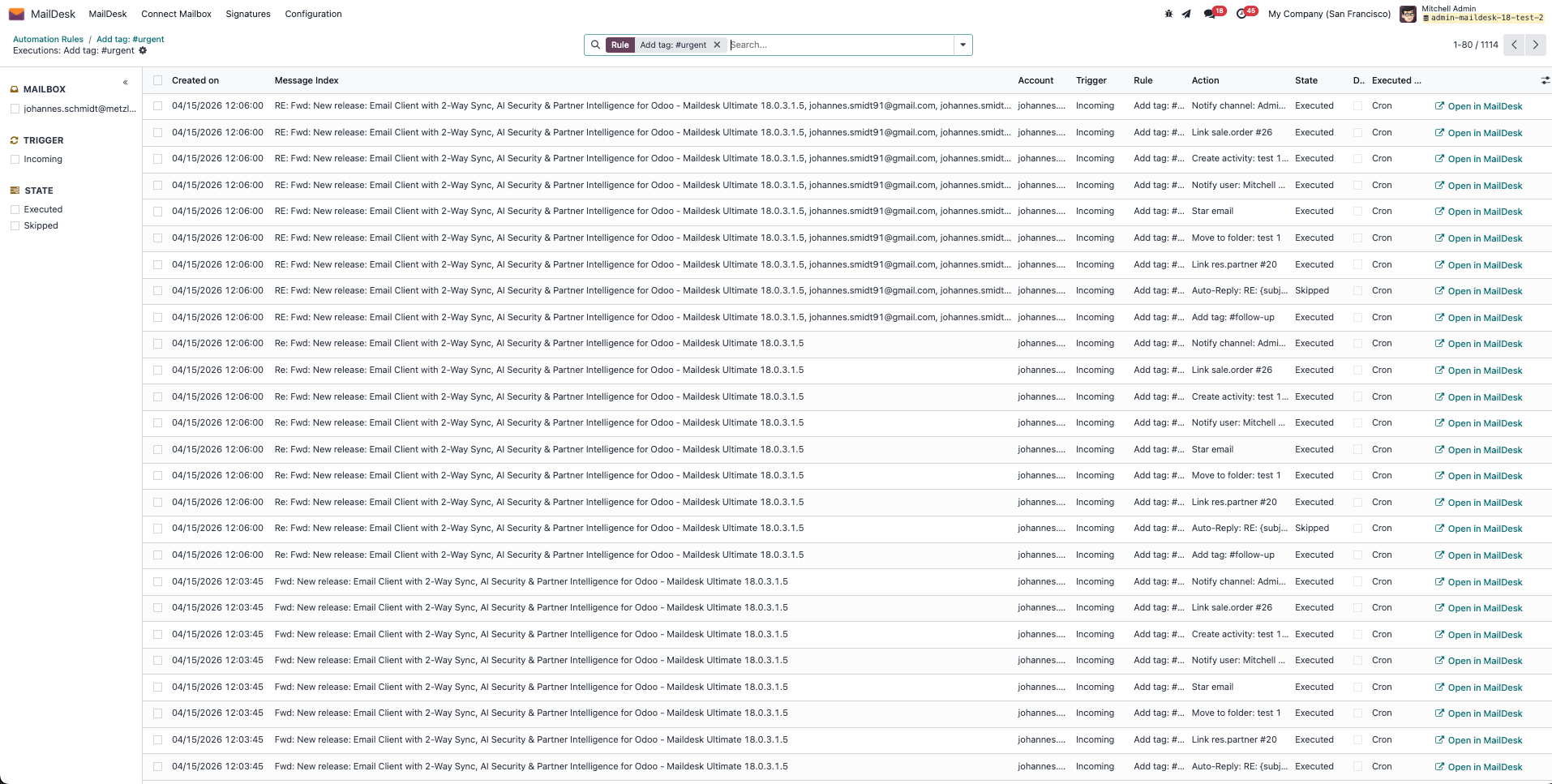
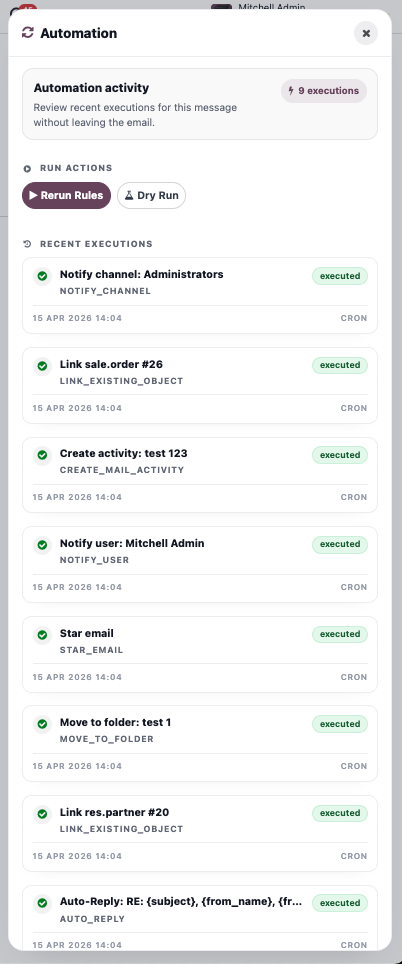
Every action execution is stored with its result, trigger, error details, and how long it took. Manual runs support dry-run mode so you can validate behavior without side effects. Each log entry links directly back to the original email in MailDesk so troubleshooting takes seconds, not minutes.
The engine uses idempotency scopes for message, thread, and interval buckets. That keeps repeated or concurrent automation from becoming noisy or duplicated.
dry-run supported
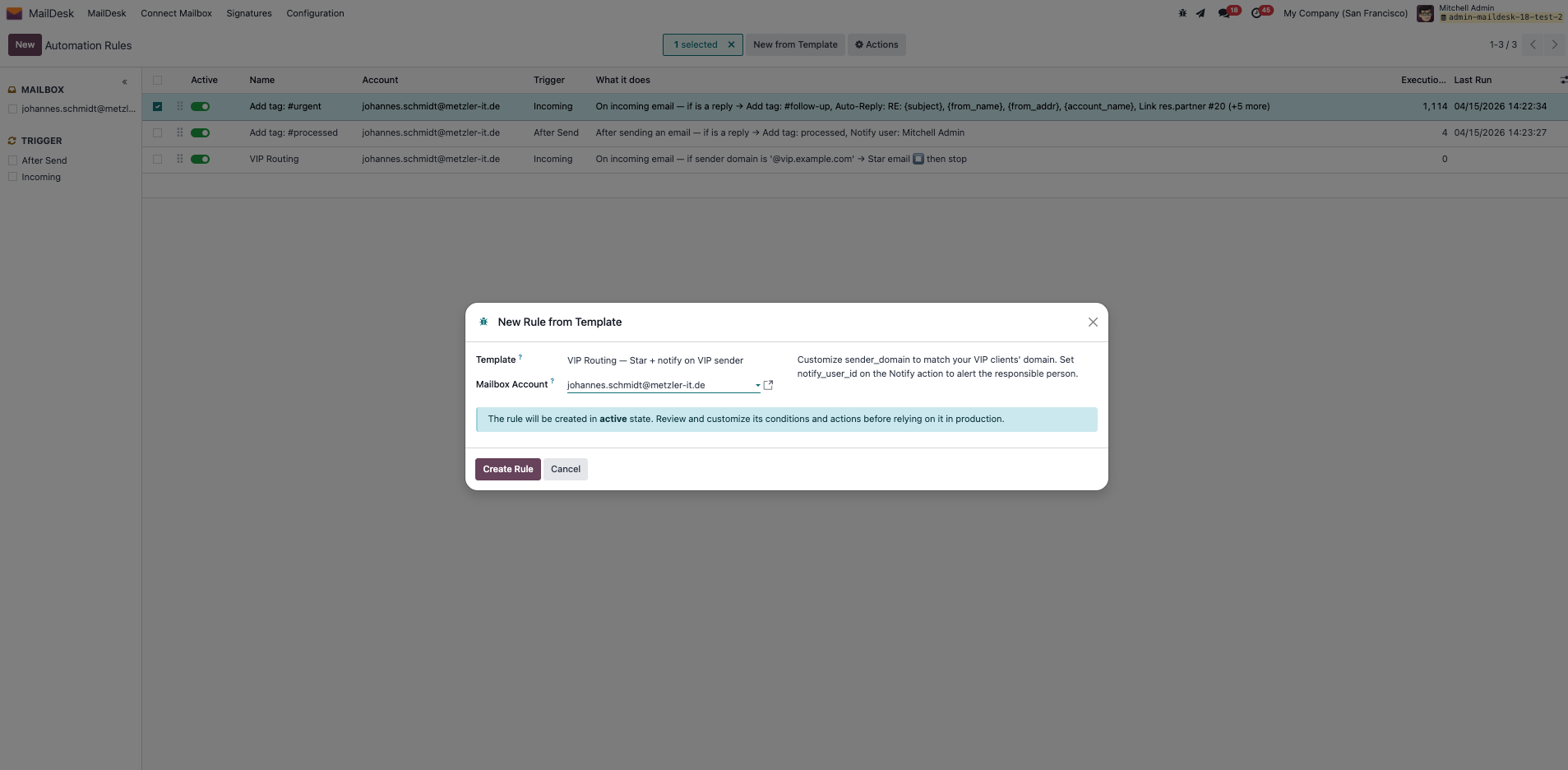
The bundled template wizard is a strong sales tool. It can generate starter blueprints for VIP routing, CRM lead creation, Helpdesk ticket creation, channel notifications, and acknowledgement replies. They are starting points and should still be reviewed before production.
Tag, star, and alert important inbound conversations so high-value mail is visible immediately.
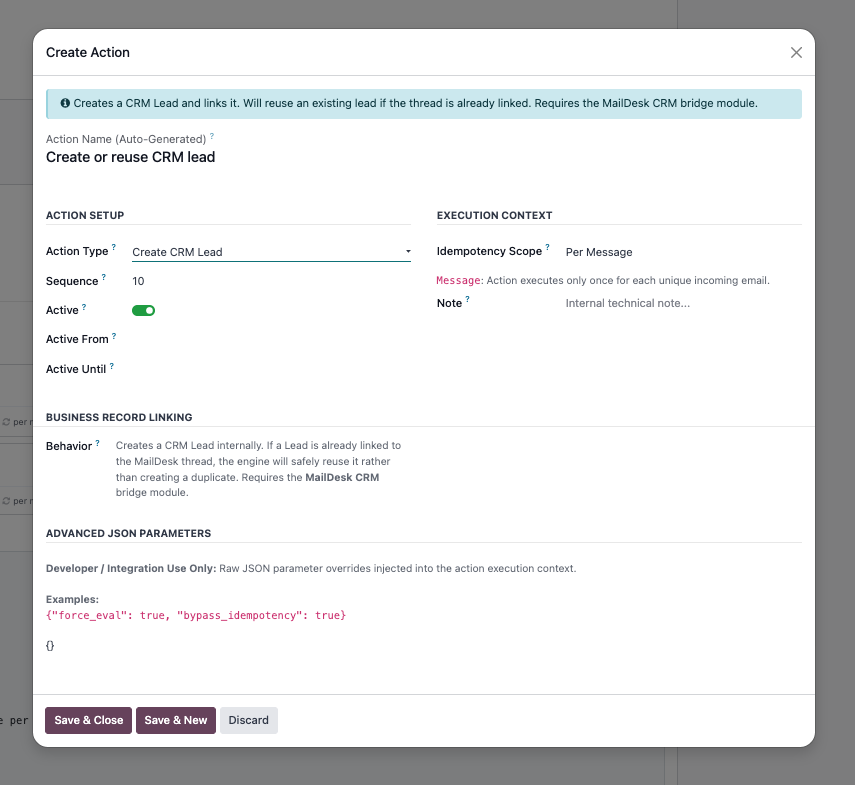
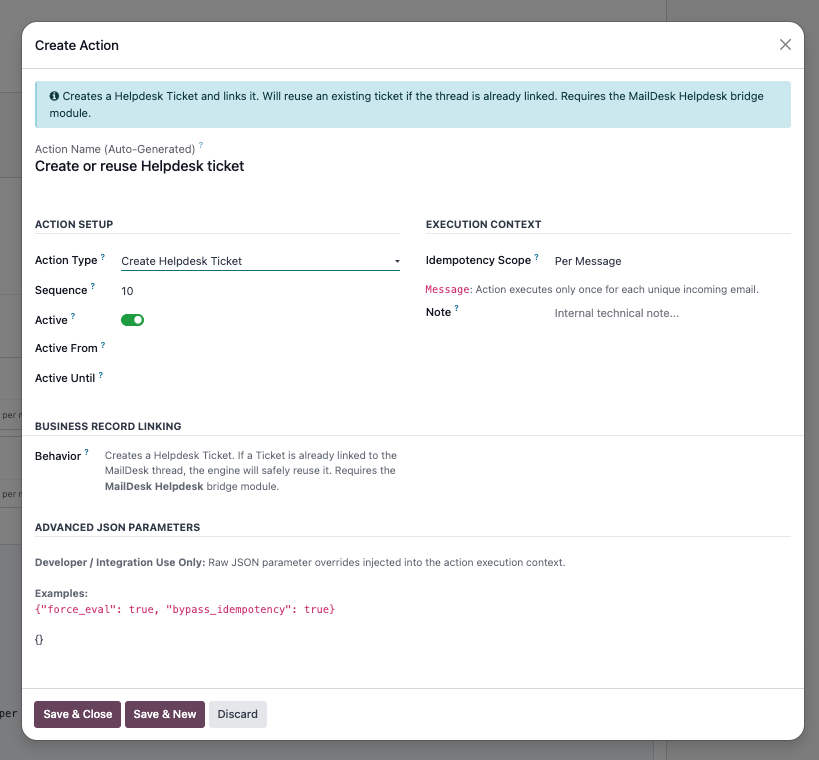
Convert qualifying incoming messages into CRM leads or Helpdesk tickets when the companion module is installed.
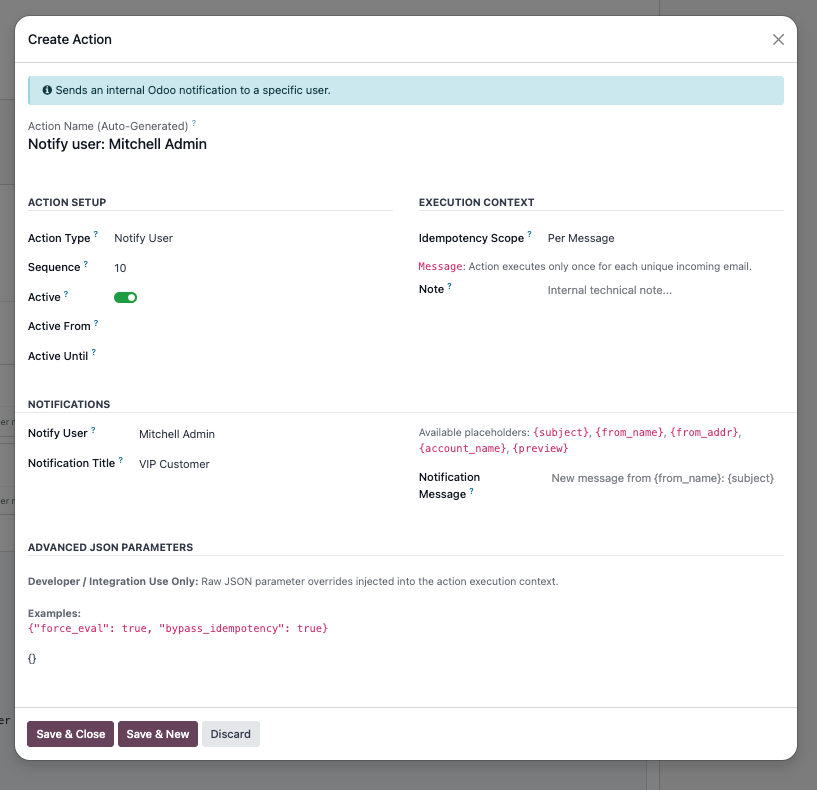
Send a confirmation reply or notify a user/channel with a lightweight internal alert.
Inbox automation that misfires costs more than no automation at all. Every design decision in this module was made to keep rules predictable, executions auditable, and failures visible — so your team can rely on it without babysitting it.
Incoming rules are designed to run immediately after eligible emails are saved, so actions can happen without waiting for a scheduled batch. A fallback cron is also available to pick up messages that still need processing.
Idempotency scopes and database-level reservation logic help prevent the same rule action from running repeatedly on the same message, thread, or interval window. This is especially useful for actions such as CRM lead creation, Helpdesk ticket creation, and follow-up automation.
Each execution is stored with its trigger, rule, action, state, timing, and error details when relevant. That gives administrators and support teams a practical audit trail for validation, troubleshooting, and daily operations.
Dry-run mode lets administrators test how a rule would behave on a real MailDesk message without applying side effects. This makes it easier to review matching logic, action order, and expected outcomes before enabling a rule in production.
After-send rules can react when a MailDesk email is sent and, for reply scenarios, can resolve the original message being answered. This makes it possible to clean up routing tags, trigger notifications, or run follow-up logic after an agent has replied.
The automation panel is available inside the MailDesk message view, so users can review recent executions, inspect rule outcomes, and rerun or dry-run rules from the email context when they have the required access rights.
The module ships with multiple translations so teams can configure and explain automation in their preferred language. That matters when rules are reviewed by support teams, sales teams, and implementation partners across regions.
The module does not include time-based SLA escalation rules (e.g. "fire if no reply within 4 hours"). Rules trigger on email events — arrival, send, or manual — not on elapsed time.
Posting to a Discuss channel requires the channel to already exist. The module will not create channels automatically — just point the rule at one that is already set up.
Rules belong to one mailbox account. That keeps the automation clear and safe, but it also means you configure rules per account.
The interval scope prevents repeated execution inside the configured window. It is not a per-thread timer.
The manual entry point is designed for testing, validation, and controlled runs rather than general end-user operation.
CRM lead creation, Helpdesk ticket creation, and enriched activity support each require the matching MailDesk companion module to be installed. Without them, those specific actions are gracefully skipped — all other rule types continue to work normally.
Every case below is live in the module right now. No roadmap, no promises — just working automation you can configure in minutes.
With MailDesk Automation Engine and the matching MailDesk CRM Integration, first-contact sales emails can automatically create a CRM lead from the incoming conversation. The lead can reuse the sender details, email address, subject, and thread context, so your team can start qualification immediately instead of copying information manually into CRM.
This is a strong fit for companies that receive inbound inquiries by email and want a more reliable handoff from shared inboxes into Odoo CRM.
With MailDesk Automation Engine and the matching MailDesk Helpdesk Integration, incoming support emails can automatically create a Helpdesk ticket directly from the conversation. This helps teams move from shared inbox handling to structured ticket processing without manual copying, forwarding, or re-entry.
Rules can be based on subject keywords, sender information, or broader MailDesk conditions, making it easy to route operational support traffic into the correct support workflow from the start.
Configure automatic acknowledgement or availability replies directly in MailDesk Automation Engine. This is useful for first-contact confirmations, shared mailbox acknowledgements, or temporary scenarios such as vacation coverage.
The reply is sent through the normal MailDesk send flow, appears in the Sent folder, stays part of the conversation, and includes a built-in self-reply guard so the mailbox does not answer its own address by mistake.
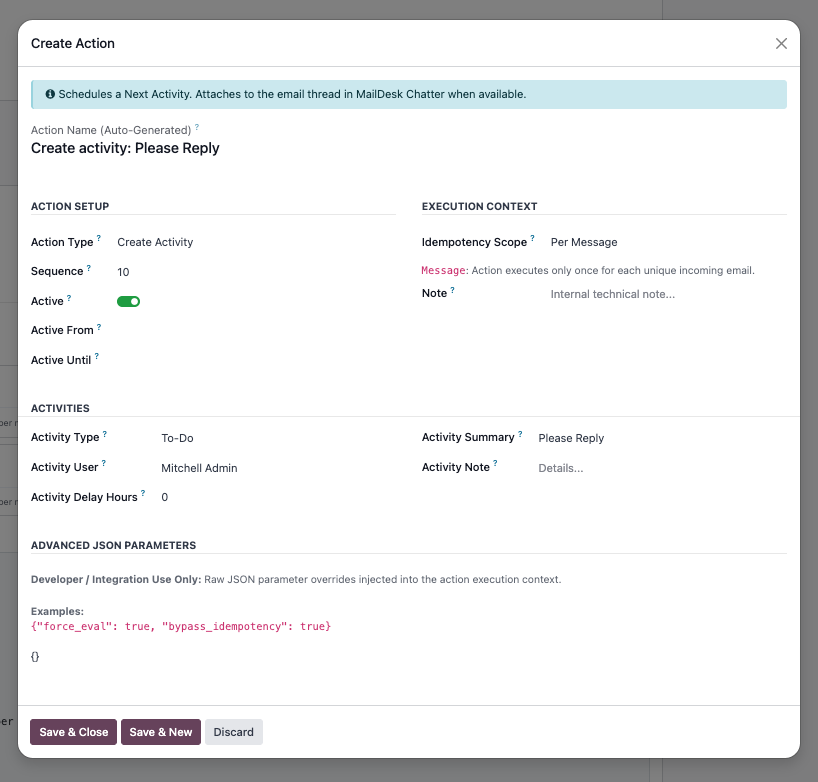
Use automation rules to schedule follow-up activities for the right user as soon as a qualifying email arrives. This helps teams turn important messages into concrete next steps instead of leaving them buried in the inbox.
The MailDesk message view also includes the automation panel, where users can review recent executions, inspect rule results, and rerun actions or dry-run checks directly from the email context.
With maildesk_mail_client_chatter installed, activities can use the richer chatter/discussable target flow instead of only the raw MailDesk message record.
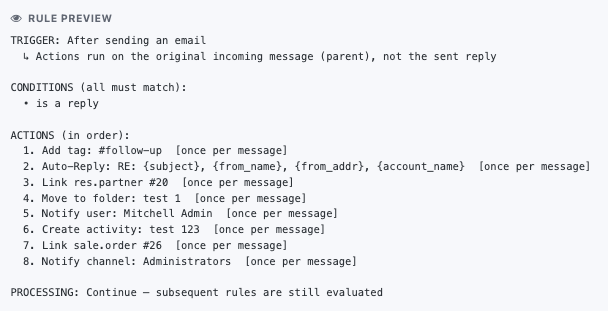
Every automation rule generates a plain-language preview automatically — trigger, conditions, and every action in order. You can see at a glance what the rule will do before activating it. No more guessing what a rule does six months after you configured it.
MailDesk Automation Engine gives your sales, support, and operations teams instant, auditable automation on every shared inbox — without writing a single line of code.
Explore the MailDesk ecosystem| Version | 17.0, 18.0, 19.0 |
Ces autres produits pourraient vous intéresser