- 100% DSGVO · kein SaaS — läuft in Ihrem eigenen Odoo
- Ihre E-Mails & Daten bleiben in Ihrer Datenbank
- Funktioniert mit Odoo 17 · 18 · 19 — Ihre Wahl
- Laufend weiterentwickelt — jetzt Version 4
?unique=677ba1e)
Website Tools
Image Field Editor – Bildfeld-Editor für Odoo
Image Field Editor for Odoo teams. Advanced photo editing capabilities for Odoo 19 Edit images directly in Odoo for faster content preparation. Crop, resize, and refine visuals without external tools. Keep product and marketing media consistent.
Photo Editor
Commercial
Production-ready
Productivity
Features
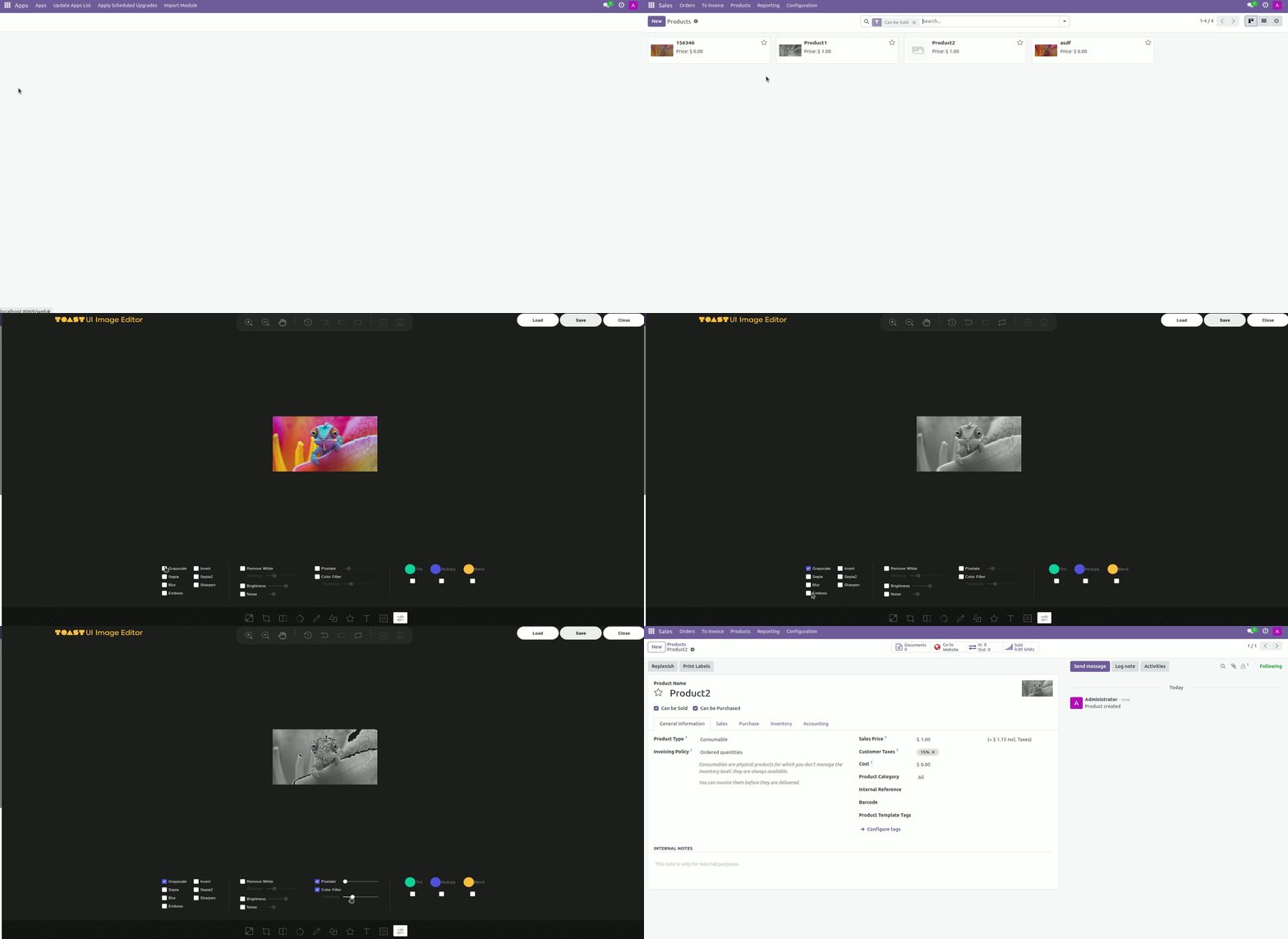
Our powerful photo editor includes all the tools you need for image editing:
Crop, Flip, Rotate, Drawing, Shapes, Icons, and Text.
Grayscale, Sepia, Blur, Sharpen, Emboss, Remove White, etc.
Undo/Redo, Brightness, Noise, Pixelate, and Color Filters.
How to Use the Editor
After installing the module, you will see a new icon for the image editor on any binary image field. Click the editor icon to open the selected image in the editor interface.
In the editor, you can crop, rotate, apply filters, add shapes, text, and much more. Explore the tools on the toolbar to modify the image according to your needs.
After editing the image, click the save icon to apply the changes. The edited image will be saved and displayed in the binary image field within Odoo.