- 100% DSGVO · kein SaaS — läuft in Ihrem eigenen Odoo
- Ihre E-Mails & Daten bleiben in Ihrer Datenbank
- Funktioniert mit Odoo 17 · 18 · 19 — Ihre Wahl
- Laufend weiterentwickelt — jetzt Version 4
?unique=b8898cd)
MailDesk Chatter Integration
 MailDesk Chatter Integration
Bring **native Odoo collaboration** directly into your inbox. Post internal notes, mention colleagues, and schedule activities on every email thread without switching tabs.
Collaboration Belongs Next to Your Email
Decisions happen in chats, context lives in emails, and tasks are in separate tools. Chatter Integration bridges this gap by putting Odoo's powerful collaboration engine exactly where the work happens.
Internal Notes
Post team-only annotations invisible to customers. Add vital context to any thread.
Mentions
@mention colleagues to pull them into the email context instantly without forwarding.
Activities
Schedule calls, to-dos, and meetings directly on email threads using native Odoo types.
Count Badges
See active discussions at a glance with real-time badges in your email list.
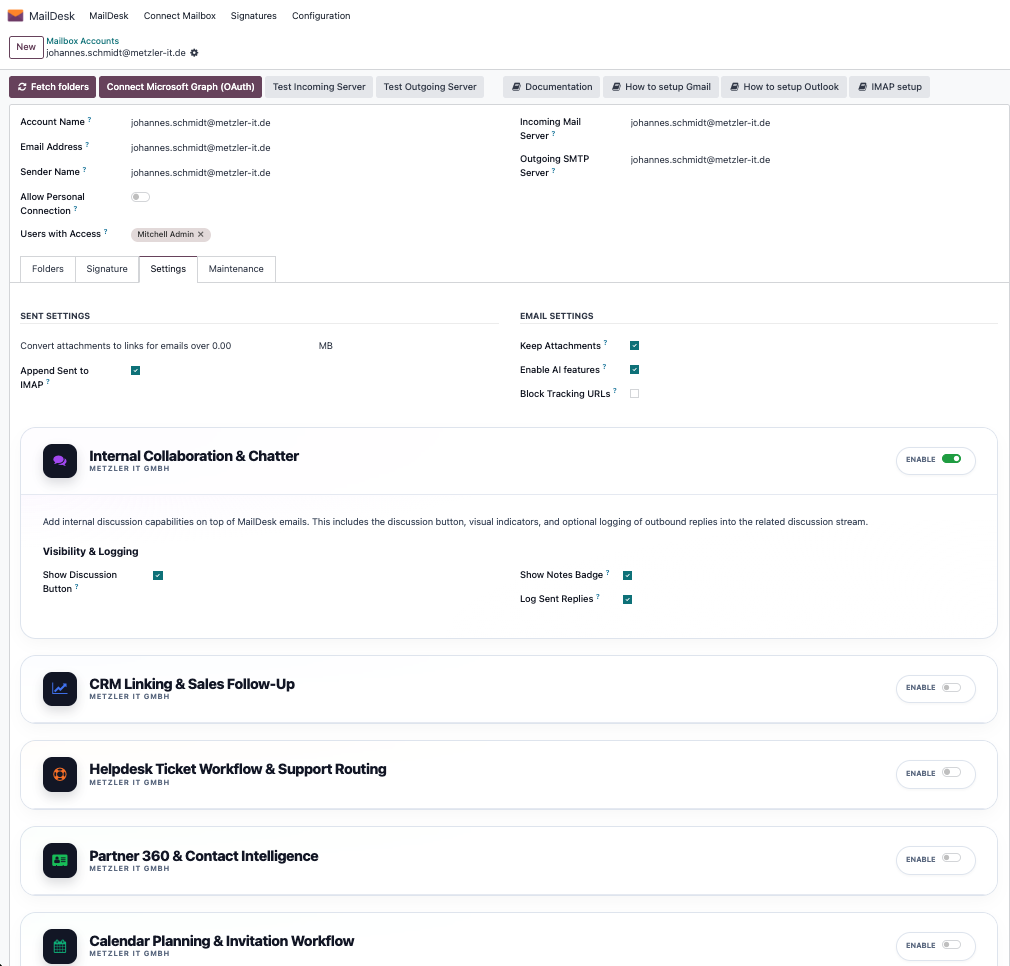
Step 1 — Enable Chatter per Mailbox
Activate collaboration only where it adds value. Enable chatter for shared team inboxes while keeping personal accounts clean.
Feature-Gated
Control exactly which accounts allow team discussions. Perfect for sales@, support@, or info@ mailboxes.
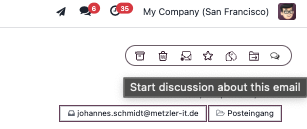
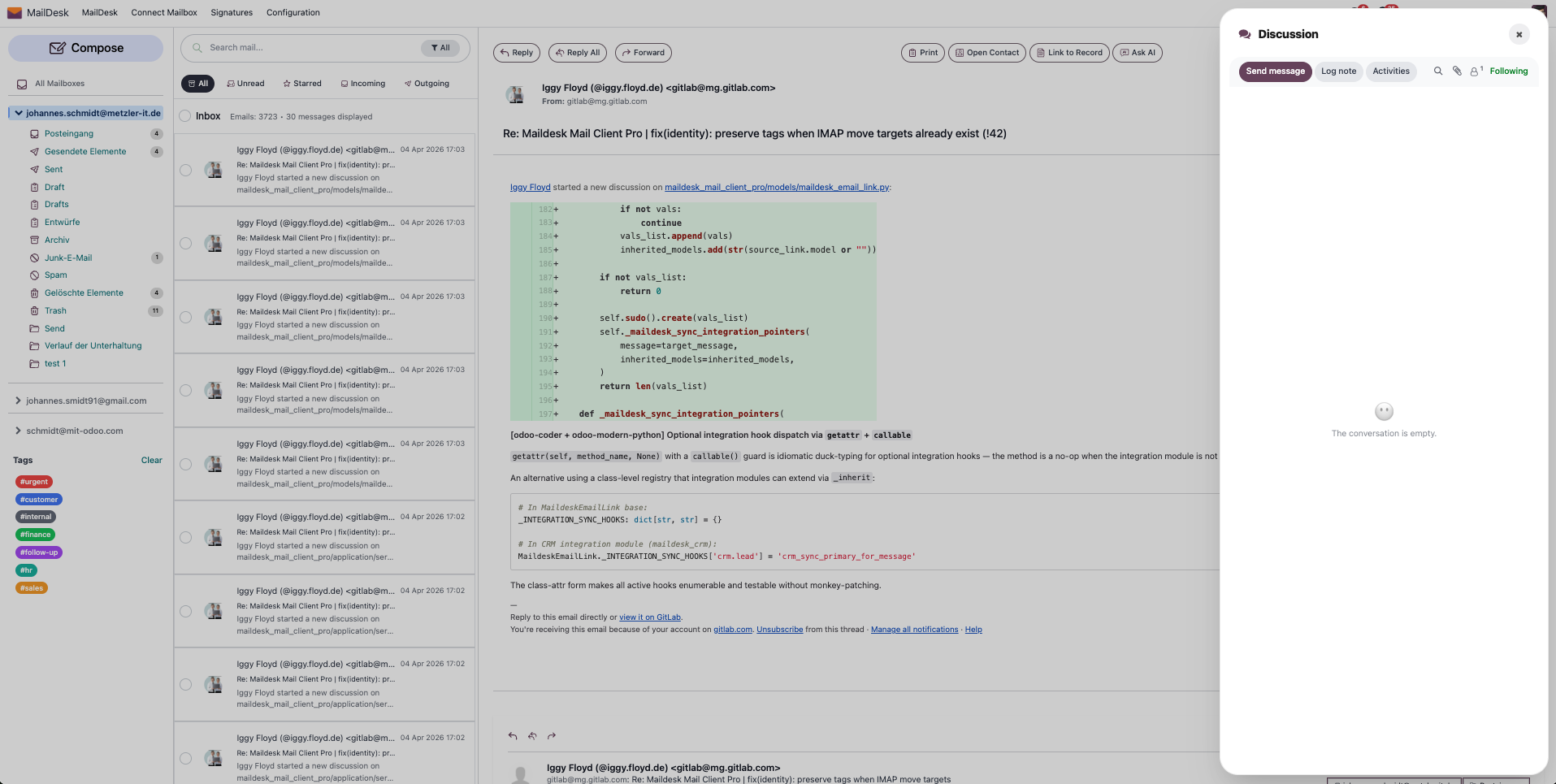
Step 2 — Access the Discussion Panel
Smart Discussion Toggle
Open the side panel with one click. The badge shows the number of internal messages waiting for you.
Step 3 — Post Notes and Messages
Use Odoo's native composer directly in your inbox. Rich text, attachments, and user mentions work seamlessly.
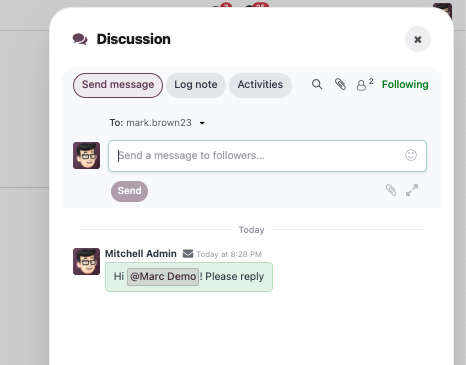
1. Internal Message Composer
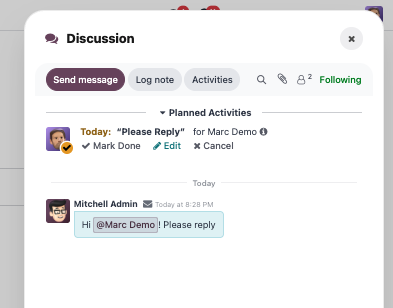
2. Collaborative Thread View
Step 4 — Schedule Activities on Threads
Never forget a follow-up. Schedule activities right on the email. These tasks sync with Odoo's global activity view automatically.
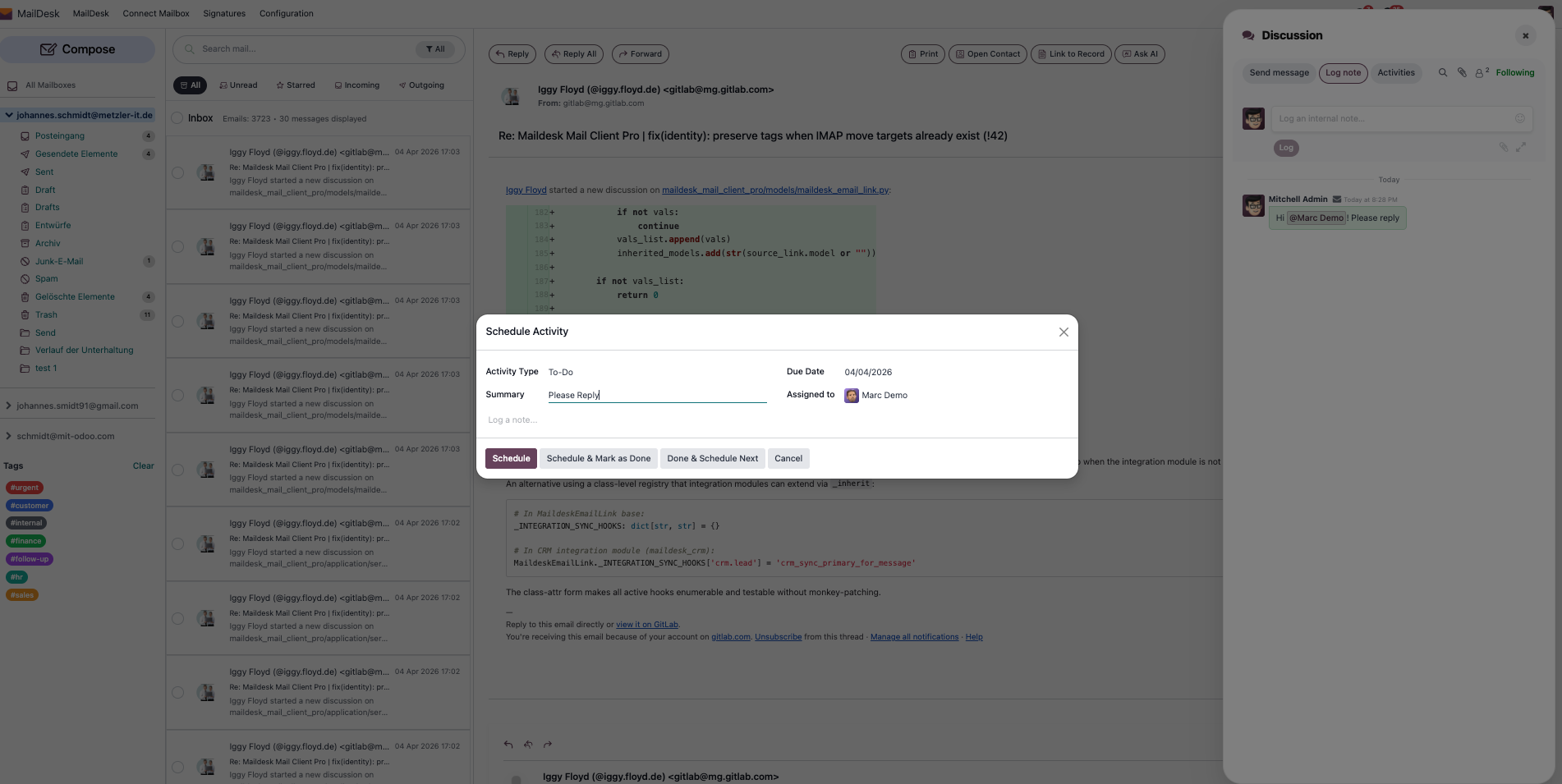
Create Activity
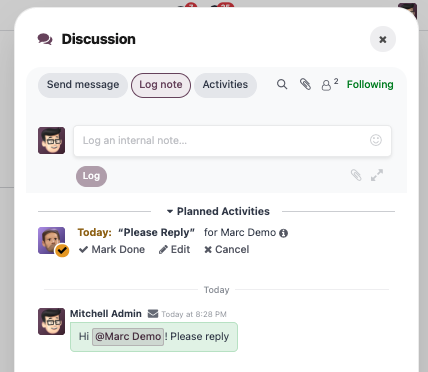
Activity Logic Linked
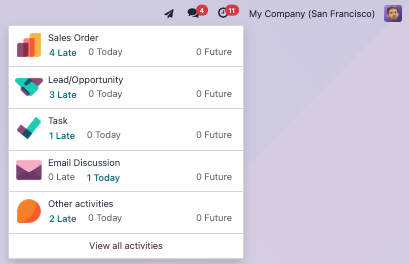
Active Threads List
Real-Time Message Count Badges
Stay updated without effort. Discussion badges in the email list help your team instantly spot active internal conversations.
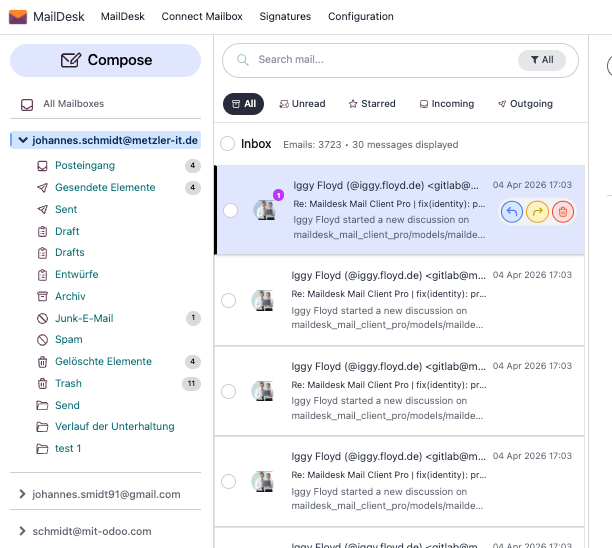
1. List View Indicators
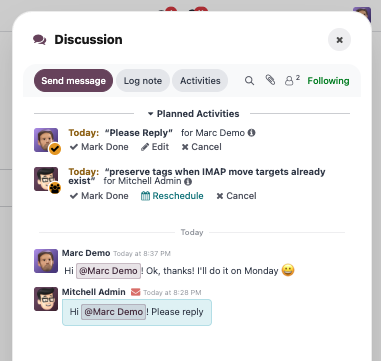
2. Full Collaboration View
Requirements
- MailDesk Basic — Core sync engine
- MailDesk Pro — SSOT layer
- Odoo 17.0+ (Enterprise or Community)
Global Reach: Multi-Language Support
MailDesk Chatter Integration is available in multiple languages to suit your team’s needs worldwide.
 German (de)
 Spanish (es)
 French (fr)
 Dutch (nl)
 Portuguese (pt)
 English (en)
 Turkish (tr)
 Polish (pl)
Unite Your Team Inside Your Inbox.
Bring internal notes, mentions, and activities right next to every email. Stop tab-switching, start collaborating.
Upgrade Your Collaboration