- 100% DSGVO · kein SaaS — läuft in Ihrem eigenen Odoo
- Ihre E-Mails & Daten bleiben in Ihrer Datenbank
- Funktioniert mit Odoo 17 · 18 · 19 — Ihre Wahl
- Laufend weiterentwickelt — jetzt Version 4
?unique=3e8e4a9)
MailDesk Documents Integration
 MailDesk Documents Integration
Stop downloading and re-uploading files. Manage your **Email Attachments** directly within the Odoo Documents ecosystem with professional versioning and tagging.
The Missing Link in Your Document Workflow
Attachments shouldn't live only in your inbox. They are vital business records, contracts, and project assets. MailDesk Documents Integration makes file management intuitive, secure, and fully integrated with Odoo DMS.
Direct Upload
Save inbound attachments to Odoo Documents with one click. Folder and tag selection is automated.
Attach from DMS
Pick files directly from your Odoo storage and attach them to emails without downloading to local disk.
Native Forms
Edit documents using native Odoo forms, ensuring all custom fields, tags, and AI features work perfectly.
Deep-Linking
Open any linked email directly from the Odoo Document record. Context is preserved across the system.
Step 1 — Enable Documents per Mailbox
Control integration at the account level. Set per-account default folders and tags to keep your DMS organized from the moment a file arrives.
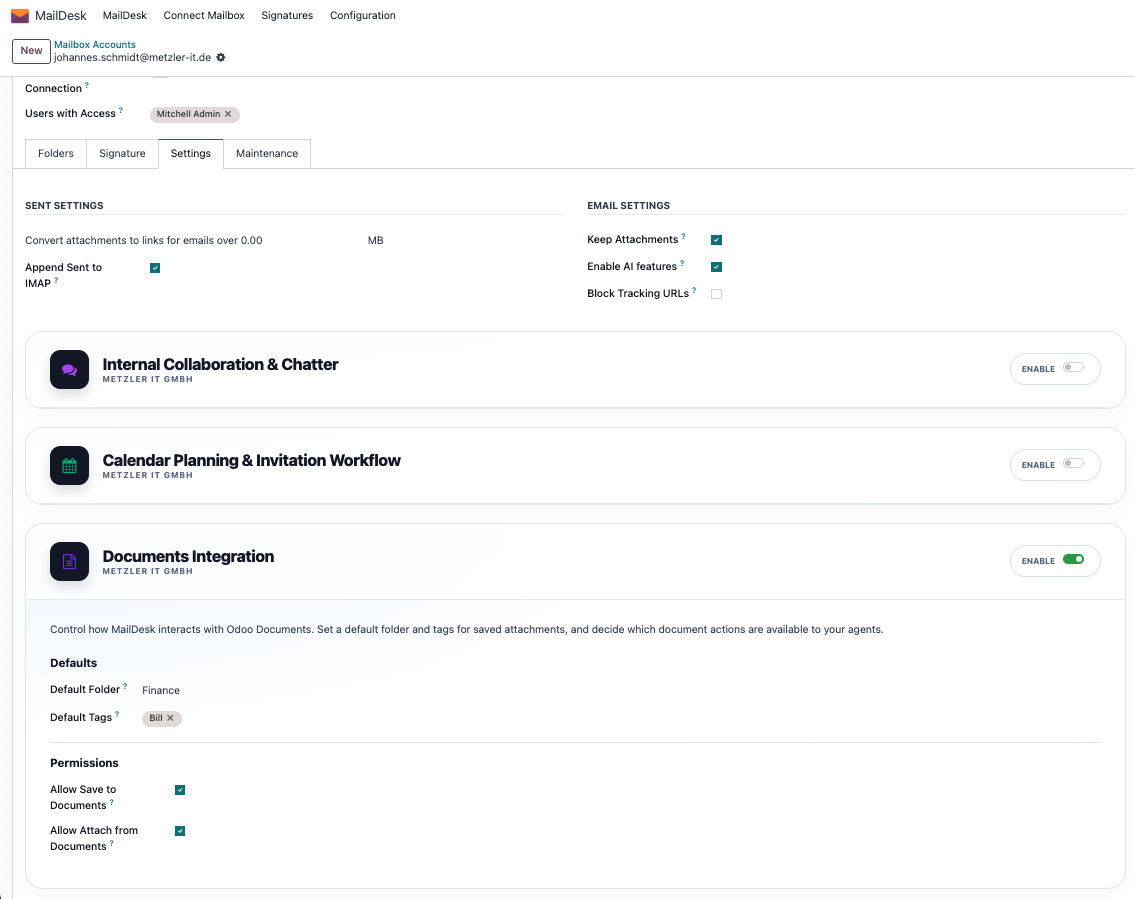
Granular Control
Decide who can save to Documents and who can attach from them. Selective activation ensures a clean, relevant user interface.
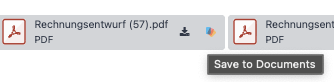
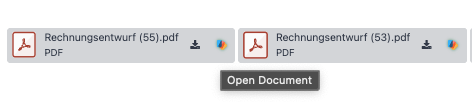
Step 2 — Save Inbound Attachments Instantly
One-Click Persistence
Attachments are moved from email cache to permanent storage. The icon updates to confirm safety.
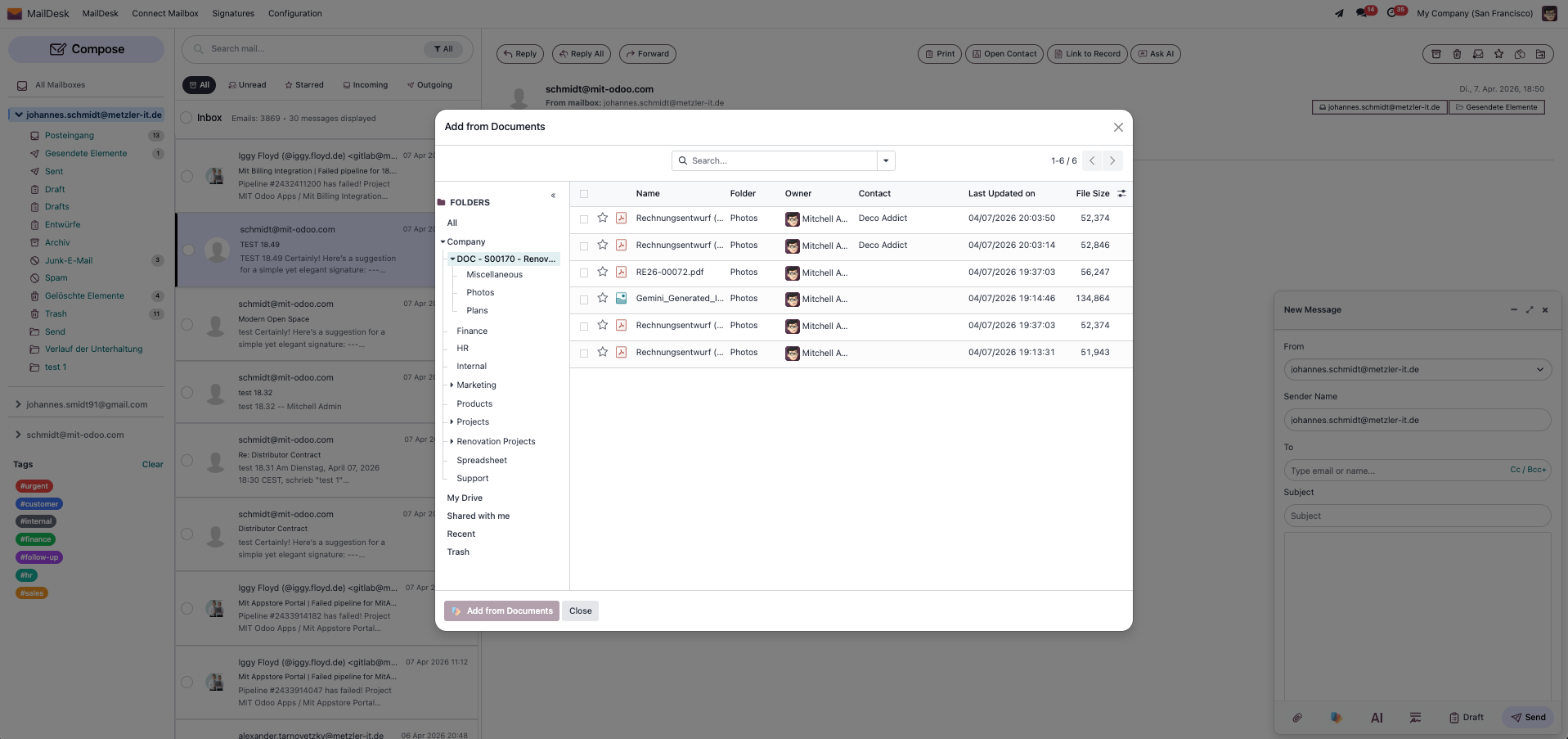
Step 3 — Attach Files from Odoo Documents
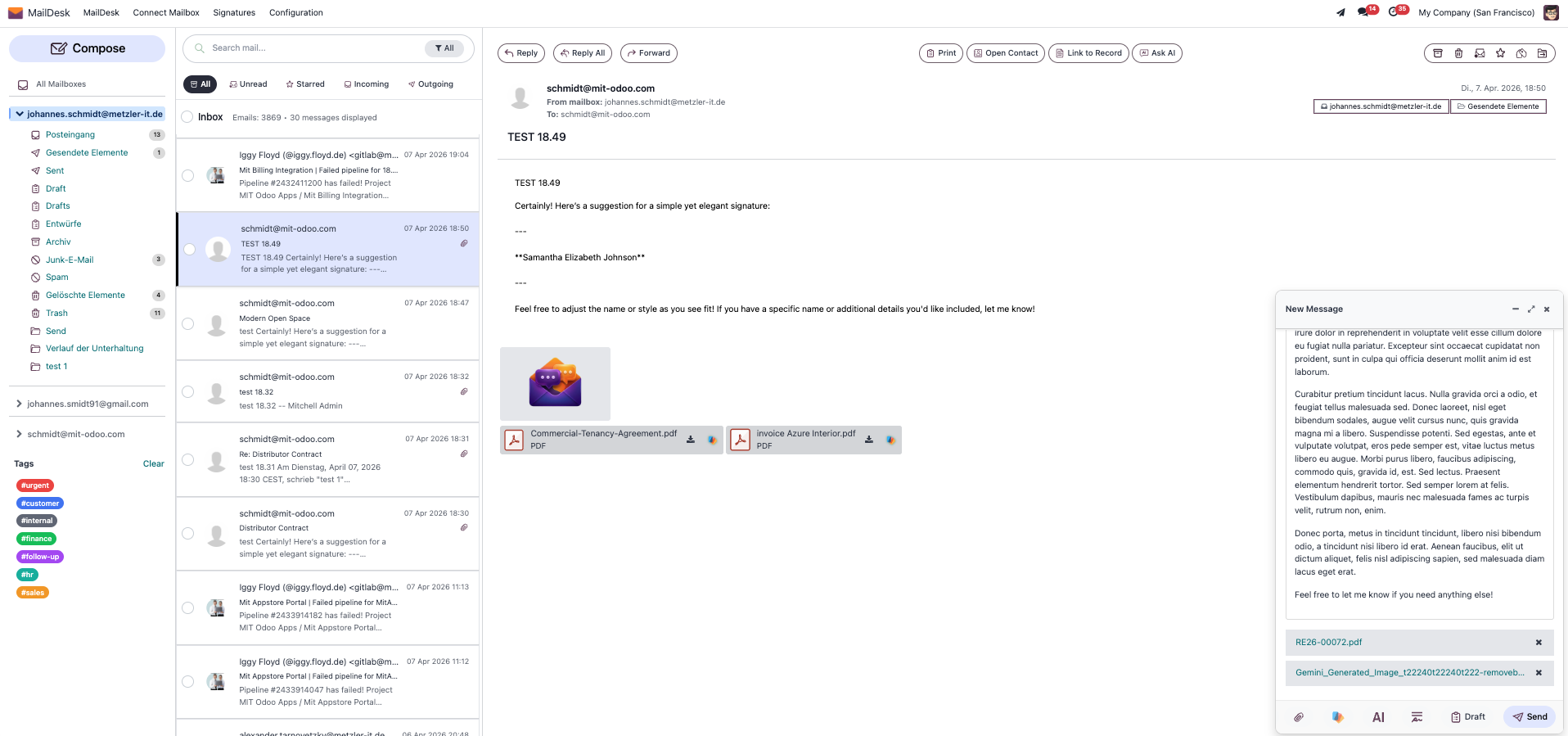
Integrated directly into the MailDesk composer bar. Browse folders and search for assets without leaving your draft.
Composer Integration
Eliminate local downloads. Access your entire company document library instantly from the "Add from Documents" button.
Step 4 — Unified Odoo Composer Support
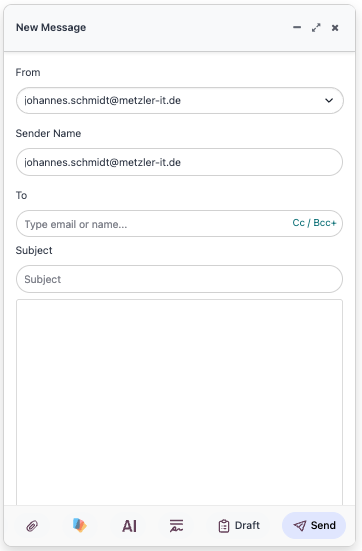
The integration extends to the standard Odoo composer. Attach Document files to chatter messages or emails sent from any Odoo model.
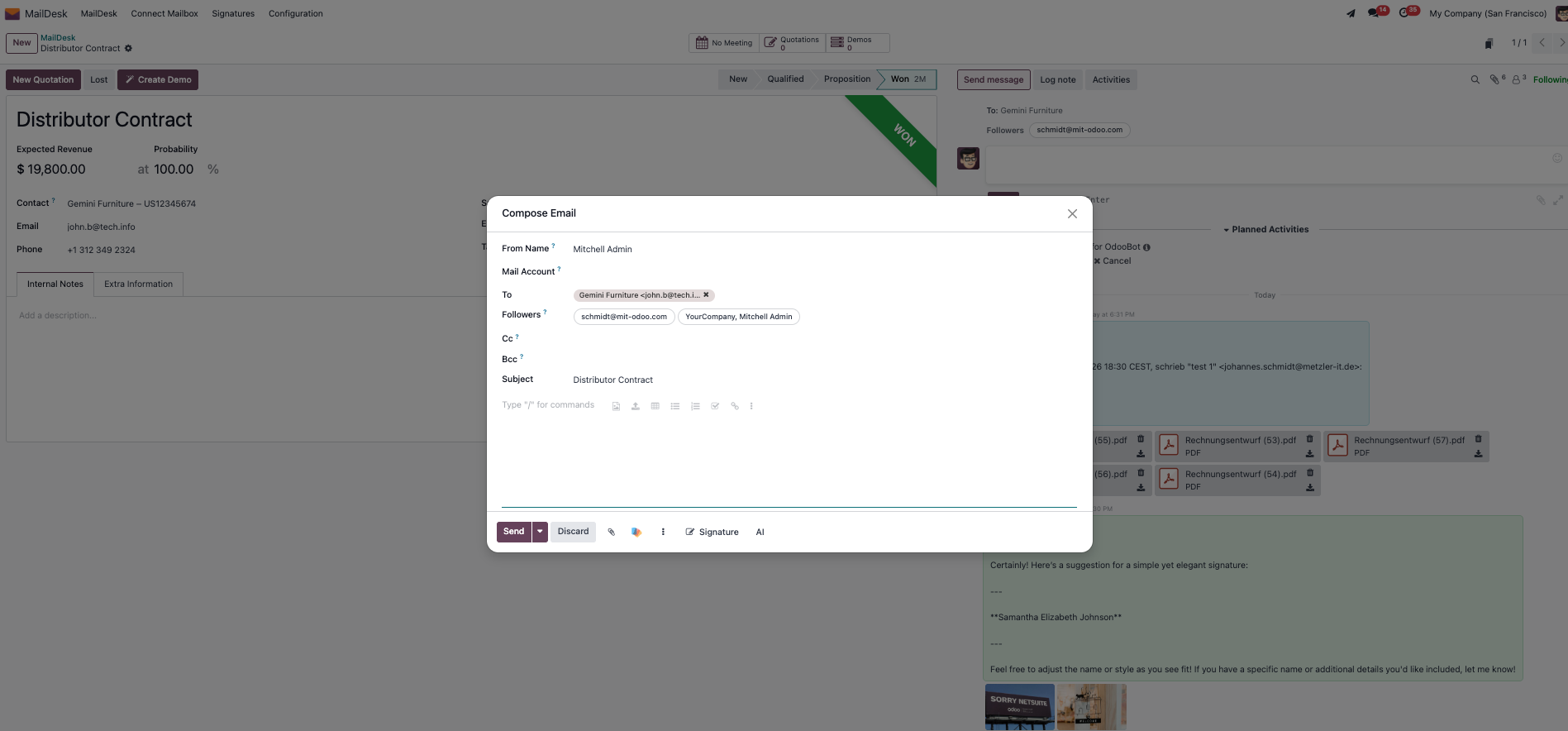
Consistent Experience
MailDesk Documents brings a single, unified way of handling files across Odoo, whether you are in the MailDesk app or Odoo Chatter.
Requirements
- MailDesk Pro — Core email engine
- Odoo Documents (Enterprise) — Native Odoo app
- Odoo 17.0+ (Enterprise recommended)
Global Reach: Multi-Language Support
MailDesk Documents Integration is available in multiple languages to suit your team’s needs worldwide.
 German (de)
 Spanish (es)
 French (fr)
 Dutch (nl)
 Portuguese (pt)
 English (en)
 Turkish (tr)
 Polish (pl)
Master Your Email Assets.
Bring professional Document Management to your inbox. Simplify your file workflows today.
Upgrade Your Document Workflow