What MailDesk is
Your real email lives in one program, your customers and business data live in another, and you spend your day jumping between the two. MailDesk closes that gap: it is a full, professional email client built right into Odoo, so you read, send, and organise email from your actual mailboxes - Gmail / Google Workspace, Microsoft 365 / Outlook, and any IMAP provider - without ever leaving the system where your work already happens.
Available in: Basic and Pro. The unified inbox, the synchronization engine, folders, threading, the composer, drafts, tags, and partner linking are part of MailDesk Basic. MailDesk Pro adds two-way sync, the AI assistant, the mobile-adaptive interface and the dark theme on top of the same engine; the manager Cockpit comes with Ultimate. See Licensing & editions for what each edition unlocks.
MailDesk runs on Odoo 17, 18, 19 or 20 - your choice - so you can adopt it on the version you run today.
Why people switch to MailDesk
- One inbox for everything. Connect several mailboxes - a personal business address, a shared team inbox, a support or sales address - and work with them side by side in a single, calm interface.
- No more tab-hopping. Your email sits next to the contact, quote, or ticket it belongs to. Answer a customer and see who they are in the same place.
- It feels like email, because it is email. Real folders, a proper Sent folder, conversation threading, drafts that save themselves, attachments, search - all the habits you already have.
- It grows with you. Start on Basic for a clean unified inbox; add Pro when you want two-way sync, an AI assistant, a manager dashboard, and a phone-friendly layout.
A first look
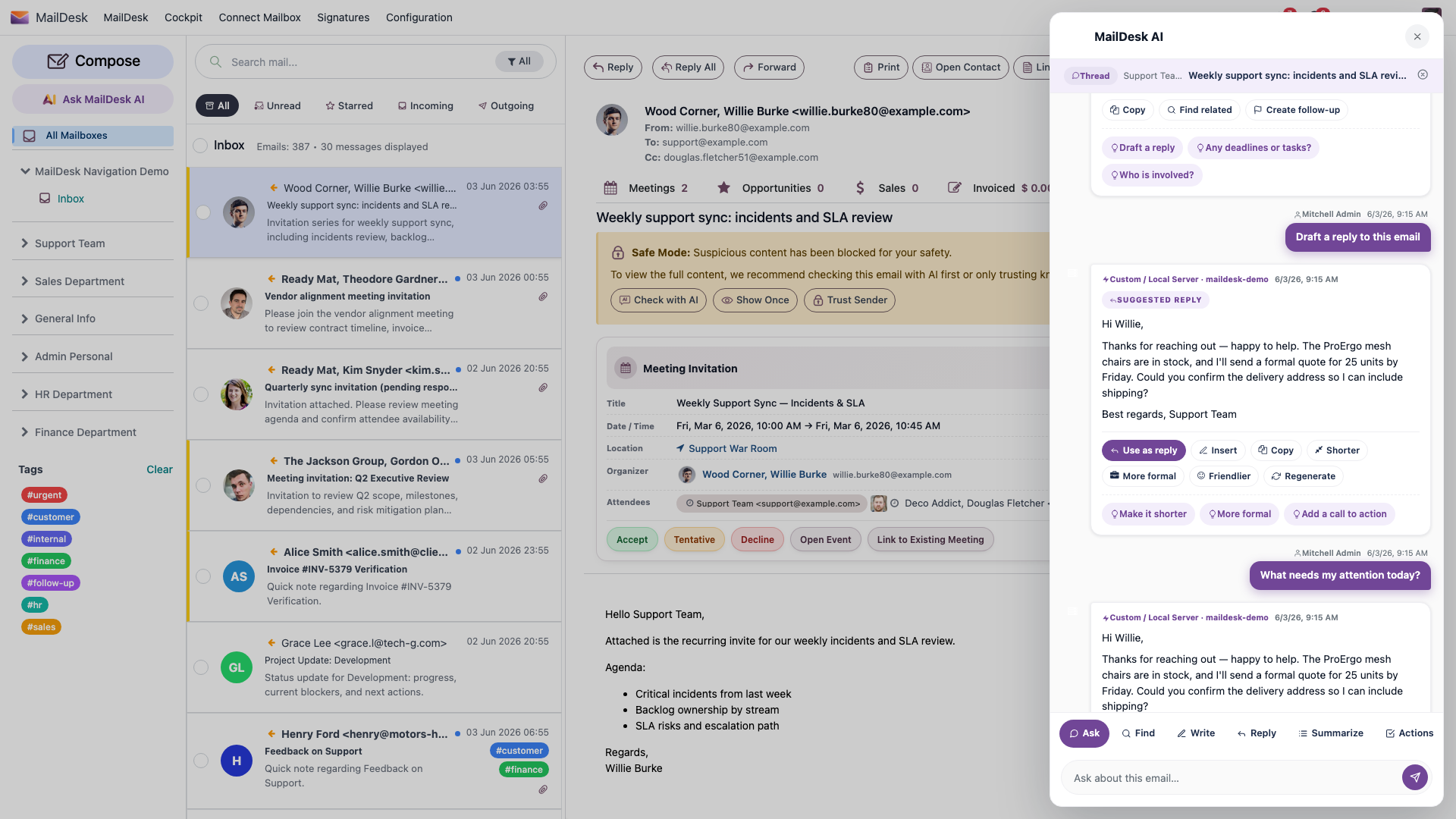
MailDesk uses a familiar email layout: your folders on the left, your messages in the middle, and the open email on the right. Everything you need to triage, read, and reply is one click away.
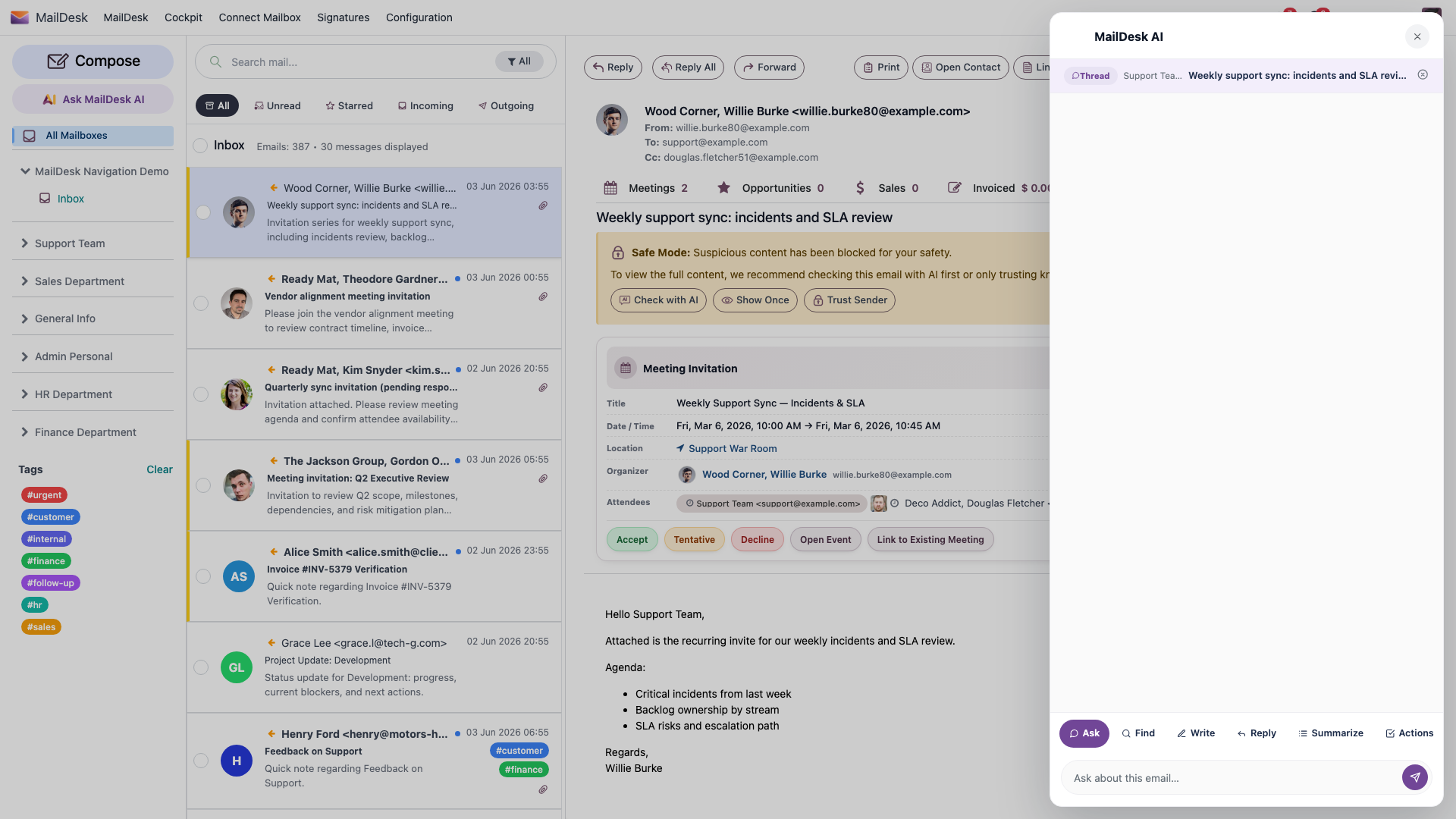
- Folder sidebar (left) - your mailboxes and their folders: Inbox, Sent, Drafts, Trash, and any provider folders or labels you sync. Unread counts keep themselves up to date. Your tags sit here too, so one click filters the list down to what matters.
- Message list (centre) - sender, subject, date and a short preview for each email, with quick filters across the top (All, Unread, Starred, Incoming, Outgoing) and clear markers for unread, starred, and attachments.
- Message detail (right) - the full email with its attachments and the Reply, Reply All, and Forward actions right at the top. The body loads the moment you open a message, and opened messages are remembered so they reopen instantly.
When you open a conversation, replies and forwards stay grouped together so you read the whole exchange top to bottom - and long quoted histories tuck away neatly behind a single Show quoted text link.
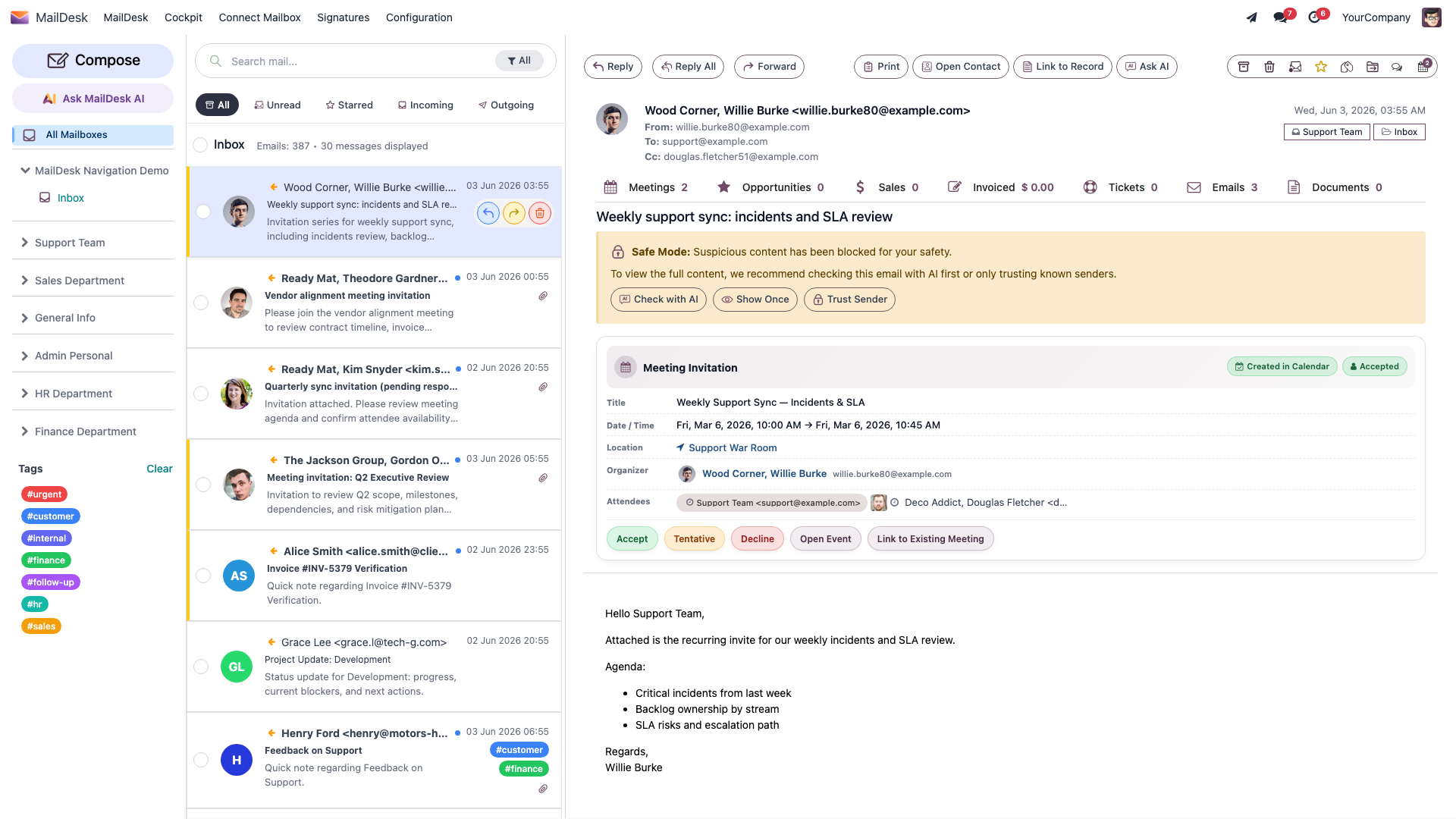
What MailDesk Basic gives you
MailDesk Basic is the foundation, and it is a complete, everyday email client on its own:
- A unified inbox across multiple accounts - Gmail, Outlook / Microsoft 365, and most IMAP servers (Mailcow, Zimbra, Dovecot, cPanel and more), connected securely with OAuth2 where the provider supports it.
- Reliable background sync. New incoming mail appears on its own, shortly after it lands at your provider - you never have to click "Refresh". This incoming sync is one-way (your mail server into Odoo).
- A full HTML composer for writing, replying, and forwarding, with drag-and-drop attachments and drafts that save themselves and restore if you step away.
- Conversation threading, so an email and all its replies read as one tidy story.
- Folders, manual tags, and partner linking to organise mail your way and tie a message to the contact it belongs to.
- A clean, modern interface built natively in Odoo - no add-ins, no separate desktop program.
There is no AI in Basic - it is the dependable, do-the-job email client. Everything in Basic carries forward unchanged when you add Pro.
What MailDesk Pro adds
MailDesk Pro installs on top of Basic and turns the email client into a productivity hub. Same engine, same inbox - with four big additions.
Two-way sync - your changes flow back to the server
In Basic, mail flows in. In Pro, your actions flow back out. Mark a message read or unread, star it, move it between folders, or delete it, and MailDesk carries that change back to your mail server - so your phone, your webmail, and your colleagues all see the same state. You can even delete an email directly on the server. Your inbox stays in step everywhere you check it.
An AI assistant, right beside your email
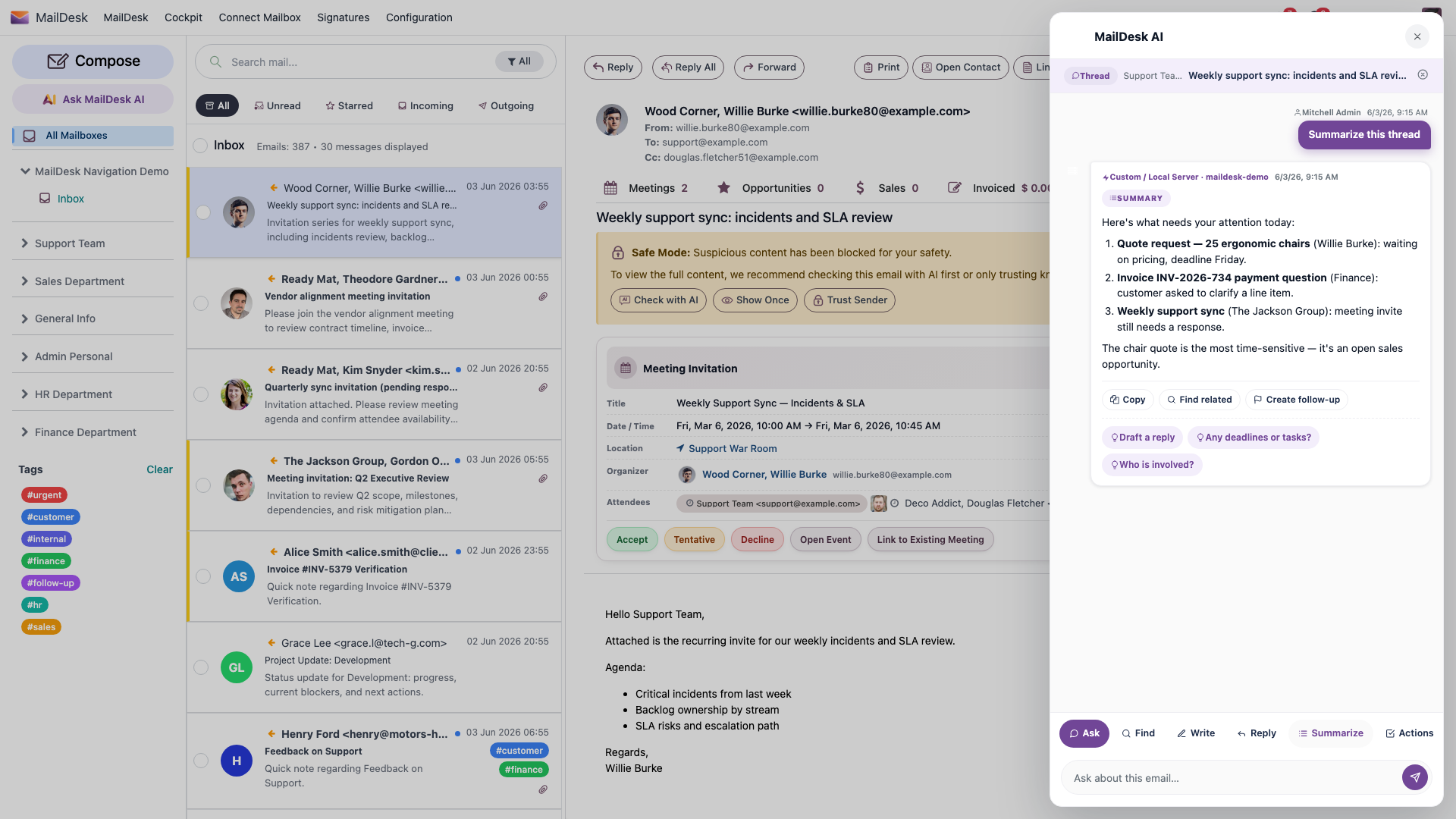
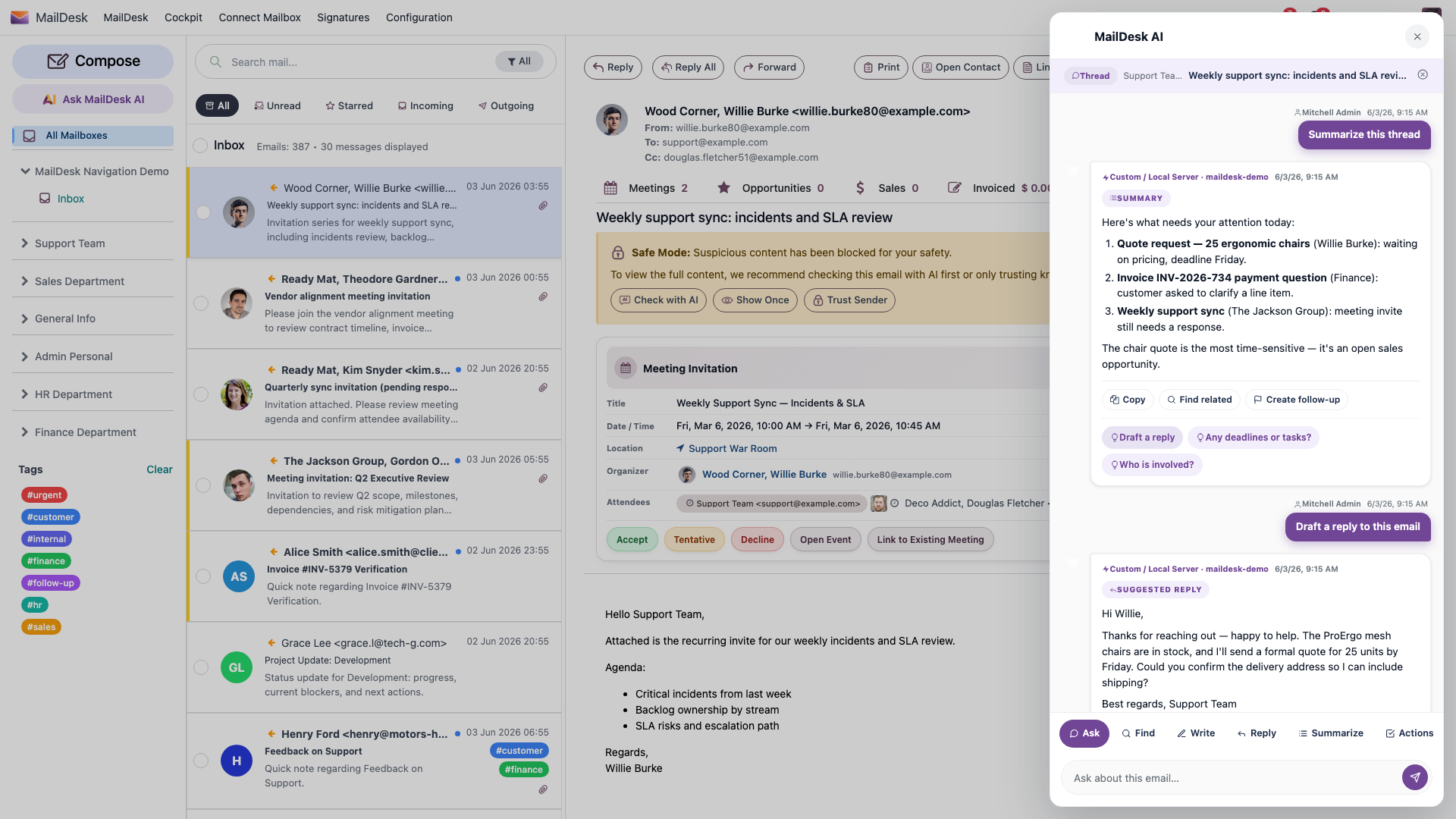
Pro brings a MailDesk AI assistant that lives in a panel next to your messages. It can summarise a long thread into a few clear points, draft a reply you can edit and send, and answer plain-language questions about what's in your inbox - all without copying text into another tool.
Ask for a draft and the assistant writes a reply in context, ready for you to refine before it goes out.
You can also simply talk to it - ask what needs your attention today, or what a thread is really about - and get an answer grounded in your own mail.
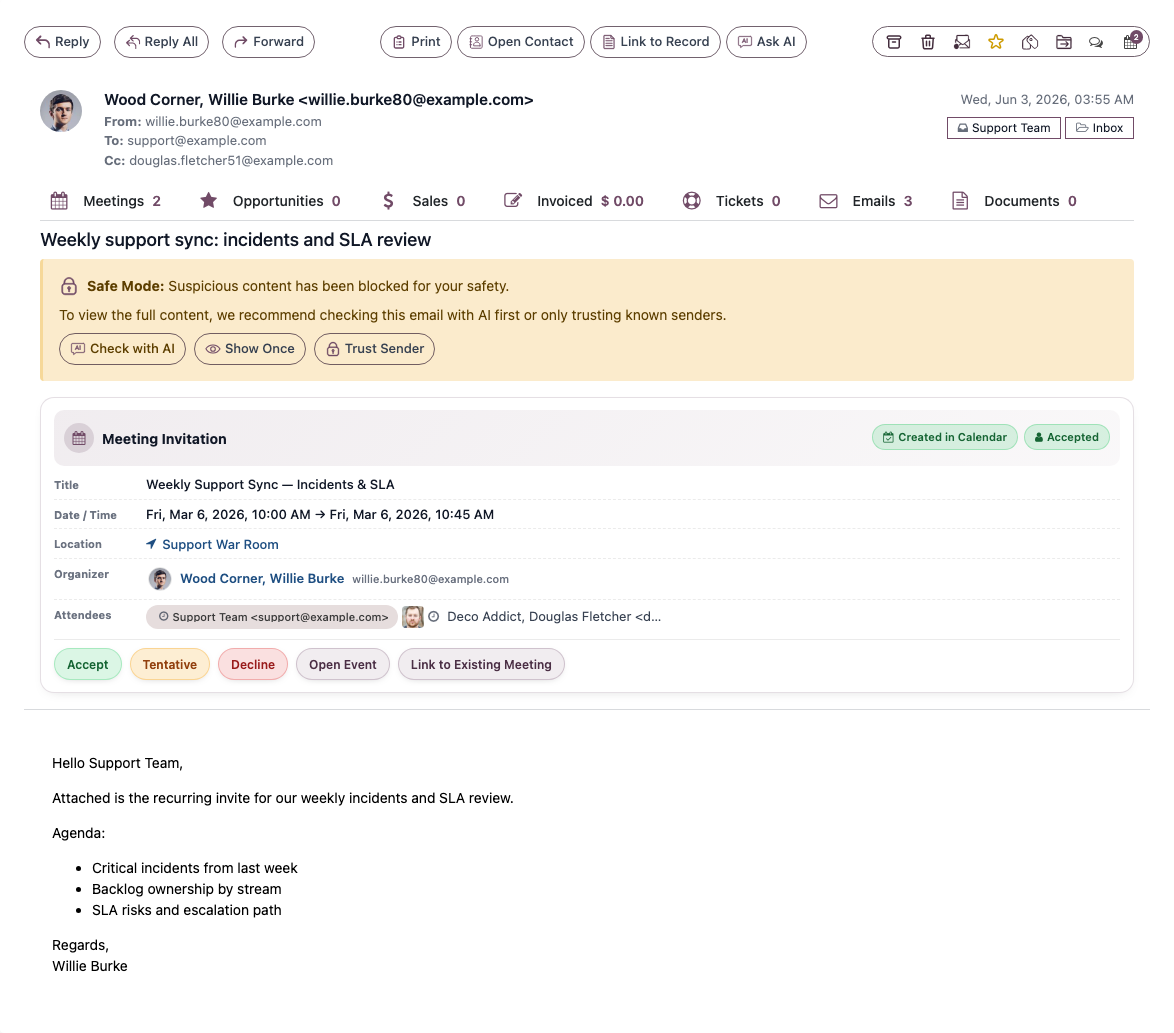
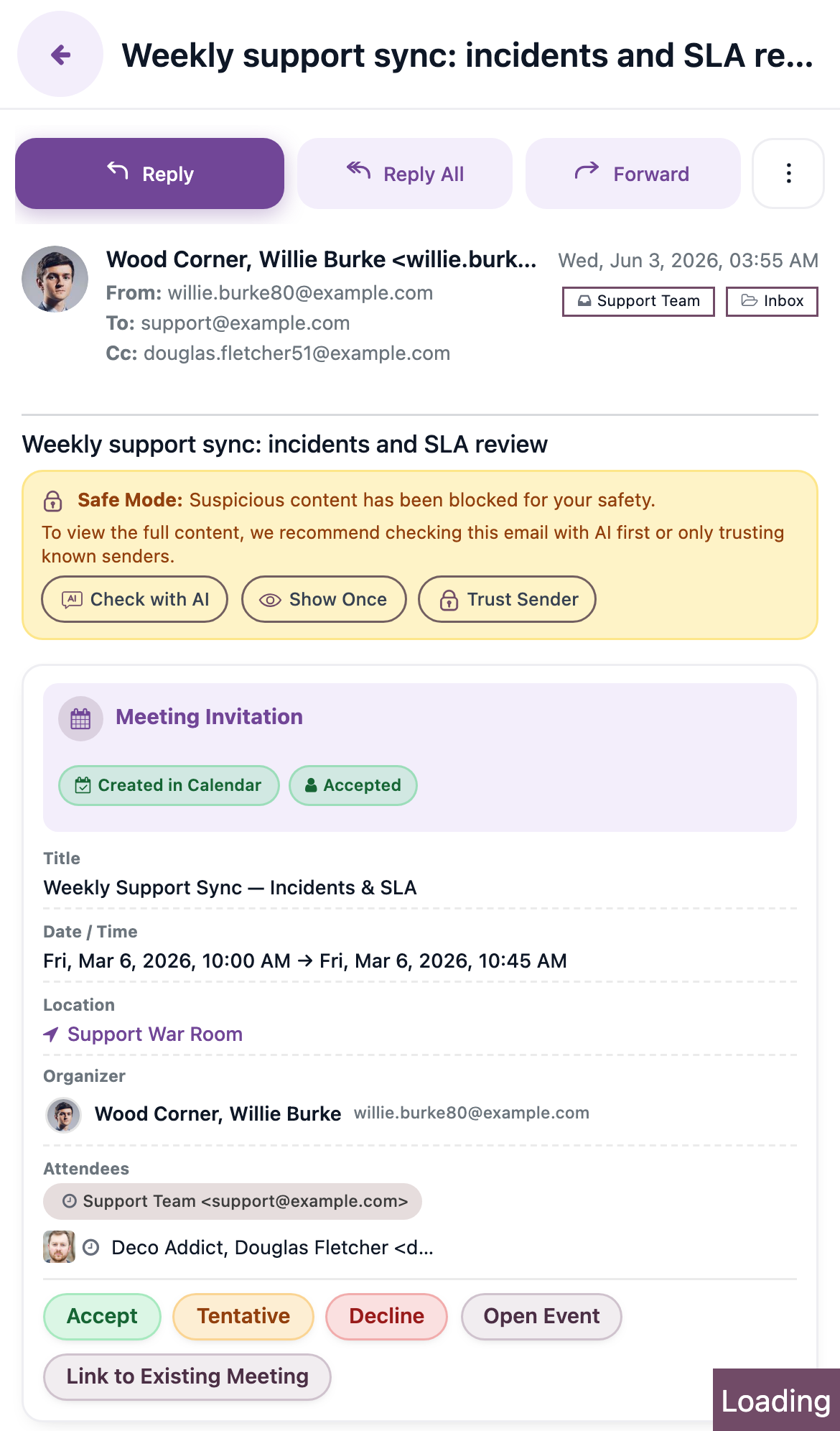
Pro also watches your back on security. Suspicious incoming content can be held in a Safe Mode so it doesn't render until you choose, with one-click Check with AI, Show Once, or Trust Sender options - so a risky email never surprises you.
You bring your own AI
MailDesk Pro's assistant connects to an AI provider you configure. You choose the provider and supply the key, so AI is on your terms. The AI features are exclusive to Pro.
A manager Cockpit
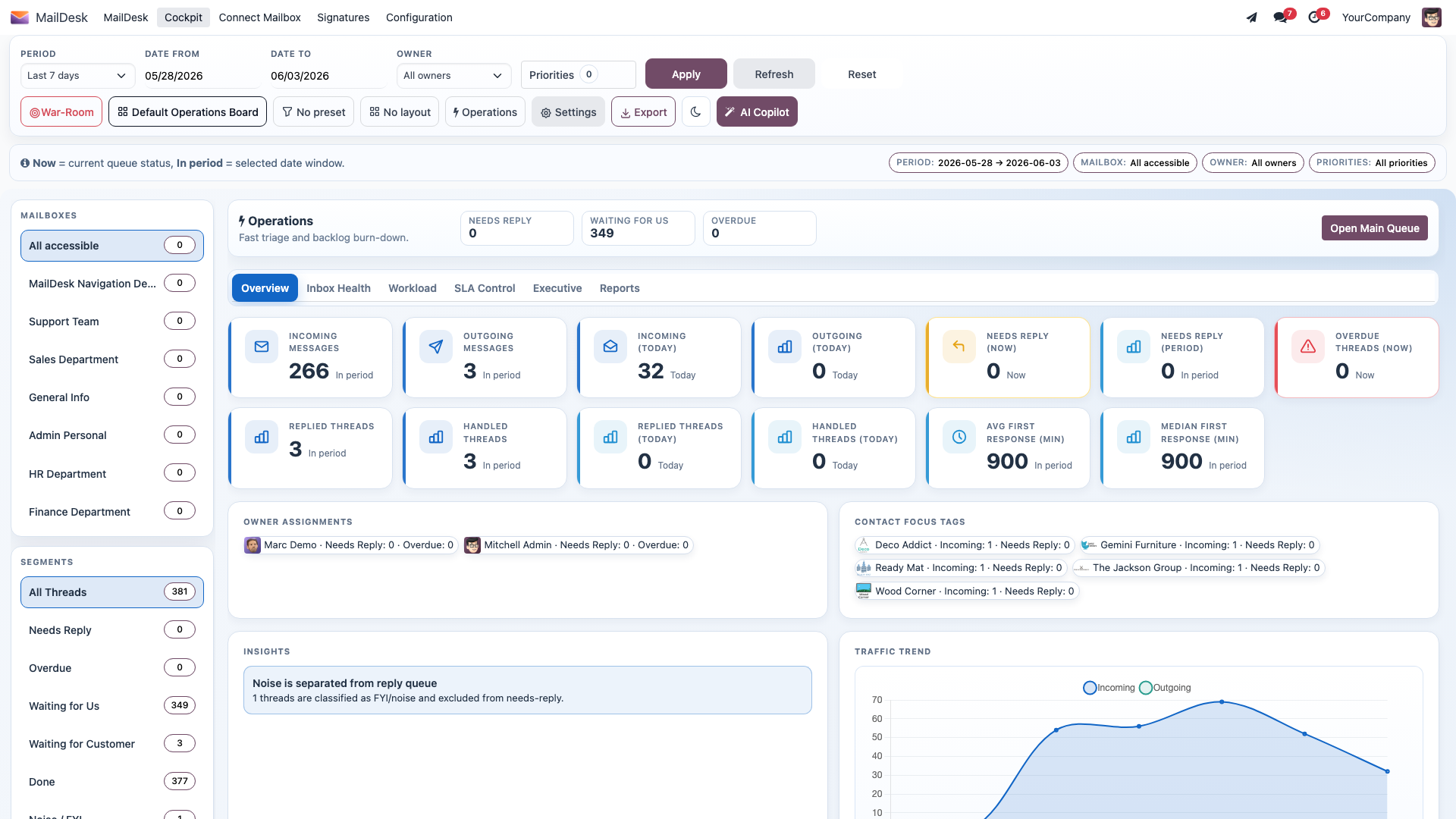
For team leads, Ultimate adds the Cockpit - a dashboard that turns shared inboxes into numbers you can act on: how many conversations are waiting, what's unanswered, who's carrying the load, and how quickly your team replies. It's the bird's-eye view that a plain inbox can never give you.
A mobile-adaptive interface (and a dark theme)
Pro reshapes the whole inbox for the phone in your pocket: a touch-friendly header, a bottom navigation bar, swipe and long-press actions, and a slide-up reading view. The same MailDesk, now comfortable on a small screen - with an optional dark theme on both phone and desktop for easy-on-the-eyes evenings.
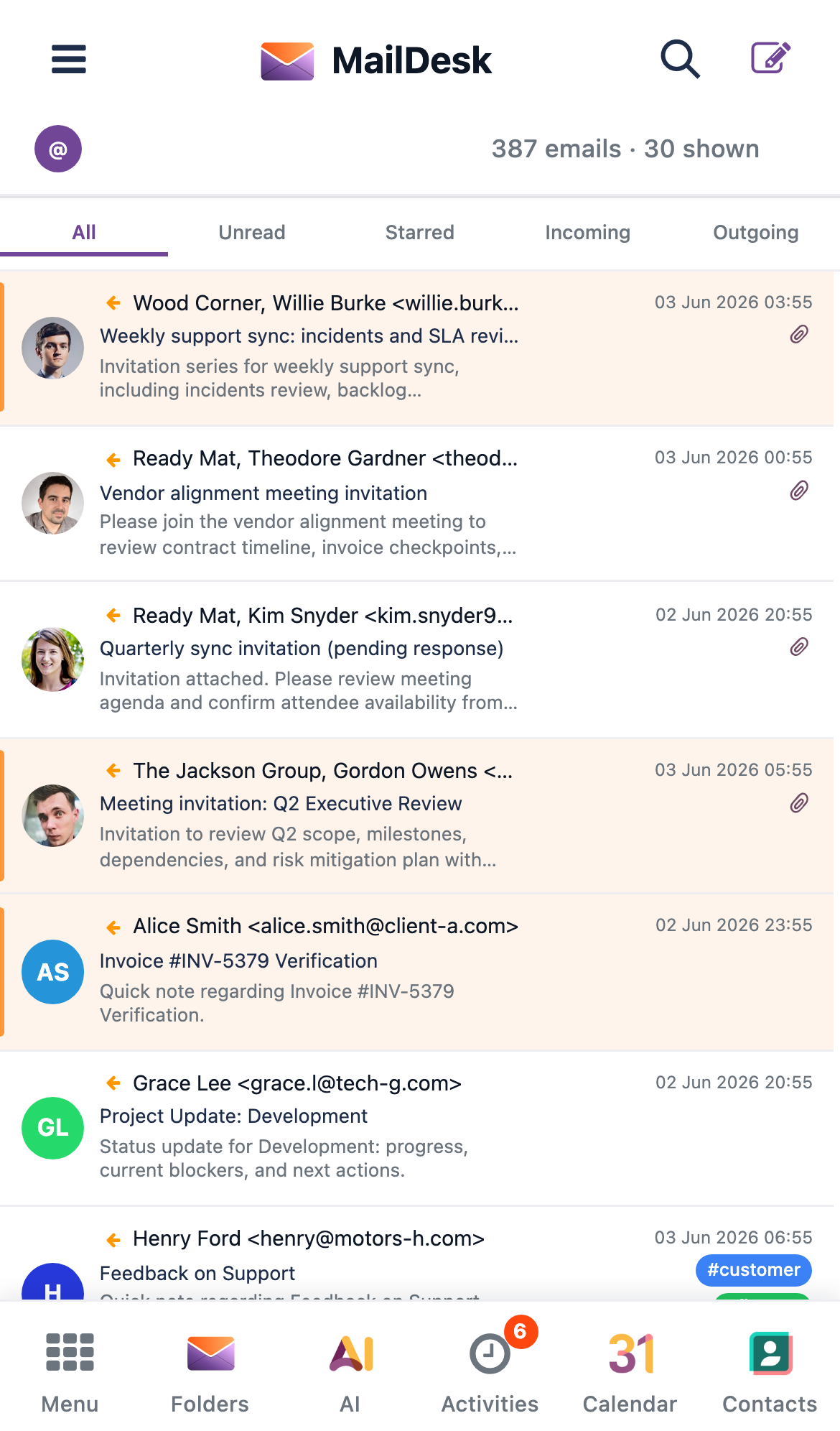
Tap a message and it opens in a full-screen reading overlay, so reading and replying on the go feels natural rather than cramped.
Tie email to your business - link to records
Email rarely stands alone. With MailDesk you can connect a message to the Odoo record it belongs to - a contact, a customer, an invoice, a quote - so the conversation and the business object live together and nothing gets lost between systems.
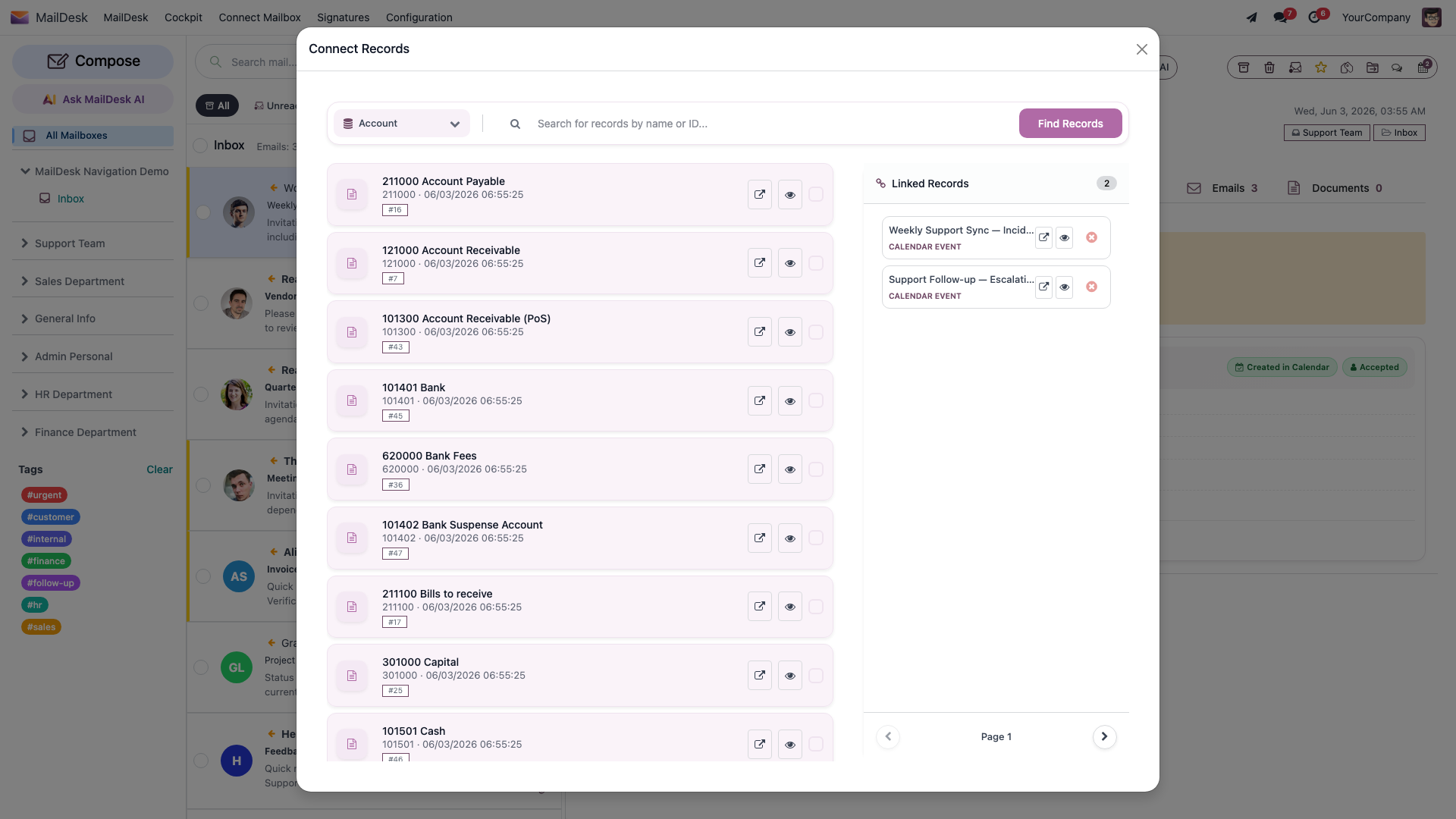
Pro deepens this with optional integration bridges - add-ons that connect MailDesk to other Odoo apps such as CRM, Helpdesk, Sales, Calendar, Documents, Partner 360, Chatter, and Automation. Every bridge requires Pro. See Licensing & editions for how the bridges map to editions.
How MailDesk sits beside Odoo's built-in mail
Odoo already has Discuss and the Chatter. MailDesk does not replace either - it sits alongside them for a different job.
| Odoo Discuss / Chatter | MailDesk | |
|---|---|---|
| Purpose | Internal team messages, notes, and activity logs on Odoo records | Real external email with customers, partners, and suppliers |
| What it groups | Discussion on an Odoo record | Email conversations, grouped from mail headers |
| Where mail comes from | Odoo's own notifications and incoming-mail routing | Your Gmail, Outlook / Microsoft 365, or IMAP mailbox |
| Sent mail | No dedicated Sent folder | A proper Sent folder, sent through your own outgoing server |
In short: use Discuss and Chatter for internal collaboration and record-level notes; use MailDesk for the actual email that flows in and out of your business mailboxes. MailDesk is explicitly not Odoo Chatter, not a ticketing system, and not a CRM pipeline - though it can link to those through the integration bridges above.
How email reaches you
A quick mental model so MailDesk behaves the way you expect:
- MailDesk syncs in the background on a regular schedule, so new mail appears shortly after it arrives at your provider. You never need to click "Refresh".
- This is near real-time, not instant push - a short delay between arrival and appearance is normal.
- Message bodies load when you open a message, and opened messages are cached so they reopen quickly.
- When you send, the email goes out immediately through your outgoing server and appears in Sent straight away; the next sync reconciles it with your provider's own copy seamlessly.
Who it is for
MailDesk fits teams that work mainly inside Odoo, people who juggle several mailboxes, companies that want email and business context in one system, and anyone who would rather keep their email inside the Odoo environment than scattered across separate apps.
Where to go next
- Ready to begin? See First setup to open MailDesk and connect your first mailbox.
- Choosing an edition, or want to know exactly what each one unlocks? See Licensing & editions.
- Need the connection details for your provider? See the admin guides for Gmail, Outlook / Microsoft 365, and IMAP / SMTP.