Connect Gmail to Odoo using Google OAuth
Securely connect your Gmail or Google Workspace accounts to Odoo 19.0 using OAuth 2.0 credentials.
Setup in Google Cloud Console
Create a new project
1 Go to the Google API Console.
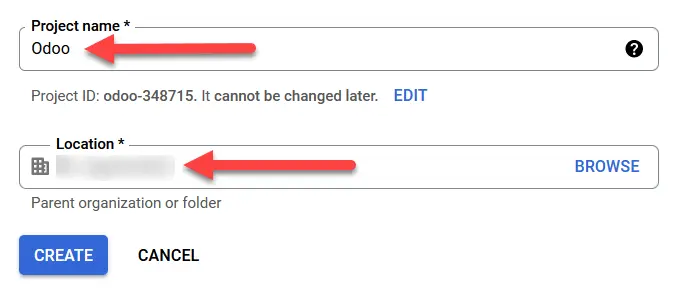
2 Click Create Project and name it Odoo.
2. OAuth consent screen
3 Navigate to OAuth consent screen and select Internal or External.
4 Add your domain to Authorized domains.
Create Credentials
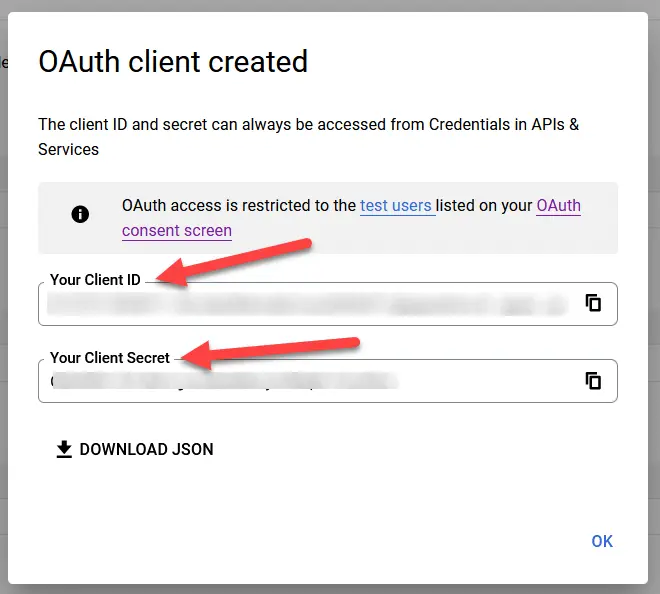
5 Go to Credentials -> Create Credentials -> OAuth client ID.
6 Select Web application and add the Authorized redirect URI:
https://yourdomain.odoo.com/google_gmail/confirm
Setup in Odoo
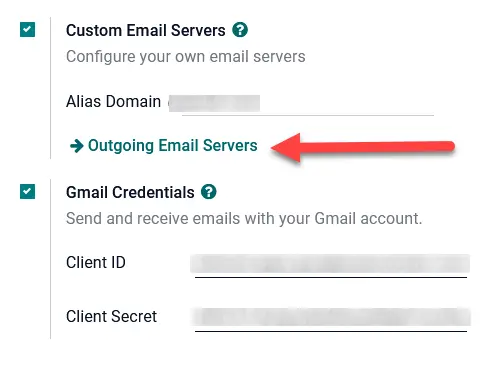
1 Install the Google Gmail module.
2 In General Settings, paste your Client ID and Client Secret from Google.