AI isn't working - fix it in minutes
Cockpit integration (manager briefings). MailDesk Basic has no AI, so nothing on this page applies to a Basic-only install.*
The AI buttons have gone quiet, a security badge never appears, or a test keeps failing - and you just want it working again. Almost every AI problem comes down to one of five small things, and each has a short, safe fix. Find your symptom in the matrix below, follow the two or three steps next to it, and you'll be back to summaries and drafts in a few minutes.
First, the 30-second sanity check
Setting up AI providers and switching AI on or off is an administrator task. Individual users never enter their own keys - so if you're not an admin, the fix is to send this page to whoever manages your MailDesk.
If the AI actions are missing entirely and you're on Basic, that's expected: AI ships with Pro, not Basic. Everything below assumes Pro is installed.
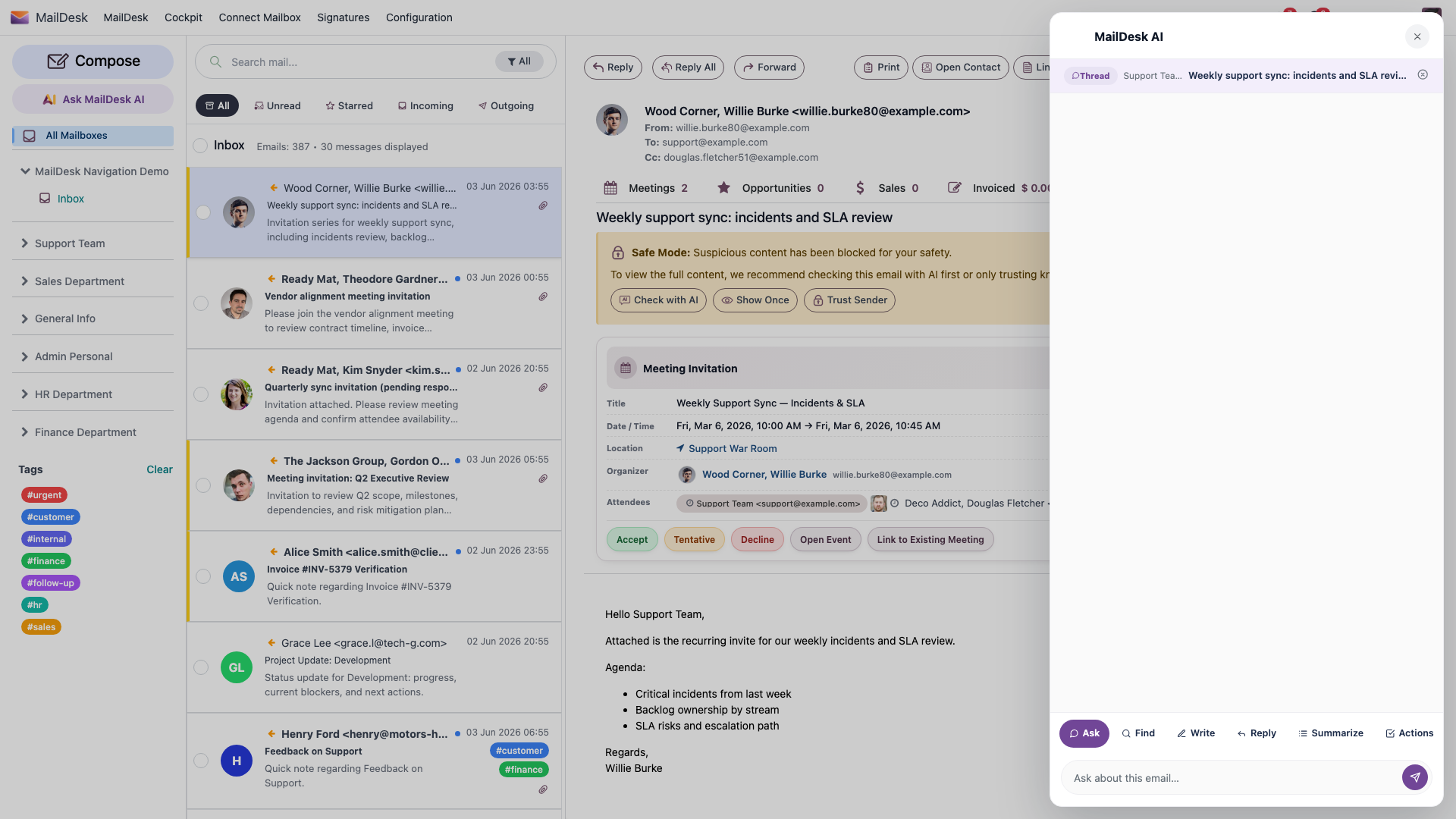
The symptom → fix matrix
Work down the table. The fixes are deliberately short, and the detailed walkthrough for the most common one (adding a provider) is right below it.
| What you're seeing | Most likely cause | What to do |
|---|---|---|
| No security badge on emails; Summarise and Ask AI are missing | No AI provider is configured, or none is active | Add and switch on a provider - see Add a provider in 3 steps below |
| "Could not reach provider … Check the API key and model name." | Wrong, expired, or mistyped key - or a wrong model ID | Re-paste the key freshly (no stray spaces); double-check the exact model ID |
| Test Connection fails for a cloud provider | Your Odoo server can't reach the internet | Ask whoever runs your server to check outbound access - a firewall or proxy may be blocking it |
| Test fails for OpenAI specifically | The OpenAI account has no billing set up | Add billing in the OpenAI dashboard; free trials don't cover the API |
| The provider says "quota exhausted" | You've hit the provider's own usage or billing limit | Top up your plan with the provider, or switch to a cheaper model |
| Connection Failed for a local / self-hosted server | The server isn't running, or the address is wrong | Start the server; the Base URL must be reachable from the Odoo server and end in /v1 |
| Local server works from your laptop but not from MailDesk | The URL points at localhost or a private address the Odoo server can't see |
Use an address the Odoo server itself can reach |
| AI options are greyed out for one mailbox | Enable AI features is off for that mailbox | Turn it on - see Turn AI on for a mailbox below |
| AI worked, then stopped - an admin recently changed settings | A global or per-feature switch was turned off | See How AI access is decided below |
The fastest first move
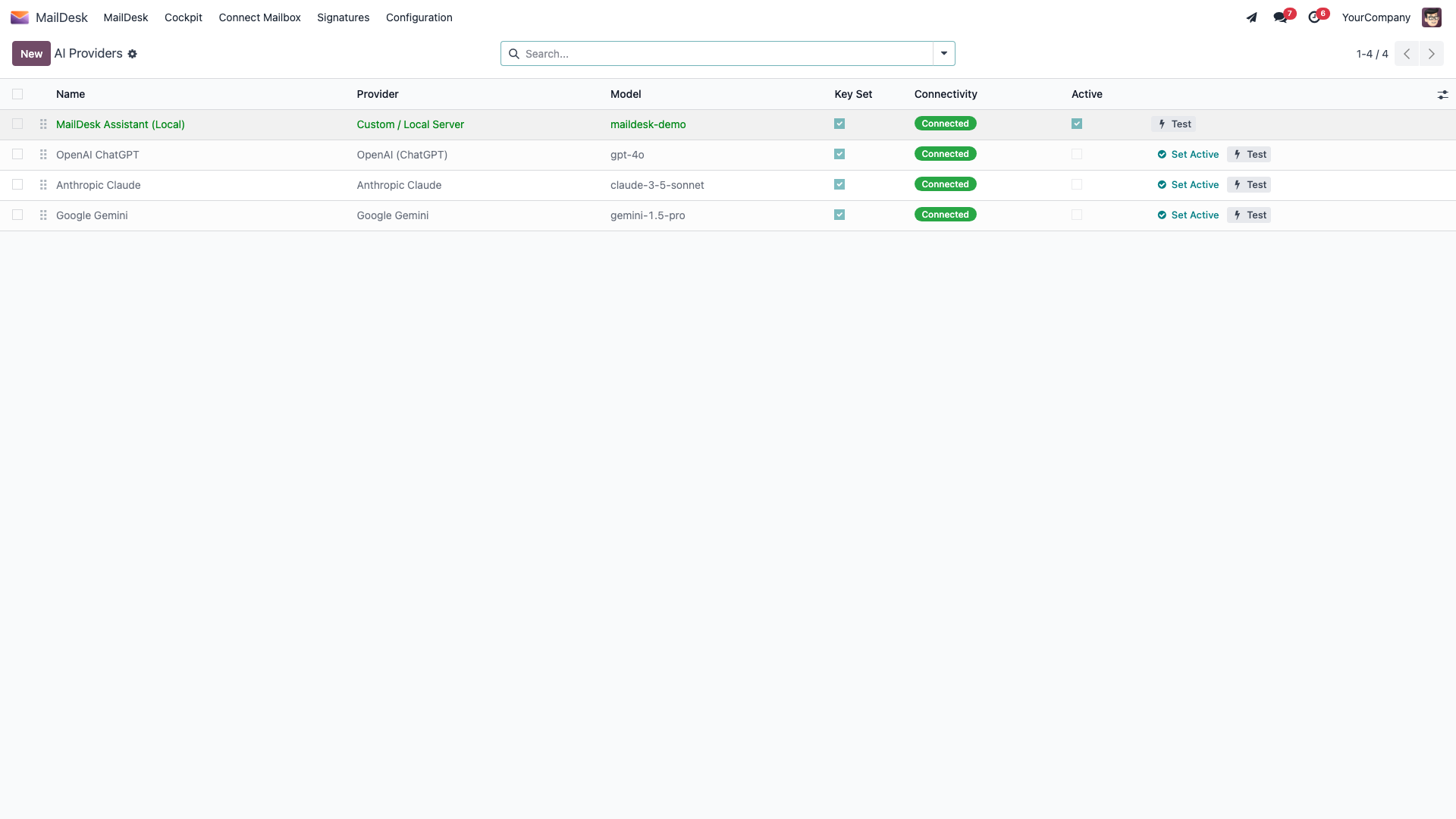
Nine times out of ten the cure is: open MailDesk → Configuration → MailDesk Settings → AI Providers, check that one row is green (Active) with a Connected badge, and click Test Connection on it. That single screen tells you whether the problem is the key, the model, or the network.
Add a provider in 3 steps
This is the fix for "no AI buttons at all." An administrator does it once, and everyone gets AI.
Go to MailDesk → Configuration → MailDesk Settings → AI Providers. This is the list of every AI backend you've connected. A healthy setup has exactly one green row marked Active with a Connected badge.
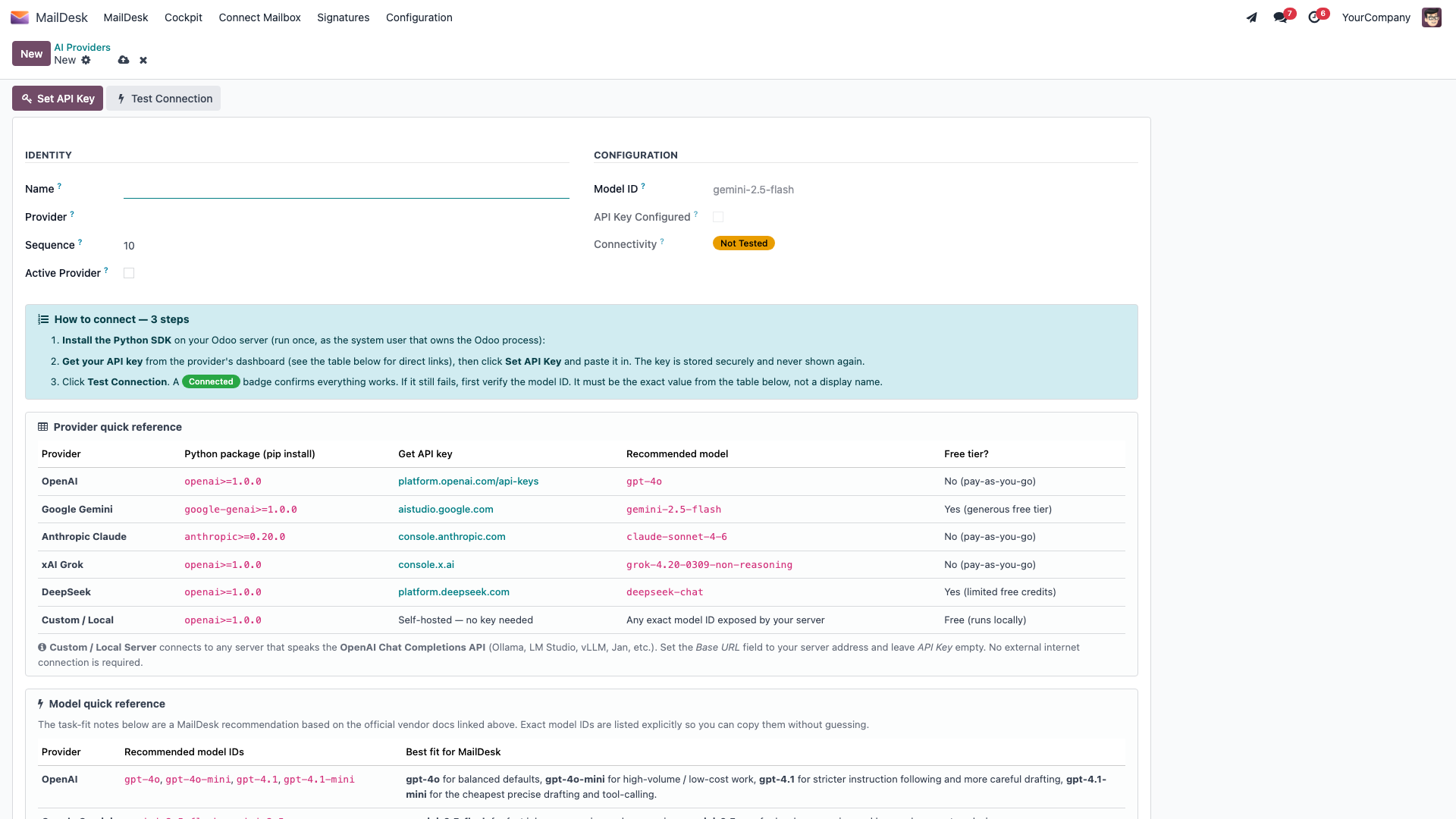
Click New (or open an existing row), then fill in the form:
- Install the Python package on the Odoo server (once). Each provider needs its SDK installed where Odoo
runs. The form spells out the exact command, but in short:
- OpenAI, xAI Grok, DeepSeek, and any Custom / local server use
openai>=1.0.0- Google Gemini usesgoogle-genai>=1.0.0- Anthropic Claude usesanthropic>=0.20.0
If AI fails right after you save a valid key, a missing package is the usual reason - install it and try the test again.
-
Set the API key. Click Set API Key, paste the key from the provider's dashboard, and click Save Key. The key is stored securely and is never shown again, so copy it from the provider first. (A Custom / local server needs no key - just a Base URL and Model.)
-
Test, then activate. Click Test Connection. A green Connected badge means everything is wired up. Then click Set as Active so MailDesk routes all AI through this provider. Only one provider can be active at a time - making one active automatically stands the others down.
Match the model ID exactly
Enter the provider's exact model ID in the Model ID field - for example gpt-4o, gemini-2.5-flash,
or claude-sonnet-4-6 - not a friendly display name. A near-miss here is the most common reason a key is
valid but the test still says "Could not reach provider … Check the API key and model name." The form
lists the right IDs for each provider so you can copy them without guessing.
Once a provider shows Connected and Active, the security badges, Summarise, and Ask AI come back for everyone with access - no restart needed.
Reading the connectivity badge
Every provider row carries a small status badge, so you never have to guess where you stand:
- Not Tested - you haven't run a check yet. Click Test Connection.
- Connected - the key, model, and network all work. You're done.
- Error - the last test failed. The form shows a red "Connectivity error" banner asking you to check the API key and model name, then test again. Re-paste the key, fix the model ID, and retry.
If a test fails, the notification names the exact provider and tells you what to check first - almost always the key or the model ID.
Turn AI on for a mailbox
If AI works everywhere except one mailbox, that mailbox simply has AI switched off.
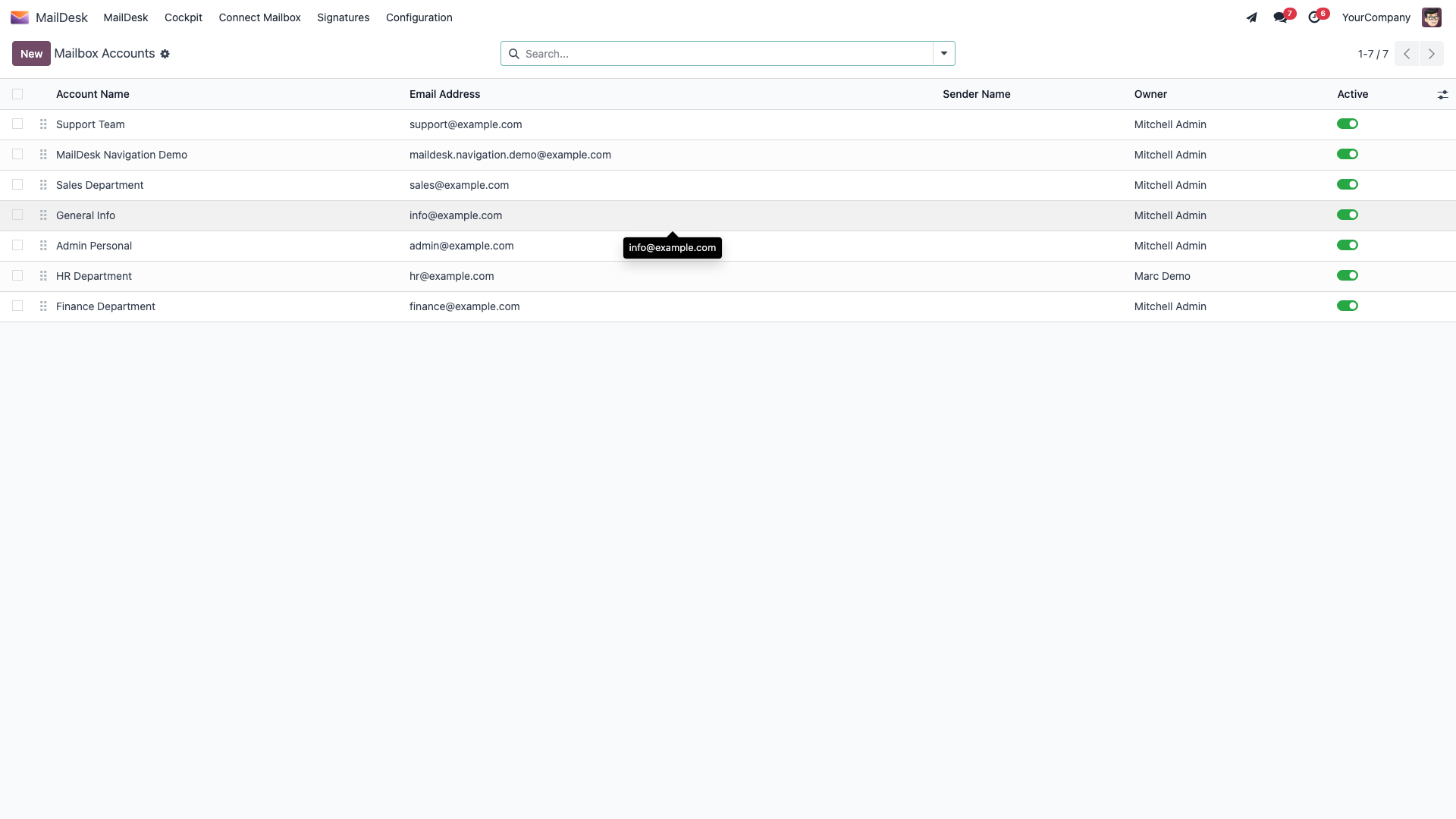
Open MailDesk → Configuration → Mailboxes → Mailbox Accounts, pick the account, and on its form turn on Enable AI features. Switching it on reveals an AI Settings tab where you can also set the reply tone and team context. This toggle is enforced on the server, so flipping it is the real fix - not a cosmetic one.
How AI access is decided (four layers)
AI only runs when all four of these allow it, and they're checked on the server every single time - not just hidden in the screen. If AI is unexpectedly missing, one of these is the reason:
- Global switch - an administrator can turn off all AI at once. (Default: on.)
- Per-feature switch - individual features (summarise, reply draft, security check, and so on) can be turned off one at a time. (Default: on.)
- Per-mailbox switch - "Enable AI features" - off for a mailbox means no AI for that mailbox, full stop. This is the toggle on the mailbox account form.
- A working provider - a configured provider with a valid key, or a reachable self-hosted server.
So if AI vanished across every mailbox right after an admin change, suspect layer 1 or 2. If it's gone for one mailbox, it's layer 3. If a test fails, it's layer 4. Your administrator can re-enable the global and per-feature switches; they're system settings, not something an everyday user can change.
There is no separate AI permission group
AI simply follows your existing mailbox access plus the switches above (and, in the Cockpit, the per-tier limits). If you can see a mailbox, you can use AI on it - once an admin has it switched on. Standard Odoo access rules still apply.
Self-hosted (custom) server checklist
If you keep all AI processing on your own infrastructure with the Custom / Local Server provider and the test fails, walk this list - these four points catch nearly every case:
- The Base URL points at an OpenAI-compatible API and ends in
/v1- for example a local Ollama (http://localhost:11434/v1), LM Studio (http://localhost:1234/v1), or vLLM (http://localhost:8000/v1). - The Model ID you entered is one your server actually serves.
- The server is running.
- The address is reachable from the Odoo server, not only from your own machine. A URL that works in your laptop's browser can still be invisible to the server - that's the classic "works here, fails in MailDesk" trap.
A Custom server needs no API key: leave the key empty and fill in only the Base URL and Model. When a self-hosted provider is used, email content never leaves your network.
Cockpit manager briefings
If the Cockpit's daily manager briefings misbehave, the cause is usually tier, quota, or a missing Pro provider:
| What you're seeing | Most likely cause | What to do |
|---|---|---|
| Generate daily briefing is missing | Below the Cockpit Manager tier, or no provider ready | Get the Cockpit Manager tier; confirm a Pro AI provider is active |
| "Configure the MailDesk AI provider … to enable daily briefings" | No working Pro provider | Set up and test a provider (above) |
| "Daily AI quota reached for …" | The per-day limit for that operation is used up | Try again tomorrow, or ask an administrator (admins have no limit) |
| "Operation … is restricted to Cockpit Manager or higher" | An Operator triggered a manager-only briefing | Run manager tools as a Manager |
| "MailDesk Pro is not installed …" | The Pro module is missing | Install MailDesk Pro - Cockpit AI reuses Pro's provider |
See Cockpit AI briefings for managers for the full quota table and tier model.
Privacy reminder
Whatever you fix here, the boundary never changes: AI is given only the email or thread you're working on - never your whole inbox, never other people's mail, never your Odoo business records. Binary attachments are sent only when a mailbox is opted in and you explicitly ask. For the full data-handling detail see What MailDesk AI can and cannot access.