Chatter integration
Your team needs to talk about an email without the customer ever seeing it - assign a follow-up, ask a colleague, leave context for the next shift. Doing that today means forwarding the mail around or pinging people in chat, and the context drifts away from the email it belongs to. The Chatter integration fixes that: it pins a private, internal discussion to each email, right inside MailDesk.
Available in: Chatter integration (maildesk_mail_client_chatter). The integration
builds on MailDesk Pro, so a mailbox must already be connected and Pro must be installed.
Why it matters
Email replies go to the customer. Coordinating about an email is a separate, internal need - and it deserves its own space. This integration gives every email the same Odoo Chatter your team already knows from every other record: internal notes, @ mentions, scheduled activities, and followers. The conversation lives next to the exact email it concerns, so nothing gets lost in chat threads or forwarded messages.
- It stays internal. Notes and mentions are never sent to the person who emailed you.
- It uses the Odoo you know. The panel is the real Odoo Chatter - no new tool to learn.
- It keeps context together. The discussion is attached to the email, not floating in a separate inbox.
- It only appears when you want it. Discussions are created on purpose, never automatically by syncing or receiving mail.
How it works
1. Turn it on for a mailbox (administrator)
Chatter is switched on per mailbox. Open MailDesk → Configuration → Mailboxes → Mailbox Accounts, open the mailbox, and go to the Settings tab. You will find an Internal Collaboration & Chatter section with an Enable toggle and a short Visibility & Logging list of options.
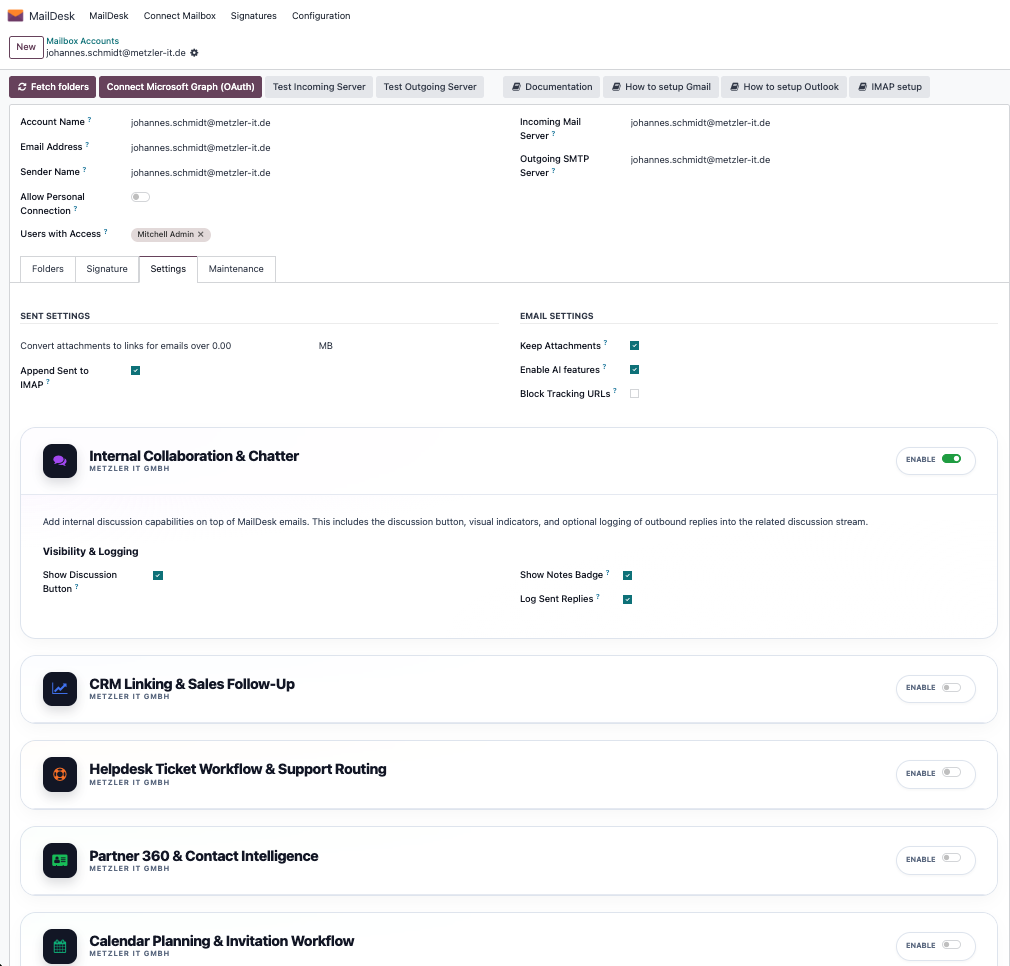
Switch Enable on and choose what you want, then Save:
- Show discussion button - show the discussion button on the email detail view.
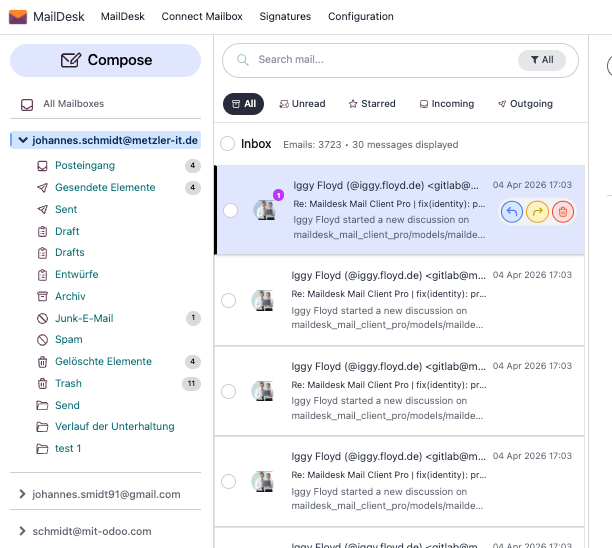
- Show badge - show a small count badge in the email list for emails that already have a discussion with notes.
- Log sent replies - record a sent reply into the discussion (when a discussion already exists for that email).
Nothing is forced on your team
Every option is optional and per mailbox. If you only want the discussion button, leave the badge and reply-logging off.
2. Start a discussion on an email
Open any email in MailDesk. When Chatter is enabled, a discussion button appears in the email's side panel. The first click on an email starts its internal discussion.
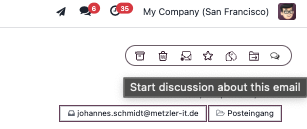
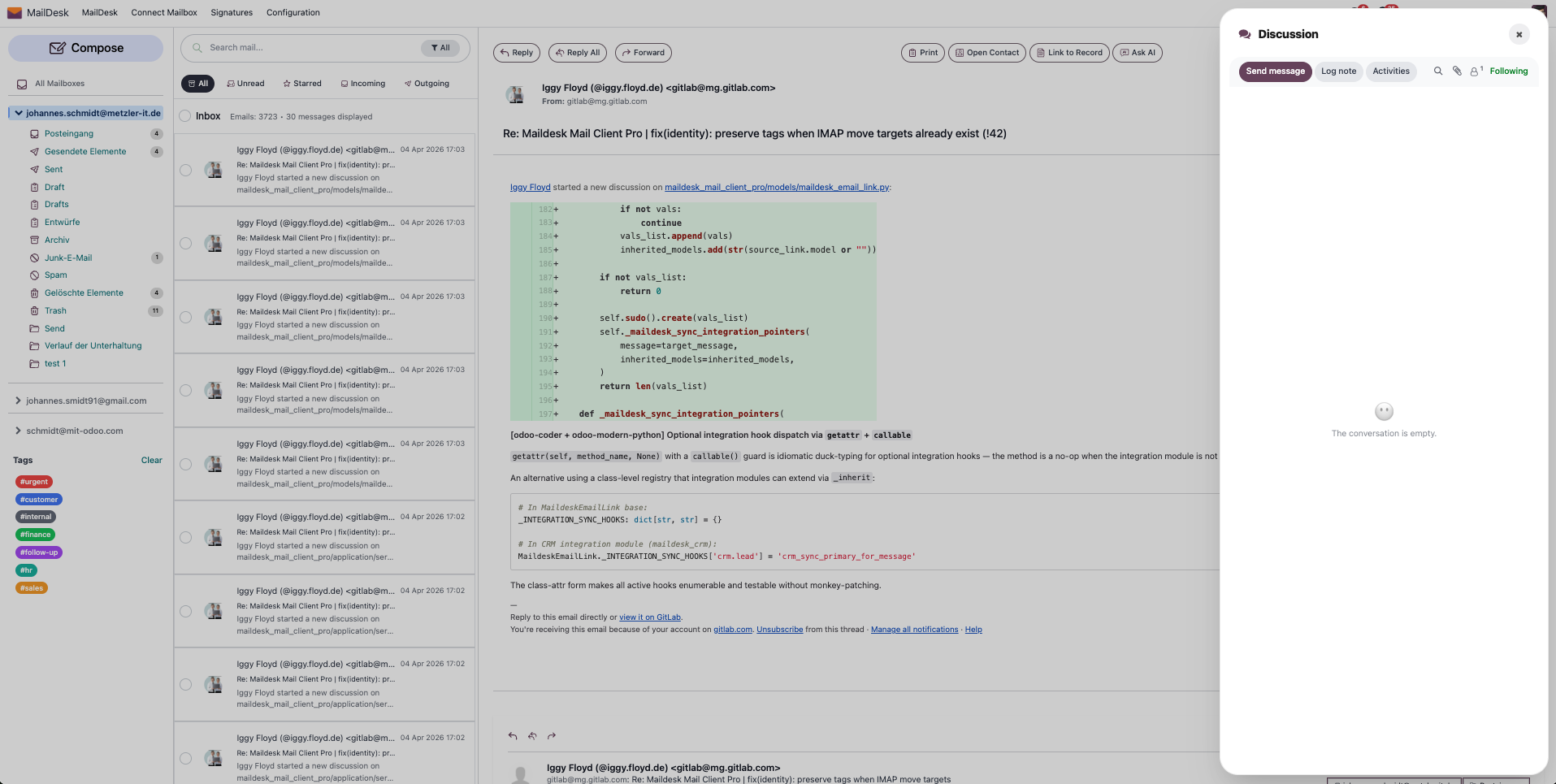
The panel opens with the real Odoo Chatter, ready for its first note.
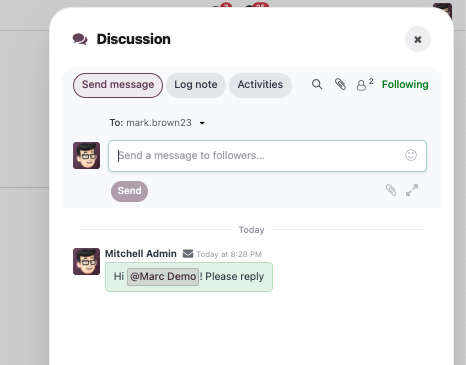
3. Leave an internal note
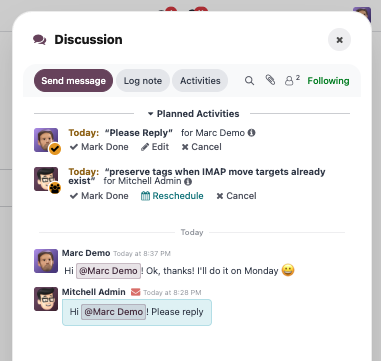
Post a note, @ mention a colleague, and hand off context - exactly as you would in Chatter on any other Odoo record. The mentioned colleague gets the usual Odoo notification.
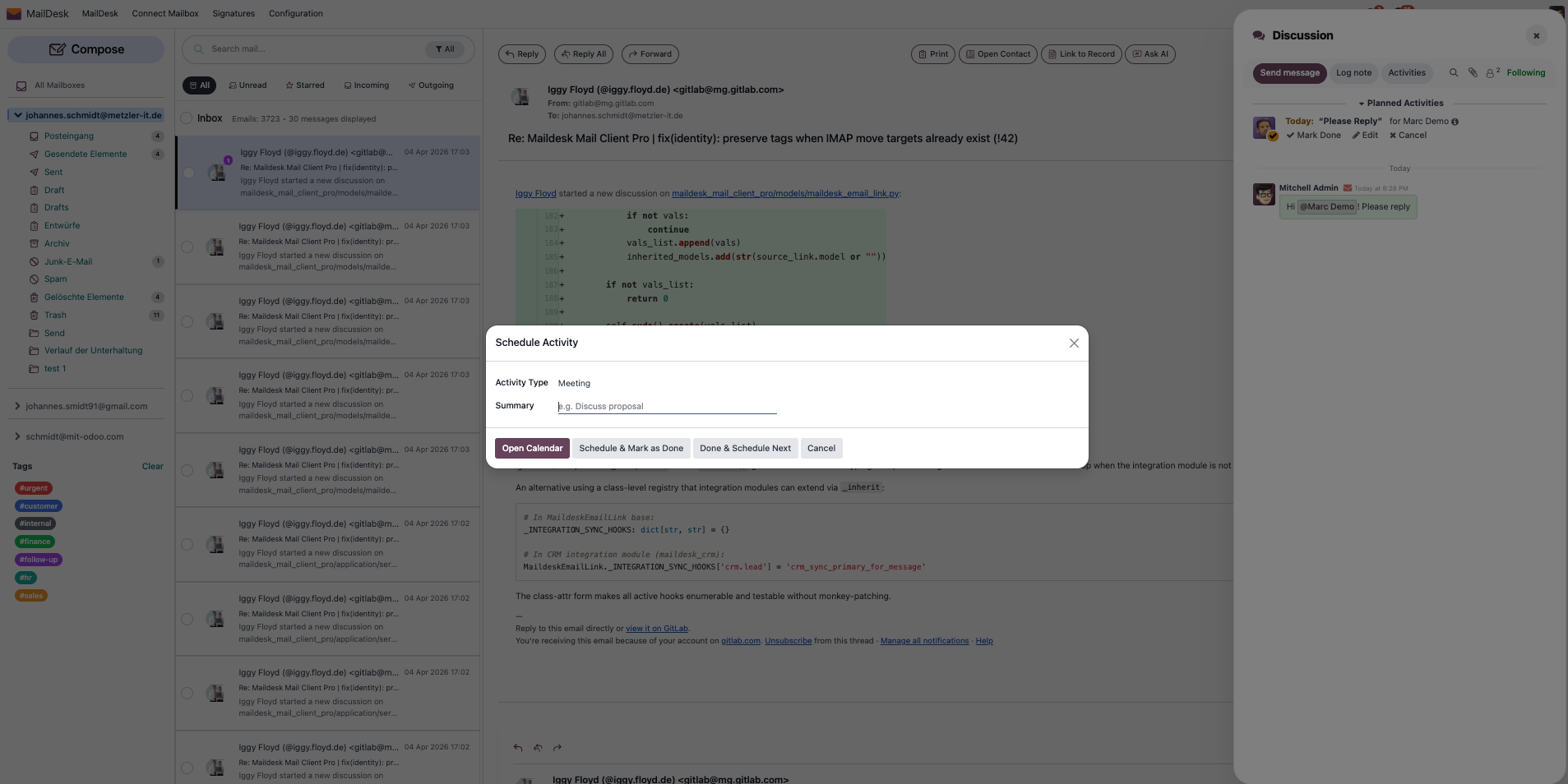
4. Schedule an activity
Need a follow-up? Create an activity - a call, a to-do, a meeting - straight from the panel.
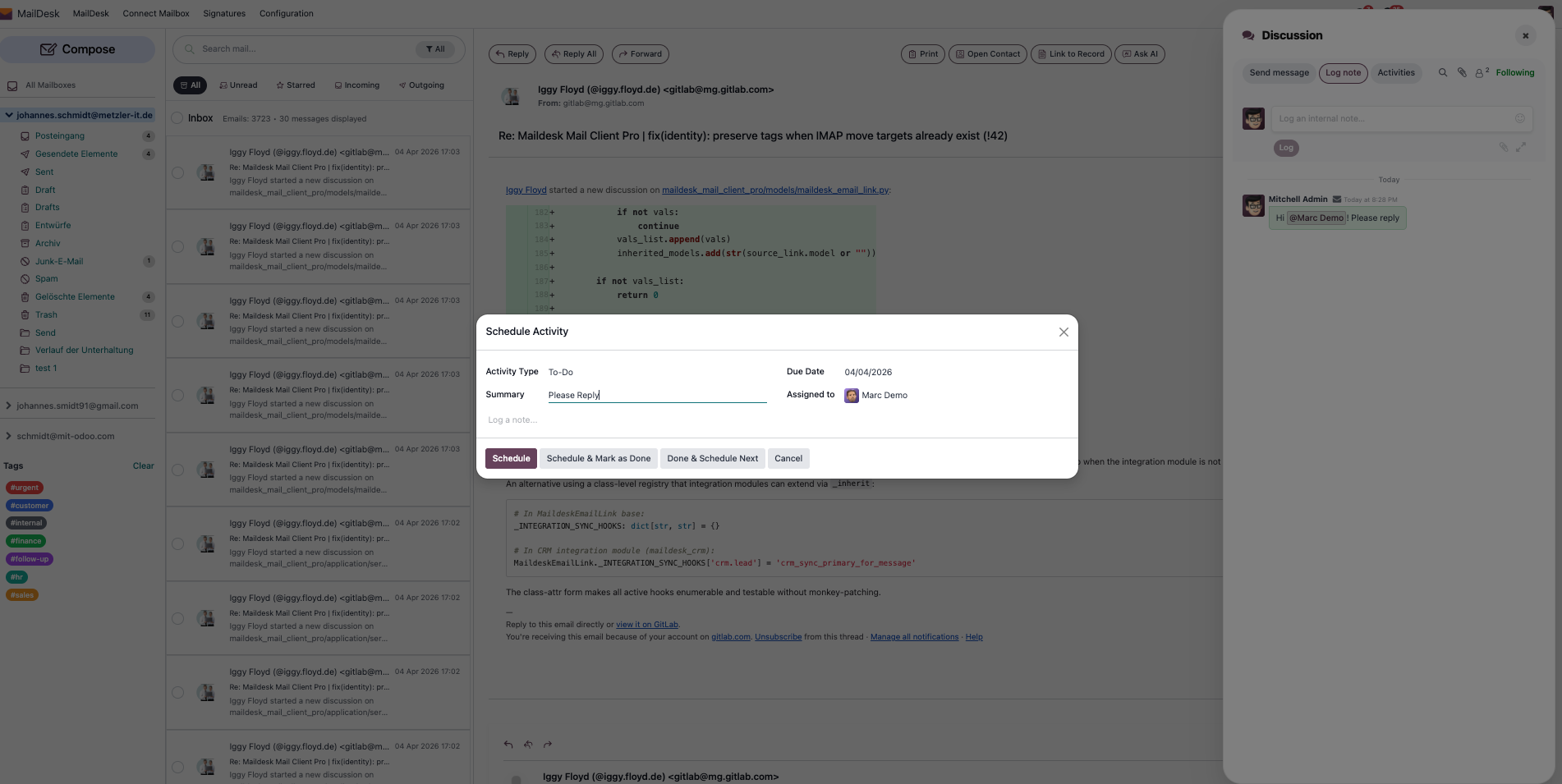
Once saved, the activity is linked to the email and shows up in the discussion.
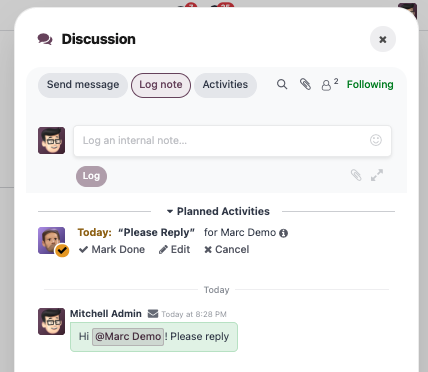
Activities behave like Odoo activities everywhere else, so they also surface in your normal activity views and reminders.
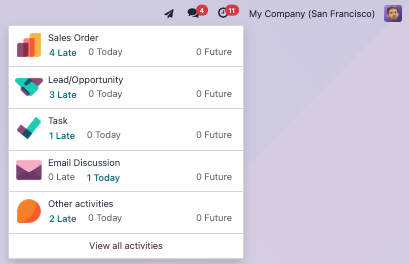
5. Pick it up later, from the list
The next person to open the email sees the discussion and can add to it. With the badge option on, the email list shows a small count badge so the whole team can spot at a glance which emails already have an internal conversation.
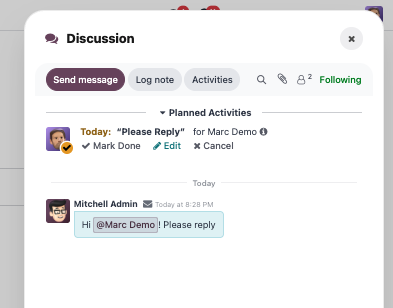
A real example
Schedule a meeting, leave a note for a teammate, and keep the whole back-and-forth pinned to the email - all in one place.
Everything stays private
The discussion is a separate, internal layer attached to the email. Notes, mentions, and activities are never sent to the customer who emailed you.
Requirements
- MailDesk Basic and MailDesk Pro installed, with at least one mailbox connected.
- The Chatter integration module (
maildesk_mail_client_chatter) installed. - MailDesk works on Odoo 17, 18, 19, or 20 - the steps above are the same on each.
Permissions required
- Only users with access to the mailbox can see, start, or post in an email's discussion.
- @ mentions and activities follow the standard Odoo notification rules for the mentioned user.
Get MailDesk Chatter
Give every email its own private workspace for your team - without a single message ever reaching the customer. The Chatter integration drops straight into the Odoo and the MailDesk you already use, so there is nothing new to learn.
See plans and start free on mit-odoo.de/preise, or talk to us if you'd like a quick walkthrough first. We're happy to help you find the right fit.